
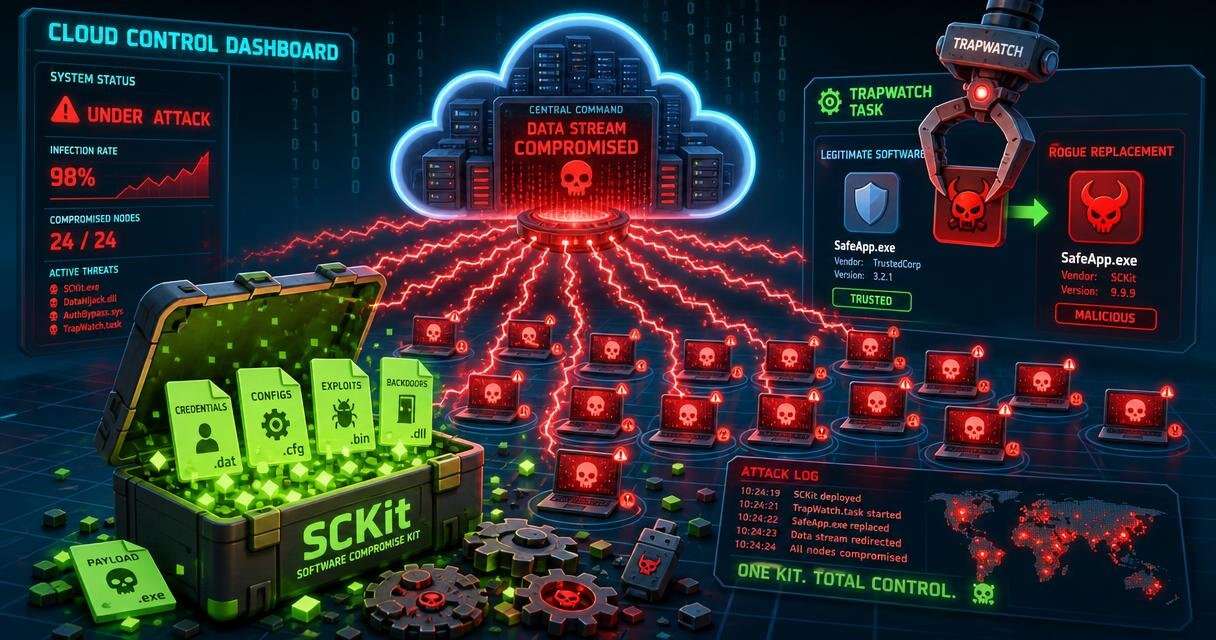
Attackers took over cloud-hosted ConnectWise ScreenConnect panels and used them to push a custom toolkit called SCKit to at least 288 managed devices across 48 organizations. Huntress first saw the activity on November 11, 2026, and says all 288 hosts were hit within about 90 minutes.
Cloud panel abuse and rapid spread
The attacker used ScreenConnect’s Run command feature to send commands to many endpoints at once. Those commands ran with SYSTEM rights, the highest level on Windows. The command first checked for an existing ScreenConnect client. It then downloaded a rogue installer to C:\Windows\TEMP\sc.msi and installed it silently.
Huntress says about one third of the hosts were hit in the first 10 minutes. It is working with ConnectWise on the case. Reports say the latest ScreenConnect versions, 26.6.6.9747 and 26.7.6.9783, are affected. ConnectWise says it has found no sign that its own systems were broken into and no flaw in ScreenConnect itself.
Extensions and vendor response
In a public advisory posted on November 11, ConnectWise named five outside extensions that may be tied to the activity: Labtech Plus, RMM Plus, RMM+, RMM Plus Password Link, and RMM+ Password Link. The company turned them off in about 400 partner environments as a safety step.
ConnectWise says these extensions offer an API that can run remote commands, and a passphrase set by the partner protects that API. Having an extension installed does not prove a break-in. The company has not yet found the first point of entry or the full scope. Partners who run servers on their own premises must turn the extensions off themselves, because ConnectWise cannot do it for them.
What SCKit does on infected machines
SCKit is a package of 16 files, including PowerShell scripts, batch files, and settings data. The infected machine sends its Windows ID to the attacker’s server. The server replies with the key needed to unlock a payload made for that one machine. This makes file hashes a weak way to spot the threat.
Next, the scripts install a second rogue ScreenConnect client and add exclusions to Microsoft Defender. They also create a tool called RelayTrap in C:\ProgramData\RelayTrap. A scheduled task named TrapWatch stops the real ScreenConnect client and puts the attacker’s copy in its place. The machine still looks normal to the admin. Huntress also noted that the C# code for RelayTrap looks like it was written with an AI model.
A second goal aimed at technicians
The toolkit has a second goal. Huntress found code built to wait until a technician connects to an infected device. It then pulls a dropper onto the technician’s workstation and steals the .aspxauth session cookie. With that cookie, the code tries to reach every other session the technician can open, and it uploads a payload to the panel’s Shared Toolbox.
Huntress has not seen this spread work. The console takeover failed in every host log it has checked so far. The design still shows why defenders should be careful.
Earlier ScreenConnect abuse and a fixed flaw
This is not the first time criminals have turned ScreenConnect against its users. In September, Cyber Security News covered worm-like rogue ScreenConnect clients that passed staged scripts between Windows machines. Around the same time, CISA added CVE-2026-84869 to its Known Exploited Vulnerabilities list. That flaw allows file transfers during a live session without the host’s approval. Huntress says ConnectWise later fixed it, and it scored 9.9 on the CVSS scale.
Response steps and indicators
Huntress and ConnectWise give the same core advice. Do not connect to a suspect machine through ScreenConnect, because that session can carry the malware to your own workstation. Use EDR live response, WinRM, or another tool outside ScreenConnect.
Teams should also isolate affected hosts until cleanup is finished. Huntress saw some machines reinfect after isolation was lifted. They should remove the rogue client, the TrapWatch task, the RelayTrap folder, and the RelayTrapLiteAlert Run key. They should check Run Command and Toolbox history for jobs nobody started, and revoke active web sessions and rotate credentials from a clean device.
Indicators include the domains newnewnew.gotdns[.]org, soxnewwork.homedns[.]org, cdn007-digitaldownloads[.]com, and ns.mo7sen[.]dev. They also include the IP address 185.99.255[.]28 and the participant name Addmin. ConnectWise says the investigation is still open and it will update its advisory as facts are confirmed.
 Licensed under CC BY-ND 4.0 International