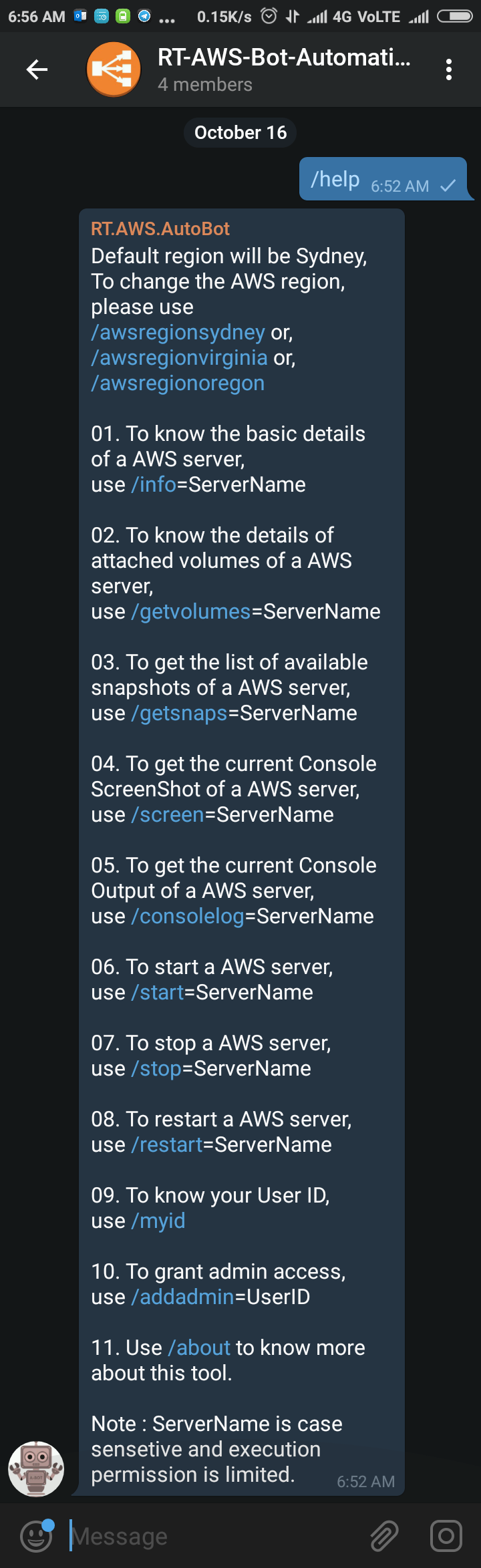
Sometimes back I was working on a free notification system using Telegram Bot (https://telegram.org/blog/bot-revolution), and I wrote a simple function in PowerShell, which could be use in various ways for sending instant notification to any smartphone for free (http://bit.ly/2ys1gF5). I thought what else we could do with it, and I have got an idea to use it as AWS Automation
Author: Saugata Datta
I’m an IT/DevOps professional with many years of hands-on experience across Windows, Linux, Automation, Backup and Cloud. I love building real-world automations to make infrastructure reliable, secure, and self-healing. Through this blog, I share practical learnings from enterprise projects and my home-lab experiments on Cloudflare, Self-Hosting and everything in between. Always tinkering, always improving.
Add new Admin Account to AWS Windows Instances to rescue the system

As mentioned earlier, we could reset the local admin password of windows instances via registry, but unfortunately that will not going to help us if we forget the user id details or we renamed the user id. And the good news is, we still will be able to logon into the system by creating one new Admin Account using AWS

How to use AWS PowerShell cmdlets with Filter

I personally can’t imagine supporting a big infrastructure without introducing automation and to automate something you have to use command line. If you are more into Windows and started working on AWS for your clients, then I assume that you would love to start managing AWS using AWS PowerShell Module like I do. AWS Console is really good and informative
Migrated this blog to Amazon LightSail from GoDaddy

Finally, I managed to migrate my blog from GoDaddy to Amazon Lightsail, and everything looks good so far. Thanks to Amazon Lightsail for providing a static public IP (34.198.110.82). It’s really simple to migrate your blogs from any other hosting Amazon Lightsail, details information can be found here. They have very attractive pricing, which is one of the reason I
Cleanup disabled users from AD Group/s
Cleanup disabled accounts from groups is one of the most boring job, and also take lots of time. Manually it’s almost impossible to maintain. Recently I had a request to perform such task for many groups, so, I wrote a script to do it automatically on behalf of me. I am now sharing this script, hoping this might help you