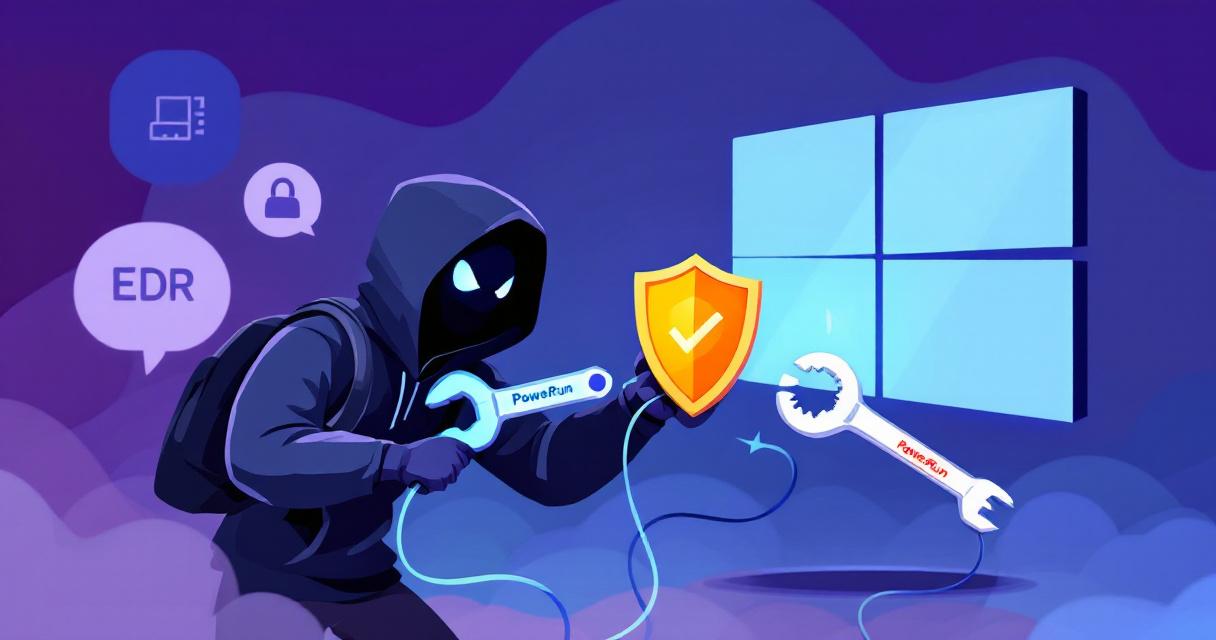
Ransomware gangs have evolved from noisy mass campaigns into precise, surgical operators. A growing and dangerous trend is the abuse of legitimate Windows utilities — tools built to help administrators troubleshoot and repair systems — as the first step in modern ransomware operations. By repurposing utilities such as Process Hacker, IOBit Unlocker, PowerRun, AuKill and TDSSKiller, attackers can silently neutralize antivirus (AV) and EDR protections, creating a short but effective window in which to steal credentials, move laterally and deploy encryption payloads. That quiet window is often all they need to cause widespread damage.
Why this approach works
These tools present an attractive vector for attackers for several reasons. They are widely used by IT teams, digitally signed, and powerful enough to manipulate processes, drivers and locked files. Security telemetry can therefore mistake hostile activity for routine administration, reducing alerting and delaying response. Researchers have observed this pattern used across multiple ransomware families — including LockBit 3.0, BlackCat, Dharma, Phobos and MedusaLocker — and as part of a broader evolution from simple scripts to kernel-level manipulations and prepackaged AV-killer modules in ransomware-as-a-service (RaaS) kits.
The two-stage pattern attackers use
Stage 1 — Dismantle defenses and escalate
- Terminate security processes: Tools like Process Hacker and AuKill are used to kill AV/EDR processes, often by exploiting high privileges such as SeDebugPrivilege.
- Unload kernel drivers: Utilities originally intended for rootkit removal (e.g., TDSSKiller) can be misused to unload AV kernel drivers, preventing them from protecting the system.
- Delete binaries and persistence: File-unlocking utilities (IOBit Unlocker) and custom modules can delete AV binaries or remove startup registry keys and scheduled tasks that restore security services.
- Gain SYSTEM-level execution: Tools like PowerRun execute commands at SYSTEM privileges, enabling broad control and bypassing local restrictions.
Stage 2 — Credential theft, lateral movement and payload
- Memory credential extraction: Attackers use tools and techniques (for example, Mimikatz-style approaches) to read LSASS memory and harvest cached credentials for lateral movement.
- Kernel-level persistence and anti-forensics: Advanced components may hook kernel callbacks or erase registry artifacts (e.g., Unlock_IT) to remain stealthy and complicate investigation.
- Final payload execution: With defenses down and credentials in hand, ransomware runs — often with elevated privileges and across multiple hosts.
Detection challenges and signals to watch for
Because these utilities are legitimate, defenders must look beyond simplistic allow/block lists and instead detect suspicious sequences and behaviors:
- Monitor for process terminations and service-control commands that target security products (examples: sc stop, net stop, taskkill).
- Alert on unexpected use of administrative utilities on endpoints that don’t normally require them, or when such tools are launched from unusual parent processes.
- Track registry and scheduled-task changes that touch AV-related keys or startup locations.
- Watch for memory access patterns and LSASS reads, and enable logging that can reveal credential dumping attempts.
- Baseline normal administrative behavior so deviations (e.g., tool usage at odd hours or from unapproved management hosts) trigger investigation.
Practical preventive controls
- Least privilege and just-in-time access: Remove standing local admin rights where possible and require JIT elevation for administrative tasks. Use privileged access workstations (PAWs) for sensitive administration.
- Application allowlisting: Enforce whitelisting (AppLocker, Microsoft Defender Application Control) to block unapproved binaries, and keep allowlists tightly scoped.
- Tamper protection and centralized policy: Enable tamper protection for AV/EDR and manage configurations centrally to prevent local removal or modification.
- Restrict and vet admin tooling: Only allow vetted, signed admin tools from approved sources; maintain an inventory of legit utilities and control who can install or run them.
- Harden endpoints: Apply vendor hardening guidance for EDR/AV, ensure kernel-mode protections are enabled, and keep systems patched.
Detection engineering and monitoring recommendations
- Create detection rules for sequences indicative of defense neutralization: service kills followed by driver unloads or deletions of AV binaries.
- Instrument remote management channels (PSExec, WinRM, RDP) and require MFA for administrative remote access.
- Centralize and retain detailed endpoint logs (process creation, parent-child relationships, registry writes, driver events) to enable rapid triage and hunting.
- Use behavioral analytics to spot anomalies like unusual parent processes for admin tools or sudden SYSTEM-level executions from workstation endpoints.
Incident response and containment guidance
- Rapid isolation: Immediately isolate endpoints where AV/EDR processes were terminated or where unauthorized privilege escalation occurred to prevent lateral spread.
- Memory capture and forensics: Prioritize volatile data collection from suspected hosts to look for credential dumping and ephemeral indicators.
- Prefer rebuilds for compromised kernel integrity: When kernel drivers have been unloaded or manipulated, rebuilding from known-good images is often safer than in-place remediation.
- Preserve evidence and follow a playbook: Capture logs, registry hives and disk images for root-cause analysis, then hunt for lateral movement using harvested credentials.
Operational checklist for defenders
- Enforce MFA for all privileged and remote-access accounts.
- Maintain strict allowlists and review exceptions regularly.
- Limit access to low-level admin tools and require approvals and logging when they are used.
- Enable tamper protection on security agents and centrally manage security policies.
- Train SOC analysts to recognize early indicators of defense neutralization and test IR playbooks that assume AV/EDR may be offline.
- Run tabletop exercises that simulate AV termination and credential theft scenarios.
Final thoughts
Weaponizing legitimate Windows tools is a pragmatic, effective trend in modern ransomware campaigns because it exploits trust and administrative convenience. Combating it requires a shift from signature-reliant defenses to a layered approach that tightly controls administrative capabilities, enforces allowlisting, hardens endpoint protections, and equips detection teams with behavioral rules tailored to sequences attackers use. With strong access controls, robust monitoring and practiced response procedures, organizations can shorten — or close entirely — the silent window attackers rely on and significantly reduce the damage from these staged intrusions.
 Licensed under CC BY-ND 4.0 International

Windows Users Beware: SnappyClient — The Compact Implant That Hijacks Crypto and Disables Defenses
A compact but capable Windows implant called SnappyClient has emerged as a…

Stryker Confirms Massive Wiper Strike — Thousands of Devices Erased in Alleged Iran-Linked Operation
Stryker, the global medical technology company, confirmed on March 11, 2026, that…
Hotpatch Alert: Microsoft Fixes Critical RRAS Remote-Execution Flaws in Windows 11
Microsoft issued an out-of-band hotpatch on March 13, 2026, to address a…
Microsoft Active Directory Domain Services Vulnerability (CVE-2026-25177) — What Administrators Need to Know
In early March 2026, Microsoft released an important security update addressing a…