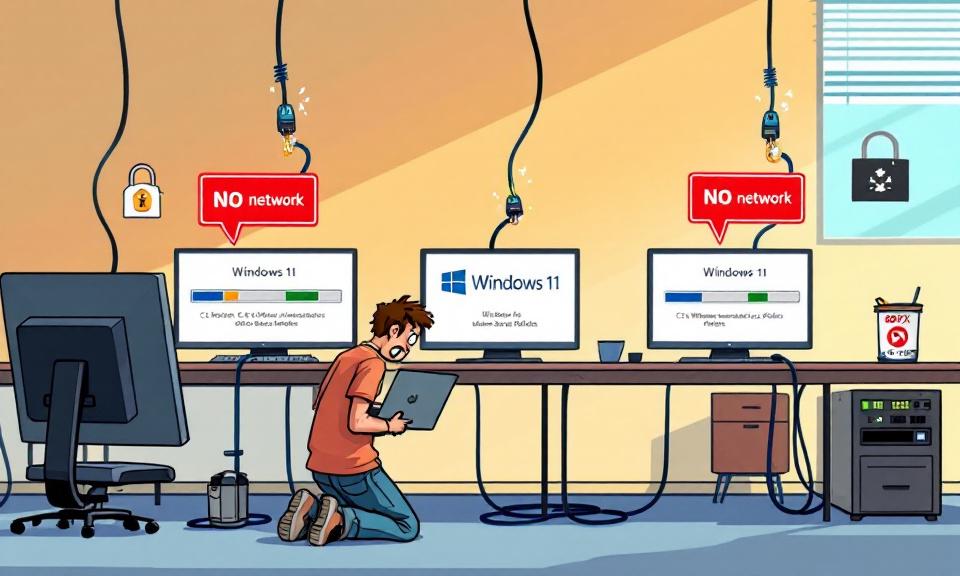
A quietly persistent bug in in-place Windows upgrades has resurfaced across recent Windows 11 version jumps and is creating a painful, real-world problem for enterprise IT teams: wired 802.1X authentication profiles applied by Group Policy are being deleted during some upgrades, leaving machines offline until a manual recovery is performed. What looks like a routine OS update can turn into a multi-device outage unless administrators prepare ahead. This article explains what’s happening, why it matters, practical mitigations, and how to adapt upgrade workflows to avoid getting caught flat-footed.
What’s happening during the upgrade
During certain in-place upgrades, files under C:Windowsdot3svcPolicies — the location where the Wired AutoConfig service (dot3svc) stores 802.1X LAN authentication profiles pushed via Group Policy — are being removed. Without those policy files, the Wired AutoConfig service has no client-side configuration to authenticate on ports that enforce IEEE 802.1X port-based access control. The result is immediate loss of wired network connectivity once the device boots into the upgraded OS.
A complicating factor is the chicken-and-egg scenario: the machine being offline prevents it from receiving a refreshed Group Policy that would restore the profiles. In many enterprise setups, the only way to reapply policy is while connected to the corporate network, which the device can no longer reach. In some reported cases, the upgrade has also wiped the machine’s computer certificate store, breaking EAP-TLS authentication and further complicating recovery.
Why this matters for enterprises
- Large-scale impact: In environments where most endpoints boot from wired connections and depend on 802.1X, a wave of upgrades could produce many simultaneously offline systems.
- Physical intervention: Recovery often requires a network change or physical access (moving a device to a non-802.1X port), which is costly and slow for distributed or remote workforces.
- Security and compliance: If certificate stores are affected, restoring secure authentication can require more than a simple policy reapply; it may involve certificate reprovisioning.
- Operational disruption: End-user productivity and dependent services can be impacted until devices are recovered.
Documented workarounds and mitigations
Administrators and community responders have shared several practical mitigations you can implement immediately:
- Backup and restore the dot3svc Policies folder — Before upgrading, copy C:Windowsdot3svcPolicies to external storage (a network share that will remain accessible post-upgrade or a local backup). After upgrade and first boot, restore the folder before network authentication is required.
- Force Group Policy on a non-802.1X segment — Move the device to a switchport or network segment that does not enforce 802.1X, run gpupdate /force or gpupdate /force /target:computer to push the LAN profile back into place, then return the device to the secured port.
- Automate restoration in SetupComplete or post-upgrade scripts — Inject a restoration step (copying backed-up policies into place and restarting the dot3svc service) using the SetupComplete.cmd process or other post-upgrade scripting mechanisms.
- Integrate into managed deployment workflows — For SCCM/MECM or other imaging tools, add a post-upgrade task in the task sequence to re-push 802.1X settings or restore the Policies folder before the device rejoins the secured network.
- Pre-stage credentials or temporary open ports — Where possible, temporarily allow a maintenance VLAN or open switchport for upgrade windows so devices can pull policy after reboot without physically moving them.
Detection and verification steps
Audit dot3svc Policies status before and after upgrades: check for the presence of files under C:Windowsdot3svcPolicies and log size/timestamps as part of your upgrade readiness checks.
Monitor network authentication failures: use switch and NAC logs to detect spikes in unauthenticated wired ports tied to newly upgraded device MACs.
Inspect certificate stores: verify the machine/computer certificate store remains intact if your 802.1X deployment relies on EAP-TLS.
Deployment recommendations
Treat dot3svc as a critical item in your upgrade checklist: add a pre-upgrade step to back up the Policies folder and a post-upgrade step to restore or force policy.
Pilot broadly and verify in representative network segments: don’t rely on a handful of test devices that aren’t connected to 802.1X enforced ports. Test upgrades in the same network conditions as production endpoints.
Communicate with help desk and field teams: prepare field techs with clear recovery steps (move to non-802.1X port, run gpupdate, restore backups) and ensure they have the necessary access to perform them.
Automate where possible: use deployment tools to automate the backup/restore or policy reapplication steps so human intervention is minimized.
Monitor vendor updates: track Microsoft’s release health/dashboard and security advisories for acknowledgement and an official fix or KB article.
Final thoughts
This regression is a reminder that even routine platform upgrades can have deep, environment-specific impacts. Organizations that rely on 802.1X for secure wired access should assume the risk exists until they validate otherwise. The good news is that straightforward mitigations — backing up policy files, staging policy reapplication, and adjusting managed deployment sequences — significantly reduce the chance of downtime. Prioritize pilot testing under realistic network conditions and bake remediation steps into upgrade playbooks so an OS refresh doesn’t become an unplanned outage.
 Licensed under CC BY-ND 4.0 International

Windows Users Beware: SnappyClient — The Compact Implant That Hijacks Crypto and Disables Defenses
A compact but capable Windows implant called SnappyClient has emerged as a…

Stryker Confirms Massive Wiper Strike — Thousands of Devices Erased in Alleged Iran-Linked Operation
Stryker, the global medical technology company, confirmed on March 11, 2026, that…
Hotpatch Alert: Microsoft Fixes Critical RRAS Remote-Execution Flaws in Windows 11
Microsoft issued an out-of-band hotpatch on March 13, 2026, to address a…

Microsoft Active Directory Domain Services Vulnerability (CVE-2026-25177) — What Administrators Need to Know
In early March 2026, Microsoft released an important security update addressing a…