
Most of us using TAKEOWN or ICACLS for taking ownership from command prompt, and both of them are simple to use. We generally use TAKEOWN or ICACLS with following switches to taking the ownership. takeown /F “PATH” /R /D Y /A icacls “PATH” /T /setowner Administrators But unfortunately, TAKEOWN & ICACLS both might failed on certain scenario, as there are
Category: Web Development
JavaScript, TypeScript, Node.js, React, Vue, Angular, Next.js, Nuxt, Svelte, HTML, CSS, Tailwind CSS, WordPress, WordPress plugin, WordPress theme, WordPress development, WooCommerce, PHP, Laravel, Django, Flask, FastAPI, GraphQL, REST API design, web performance, Core Web Vitals, SEO, web accessibility, WCAG, PWA, web app, frontend, backend, full-stack, Vite, Webpack, npm, pnpm
OS Dependent Logoff/Logon Script run via GPO
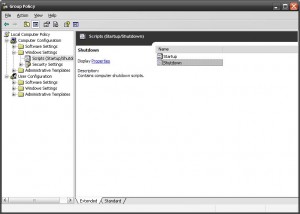
Use following VBS script Startup or Shutdown script. vb Option Explicit Dim objItem, colItems, objWMIService, strComputer, objShell strComputer = “.” Set objShell = CreateObject(“WScript.Shell”) Set objWMIService = GetObject(“winmgmts:\” & strComputer & “rootcimv2”) Set colItems = objWMIService.ExecQuery(“Select * from Win32_OperatingSystem”,,48) For Each objItem in colItems If InStr(objItem.Caption,”2000″) Then ‘Add your line here for 2000 objShell.Run “regedit”, 1, True End If If