




Previous Version: https://technochat.in/2010/08/domain-tools-v1-0-for-delegating-users-id-related-calls/ Main Window Configuration Window
Latest Articles

Azure
Attackers Exploit SharePoint Authentication Bypass After Public PoC Release
Microsoft’s SharePoint platform is facing active exploitation following the public release of a proof-of-concept (PoC) for a critical authentication bypass vulnerability tracked as CVE-2026-55040. Patched in July’s Patch Tuesday, the flaw allows unauthenticated actors to impersonate SharePoint users by forging JSON Web Tokens (JWTs). Since the PoC surfaced, security researchers and telemetry providers have observed real-world attempts that underscore the urgency for administrators to apply updates and audit their environments. What happened Microsoft disclosed CVE-2026-55040 as a high-severity authentication feature…
Continue readingThree DropBox client for Symbian^3 (N8, C7, C6-01, E7, X7)
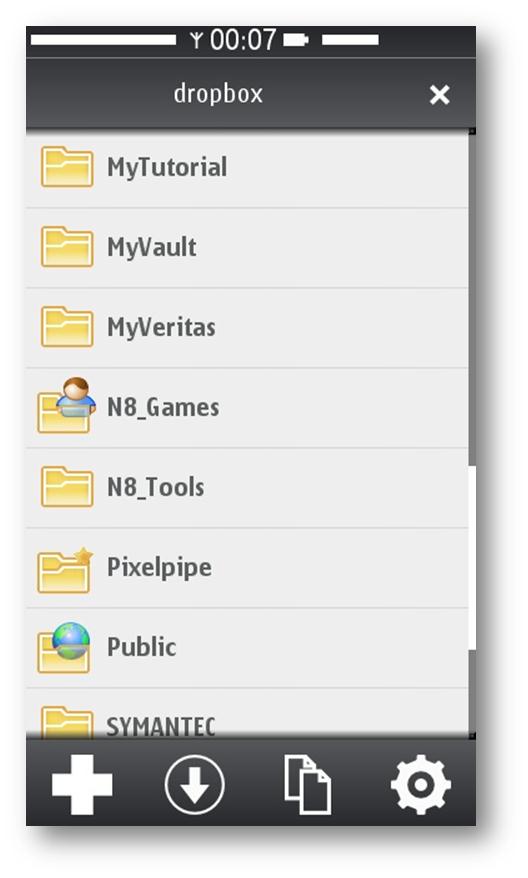
Currently Symbian^3 having three different native DorpBox client, and all of them written in QT. So, you have to install QT runtime on your device before installing DorpBox client. And good news is, all of them using Nokia Smart Installer, so, before installing DorpBox client, it will check the required runtime environment, and if QT not installed on your device,
How to configure Home Folder with extra security
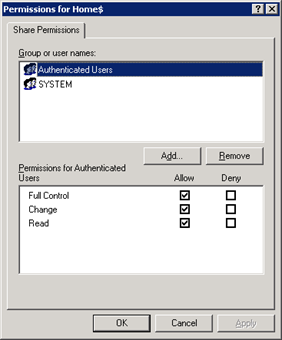
If you are having a domain controller, and decided to give a personal drive for all users, then home folder configuration is the best way to do it. But if you want to make it secure for every users, then you have to configure something extra with ntfs security and share security. Our current requirement as follows: Deploy home folder
HOW to HACK into Broadband ADSL Modem (Router) and get the BroadBand User ID and Password!!
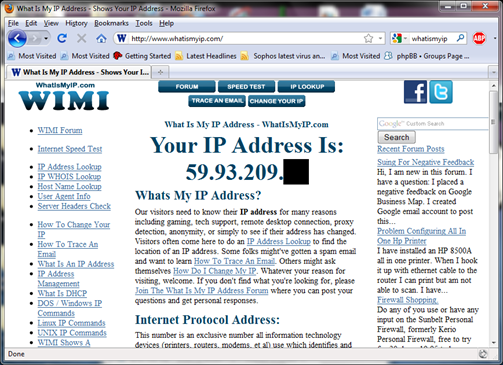
NOTE: Purpose of this article is to help people to protect their own ADSL Router, and how to made them more secure, to avoid such indecent in future. First connect to your broadband, and goto http://whatismyip.com to know your public IP Address.
Domain Tools v1.0 – For Delegating Users ID related Calls
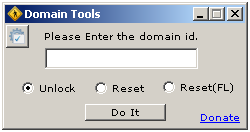
As being a Windows Administrator, I found that almost every day we spend ¼ of our working time for resetting password and unlocking user ids. I decided to delegate this job to someone else (Yes, I know that it can be done via OU Delegation, but in some complex environment, it’s not a good idea), hence I start coding a
Using JAF on Windows 7 – Tutorial
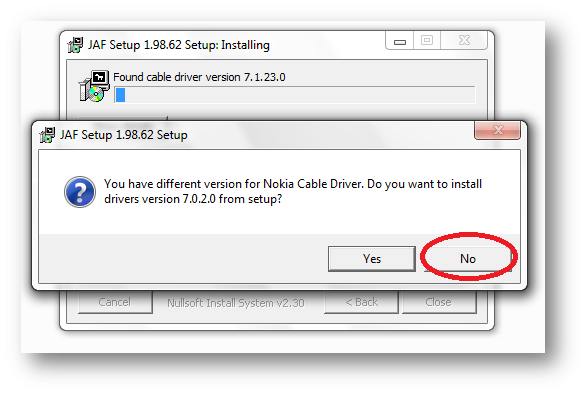
Following things you need… Nokia PC Suite 7.1. **Don’t use OVI Suite. http://nds1.nokia.com/files/support/global/phones/software/Nokia_PC_Suite_eng_web.exe JAF v1.98.6 PKEY Emulator v5 Following steps you have to follow… Install Nokia PC Suite 7.1 & Connect your Phone to finish installing all drivers and restart your system Install JAF v1.98.62 after restart (But don’t install Nokia Cable Driver comes with JAF Installer).