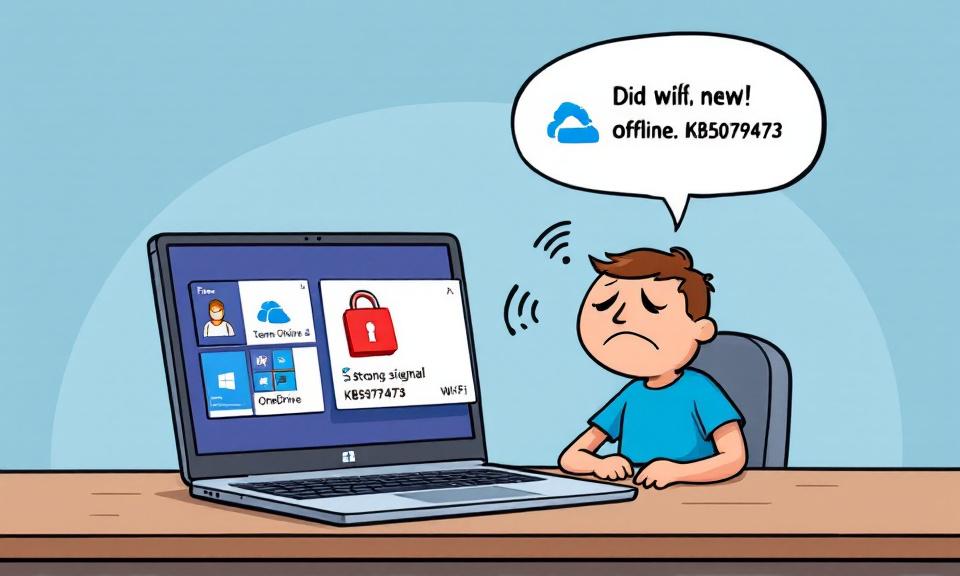
A routine March cumulative update meant to keep Windows secure instead produced a glaring user-impacting regression. After Microsoft pushed KB5079473 (OS Build 26100.8037) on March 10, a subset of Windows 11 devices began failing to sign in to consumer Microsoft services. The result: personal OneDrive syncs stopped working, Microsoft Teams Free users could not authenticate, and Office features tied to personal Microsoft accounts were effectively blocked — all while devices remained seemingly online. The episode is a reminder that even well-intentioned security updates can ripple outward in unexpected ways.
How the problem showed up
Shortly after installing the March update, some users encountered an odd network connectivity state that prevented Microsoft account (MSA) authentication. When attempting to sign in, affected users sometimes saw an incorrect message indicating the device was offline — “It doesn’t look like you’re connected to the Internet” — despite active Wi‑Fi or Ethernet connections. Microsoft acknowledged the issue on March 19 and linked the failures to that post-update connectivity condition.
Services impacted
The bug was scoped to features and applications that require personal Microsoft account sign-ins. Confirmed affected services include:
- Microsoft Teams Free
- Microsoft OneDrive (personal sync)
- Microsoft Edge features relying on MSA
- Office desktop apps when using a personal Microsoft account (Word, Excel, etc.)
- Microsoft 365 Copilot when tied to an MSA
Notably, enterprise environments using Entra ID (formerly Azure Active Directory) for authentication were not impacted. That meant managed organizational accounts continued to function, while consumers and small-business users who depend on personal MSAs bore the brunt.
A practical workaround that helps
Microsoft provided a temporary mitigation that resolved the issue for many users: restart the device while ensuring it remains connected to the internet. That reboot tends to reset the problematic network state and restore sign-in capability. Important caveat: if you restart without a live internet connection, the machine can revert to the faulty state and the sign-in error may recur.
If you’re affected, try this:
- Confirm a stable internet connection (Wi‑Fi or wired) before doing anything.
- Restart the device without disconnecting from the network.
- After reboot, attempt to sign in to the affected Microsoft apps.
If those steps don’t help, keep an eye on Microsoft’s Windows release health dashboard and support channels for the permanent patch.
Why this matters beyond inconvenience
From a consumer perspective, the outage can interrupt daily routines: OneDrive sync failures can block access to personal backups and files, Teams Free outages disrupt small-group communications, and inability to sign into Office apps can impede simple productivity tasks. For developers and IT-savvy users, the incident highlights the difficulty of validating every update across a vast array of hardware, drivers, third-party software, and connectivity conditions.
Other update-related trouble spots
This March update cycle also surfaced other, unrelated issues in the Windows update ecosystem. Earlier patches had been reported to cause access errors to the C: drive on some devices, and administrators deploying updates via the Windows Update Standalone Installer (WUSA) reported installer failures when installing multiple .msu files from a shared network folder. These additional reports reinforce the importance of testing updates in representative environments and keeping reliable rollback plans.
What users and admins should do now
- Affected home users: follow the restart-with-internet workaround and monitor official Microsoft channels for the patch.
- Small businesses: consider temporary alternative communication or file-sharing tools if Teams Free and OneDrive are critical.
- IT administrators: maintain staged deployment practices and keep an eye on the Windows release health dashboard before pushing updates widely.
- Everyone: back up important personal data locally or to an alternate cloud provider if OneDrive access is disrupted.
Looking ahead
Microsoft stated it was working on a fix expected shortly after its March 19 acknowledgement. Until that permanent solution arrives, the best approach is cautious: apply the temporary workaround where needed, avoid risky update experiments on critical devices, and rely on official status pages for patch timing. Above all, this episode is a practical lesson in resilience — keeping copies of important files and a plan for communication continuity can blunt the impact when the next unexpected update issue appears.
 Licensed under CC BY-ND 4.0 International
Microsoft Issues Emergency Windows 11 Fix for Microsoft Account Sign-In Failures
Microsoft released an out-of-band update for Windows 11 (KB5085516) on March 21,…
March 10, 2026 — KB5079473 for Windows 11 (OS Builds 26200.8037 and 26100.8037)
Microsoft released KB5079473 on March 10, 2026. The update is identified by…
Microsoft 365 Network Disruption Hits Exchange Online, Teams, and Core Services
A sudden network-level disruption on April 8, 2026 knocked several core Microsoft…
Microsoft Forces Upgrades on Unmanaged Windows 11 24H2 PCs Amid Rapid Emergency Fixes
Microsoft has begun rolling out forced upgrades for unmanaged Windows 11 devices…