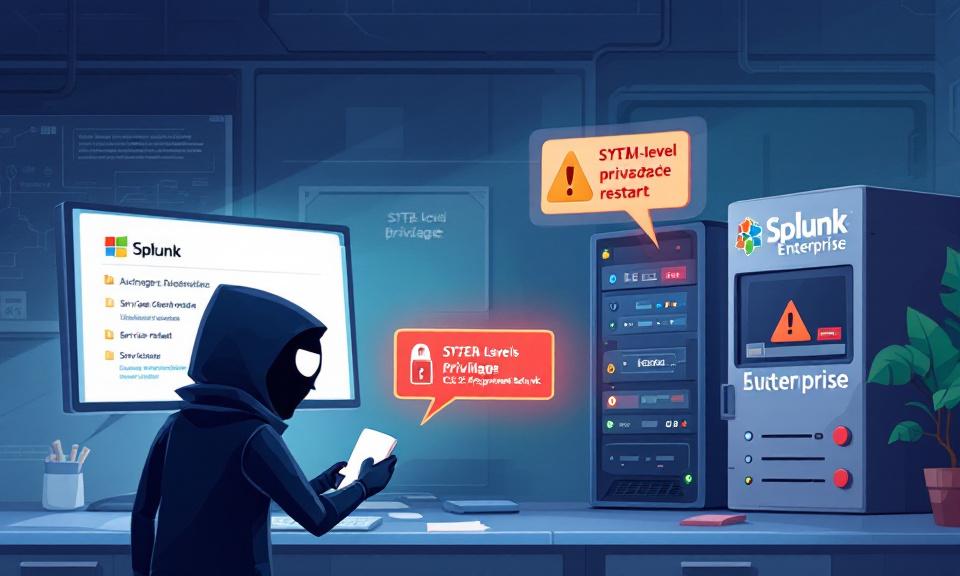
Splunk is a cornerstone of many security and operations teams, trusted to ingest, index, and analyze machine data across the enterprise. That trust makes any vulnerability in Splunk especially consequential. In February 2026 Splunk disclosed a high-severity Windows-specific vulnerability (CVE-2026-20140) that allows a low-privileged local user to perform a DLL search-order hijacking attack and gain SYSTEM-level privileges. The mechanics are deceptively simple, the impact profound, and the remedy—while available—demands swift attention.
What the vulnerability is and how it works
At its core, this is a classic DLL search-order hijack (CWE-427). On affected Windows installations, Splunk’s service can be tricked into loading a malicious DLL from a location an attacker can write to. A local attacker with write access to a directory on the system drive where Splunk is installed can drop a crafted DLL there. When the Splunk Enterprise service restarts, it may resolve and load that rogue DLL because of the insecure library search path, causing arbitrary code to execute in the context of the service. Since the Splunk service runs as SYSTEM, the injected code inherits full system privileges—effectively a complete takeover of the host.
Key technical details and risk characteristics
- Identifier and severity: Tracked as CVE-2026-20140 with a CVSS v3.1 score of 7.7 (High). The underlying weakness is classified under CWE-427.
- Affected platforms: Windows-only; non-Windows Splunk deployments are not impacted beyond informational differences.
- Exploitation constraints: The attack requires local access (AV:L), has higher attack complexity (AC:H), and depends on user interaction (UI:R) in some deployment scenarios. Despite these limitations, environments where multiple users share systems, or where untrusted users can create files on system drives, face meaningful exposure.
- Impact: The vulnerability changes scope (S:C) and carries high ratings for confidentiality, integrity, and availability—once exploited, the consequences are severe.
Versions affected and patches
- Splunk Enterprise 10.0: versions 10.0.0 through 10.0.2 (fixed in 10.0.3)
- Splunk Enterprise 9.4: versions 9.4.0 through 9.4.7 (fixed in 9.4.8)
- Splunk Enterprise 9.3: versions 9.3.0 through 9.3.8 (fixed in 9.3.9)
- Splunk Enterprise 9.2: versions 9.2.0 through 9.2.11 (fixed in 9.2.12)
- Splunk Enterprise 10.2: not affected (10.2.0 onward)
- Administrators should verify their Splunk versions and apply the appropriate update as a priority.
An attack scenario to visualize the risk
Imagine an analyst workstation in a shared SOC environment or a virtual desktop provisioned to multiple contractors. An attacker who already has a low-privileged account on that machine—perhaps obtained through credential reuse, a phishing success, or a weak local account—creates a folder in a writable location on the system drive, drops a malicious DLL that mimics a legitimate library, and triggers a service restart (directly or indirectly). When Splunk restarts and loads the DLL, the attacker’s code runs as SYSTEM. From there, the attacker can install persistence, move laterally, exfiltrate data, or disrupt operations. Even if remote exploitation isn’t feasible, the local elevation pathway is a powerful foothold for attackers who can gain any form of local access.
Immediate mitigation steps for security teams
- Patch immediately: Deploy the fixed Splunk releases listed above as soon as possible across all Windows hosts running Splunk Enterprise.
- Limit write access: If patching cannot be completed immediately, restrict write permissions on directories within the system drive where Splunk components reside. Prevent unprivileged users from creating new folders or files in those locations.
- Monitor for anomalous DLLs: Add detection logic to look for newly created or unexpected DLLs in Splunk-related directories and in writable locations on the system drive. Correlate such events with Splunk service restarts or crashes.
- Harden service restarts: Where feasible, require administrators to validate service restarts and control who can stop or start Splunk services. Log and alert on unexpected restarts.
- Review local user accounts and access: Audit local accounts and group memberships on hosts running Splunk and remove or restrict unnecessary accounts. Enforce least privilege and better credential hygiene.
Detection and long-term resilience
Beyond immediate containment, organizations should integrate checks for DLL hijacking patterns into endpoint detection and response (EDR) rules and SIEM hunts. Establish baselines for legitimate DLLs loaded by Splunk processes, and use code signing validations and integrity checks where applicable. Consider deployment hardening: run services with the least privilege necessary, use application allowlisting where possible, and maintain strict separation between administration and general user workspaces—especially on machines that host critical services.
Why this matters beyond the single service
Splunk is often central to security monitoring and incident response. If an attacker can gain SYSTEM access on a host running Splunk, they may be able to tamper with logs, evade detection, or disrupt monitoring—complicating response efforts across the organization. The vulnerability highlights a broader lesson: even well-regarded security tools must be managed with the same defensive rigor as any other critical system component.
Responsible disclosure and current exploit status
The issue was responsibly disclosed by researcher Marius Gabriel Mihai. At the time of disclosure no active exploits or in-the-wild detections were reported. That window is an opportunity to patch and harden before attackers attempt to weaponize the flaw, but it is not a reason to delay remediation.
Conclusion
CVE-2026-20140 is a stark reminder that privilege escalation via DLL search-order issues remains a relevant and dangerous attack vector on Windows. The fix is available—apply it without delay. Where immediate patching is not possible, tighten file system permissions, monitor for suspicious DLL activity, and reduce local access opportunities. For security teams, a swift, layered response is the difference between a near miss and an incident that compromises critical systems and the telemetry we rely on to keep the enterprise safe.
 Licensed under CC BY-ND 4.0 International
Hackers Weaponize Legitimate Windows Tools to Kill Antivirus — What Defenders Must Do Now
Ransomware gangs have evolved from noisy mass campaigns into precise, surgical operators.…

Kali Linux 2026.1 Arrives — New Tools, NetHunter Breakthroughs, and a Nostalgic BackTrack Mode
Kali Linux’s first major release of 2026 lands with a mix of…

Windows Users Beware: SnappyClient — The Compact Implant That Hijacks Crypto and Disables Defenses
A compact but capable Windows implant called SnappyClient has emerged as a…

Stryker Confirms Massive Wiper Strike — Thousands of Devices Erased in Alleged Iran-Linked Operation
Stryker, the global medical technology company, confirmed on March 11, 2026, that…