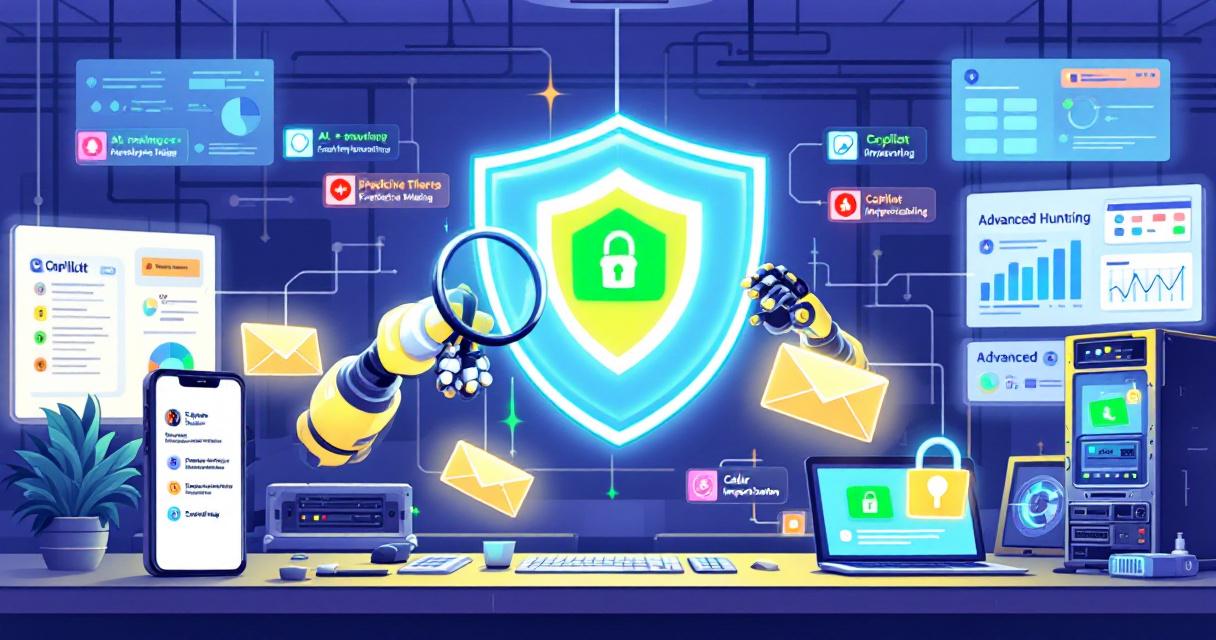
Microsoft used RSA 2026 to roll out a wave of Defender enhancements that are already changing how security teams detect, investigate, and respond to risk. The announcements bundle intuitive UX changes—like a consolidated identity dashboard—with more consequential shifts: AI-driven triage and automated hardening that can act proactively on predicted attacker movement. These features promise speed and scale, but they also introduce operational and governance questions that every security leader should weigh before broad deployment.
A quicker read: the headline features
- Identity security dashboard: a unified view of identities, separating human and non-human accounts and reporting coverage and maturity across four unpublished tiers.
- Identity risk scoring: per-identity 0–100 scores feeding protection workflows, but with opaque calculation and limited published validation.
- AI-powered alert triage: automated agents that classify alerts (identity and cloud alerts included) and return natural-language verdicts that speed triage.
- Security analyst agent: automated threat-hunting across Defender and Sentinel logs that produces multi-step investigations.
- Security Copilot chat inside Defender: inline natural-language querying of incidents, alerts, and devices without leaving the Defender portal.
- Predictive shielding (automated hardening): proactive device hardening actions applied when the system predicts likely attacker movement.
- Voice call monitoring in Teams: detection and banner warnings for caller impersonation, plus Advanced Hunting integration for call events.
- Protection and posture insights report: consolidated visibility into what spam, phishing, and malware reached users and which controls are effective.
Why this matters: a move from reactive to anticipatory security
Traditionally, defenders respond after compromise indicators appear. The addition of predictive shielding and automated hunting nudges Defender toward anticipatory workflows: identifying likely targets and applying mitigations before adversaries reach them. That can materially shorten the attacker’s window of opportunity and reduce escalation chains—if tuned and operated carefully.
Practical capabilities and known gaps
- Faster triage, but black-box outputs: Early results for triage agents (from phishing triage analogues) suggest large gains in speed and detection uplift. The agents also provide plain-language explanations for their verdicts, which helps analyst trust. However, Microsoft currently exposes limited customization: you can’t modify decision logic, adjust confidence thresholds, or insert custom rules. For organizations that require explainable, auditable decisioning, this is an important constraint.
- Automated hunting with limited transparency: The Security Analyst Agent promises multi-step investigations across Defender and Sentinel. Microsoft’s public detail is sparse about which queries run, what triggers investigations, and what data sources are used—making it difficult to validate coverage or map the agent’s behavior to compliance requirements.
- Predictive hardening with operational impact: Predictive shielding applies up to five hardening actions on predicted targets (safe boot hardening, GPO protections, remote operation restrictions, remote registry restrictions, and proactive user containment). Only proactive user containment is generally available today; other actions remain in preview. Documentation does not fully describe the technical implementation, reversal mechanisms, or whitelisting and exclusion controls—crucial for preventing disruptions to legitimate admin activity or business processes.
- Voice call monitoring: Teams integration provides UI banners and Advanced Hunting telemetry for impersonation-style attacks. This is a useful augmentation of existing anti-phishing controls, but administrators will want clarity on block behaviors, cross-platform effects, and false-positive feedback loops.
Operational recommendations for security teams
- Pilot with visibility-first settings
- Start in monitoring-only or “soft enforcement” modes where possible. Observe predicted hardening actions in logs and validate predicted attack paths before enabling automatic remediations.
- Validate and baseline triage agents
- Run the AI triage agent in parallel to human workflows initially. Track false positives/negatives, time-to-resolution changes, and whether natural-language justifications align with your incident definitions.
- Define governance and approval workflows
- Create explicit policies for when automated hardening is permitted, who can override it, and how to reverse actions when they interfere with legitimate operations. Include change-control processes for preview features.
- Preserve human-in-the-loop for critical decisions
- For high-impact actions (account containment, boot configuration changes, GPO alterations), require analyst review or enforce conservative confidence thresholds until you have operational data.
- Integrate telemetry and auditing into compliance workflows
- Ensure predictive actions, triage verdicts, and analyst agent outputs are captured in SIEM logs and retention policies to meet audit and incident-review requirements.
- Engage stakeholders early
- Coordinate with IAM, infrastructure, endpoint, and application owners to validate whether automated restrictions could break essential systems or admin practices.
Questions to ask Microsoft (or your reseller) before broad rollout
- Can you provide a threat model and false-positive/negative metrics for the triage and analyst agents?
- What controls exist to limit or scope automated hardening actions and to quickly reverse them?
- Which logs and telemetry fields will be available for auditing and evidence?
- Are there role-based access controls for who can view, enable, or modify predictive shielding or agent behavior?
- How are identity risk scores calculated, and what validation studies support their thresholds?
Strategic implications for defenders and planners
These capabilities accelerate detection and response, but they also change the trust model between human analysts and automation. Mature teams will benefit by shifting staff to higher-value tasks—policy design, adversary simulation, and AI oversight—while automating repetitive triage. Less mature teams must be cautious: automation without clear governance can introduce operational risk and erode confidence if the system makes an unexplained or disruptive change.
Final takeaway
Microsoft Defender’s new features demonstrate the next phase of security tooling: faster, AI-driven, and more proactive. The upside is meaningful—reduced dwell time and scaled investigations—but the practical success of these features depends on careful piloting, transparent auditing, and strong governance. Treat the rollout as a program rather than a switch: measure outcomes, refine policies, and keep humans in the loop for high-impact decisions.
 Licensed under CC BY-ND 4.0 International

The Credential-Free Watchdog: Mastering Event-Driven App Automation
We have all been there. You are an automation lover. You have…

Breaking the code: how a multi-stage “code of conduct” phishing campaign led to AiTM token compromise
Phishing has evolved from crude scams to carefully engineered deceptions that mimic…

Attackers Exploit SharePoint Authentication Bypass After Public PoC Release
Microsoft’s SharePoint platform is facing active exploitation following the public release of…
Microsoft Extends Windows 10 Extended Security Updates Through October 2027
Microsoft has quietly extended its consumer Extended Security Updates (ESU) program for…