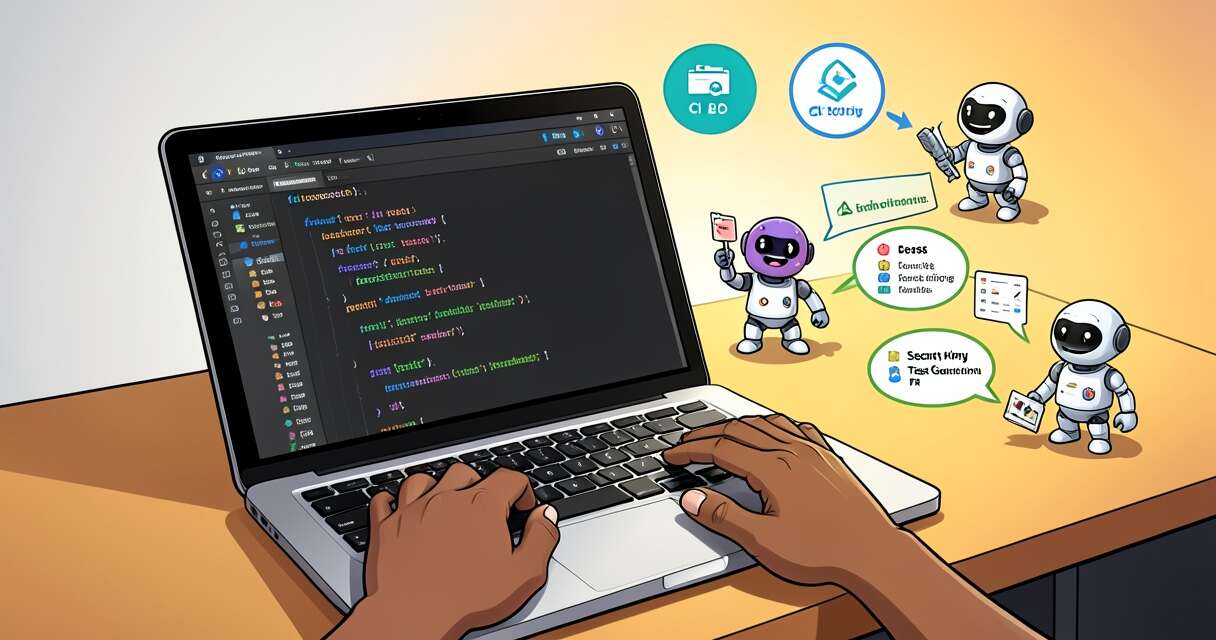
The past few years have quietly transformed how software is written. AI-assisted tools are no longer experimental add-ons; they’re becoming integral parts of developer workflows. But picking the right combination of models, integrations, and guardrails is more art than science. This article walks through a pragmatic approach to assembling an AI coding tool stack that improves productivity without sacrificing code quality, security, or team cohesion.
Why an AI coding stack matters
AI tools can accelerate routine tasks—autocompleting boilerplate, suggesting tests, or generating documentation—but they can also introduce noise or risk if used without a plan. A deliberate stack aligns tools to specific developer needs, enforces consistency through pipelines, and ensures human review remains central. Instead of a scattershot “install-everything” approach, an intentional stack puts the right capabilities at the right points of the development lifecycle.
Core components of a practical stack
Think of the stack as layers that correspond to parts of the developer lifecycle. Each layer contains one or more tools that address a clear use case.
- Local coding assistants: IDE plugins and in-editor completions that speed up everyday coding (examples include GitHub Copilot, Tabnine, and Codeium). These excel at reducing keystrokes and surfacing common patterns.
- Code generation and scaffolding: Tools that generate larger code artifacts or project templates—useful for bootstrapping microservices, APIs, or test suites.
- Automated review and static analysis: AI-enhanced linters or security scanners that prioritize and explain issues (Snyk, SonarQube with AI integrations, and similar offerings). These help surface vulnerabilities and maintain style consistency.
- Test generation and validation: Tools that propose unit or integration tests, generate mocks, and even assist with property-based tests. They speed up coverage creation and help catch regressions earlier.
- CI/CD and deployment orchestration: Integrations that embed AI checks into pipelines—automated changelog generation, PR summaries, or risk assessments before merge.
- Observability and runtime assistants: Runtime tools that triage incidents, summarize logs, or recommend fixes based on historical incidents and traces.
- Knowledge and docs assistants: Internal knowledge bases and documentation tools that let engineers ask questions about code, architecture diagrams, or deployment processes.
Design principles for choosing tools
Adopt practical rules so the stack scales across teams:
- Solve specific problems first. Prioritize tools that remove repetitive pain points (e.g., repetitive refactors or low-value bug fixes) rather than pursuing novelty.
- Favor composability. Prefer tools that integrate via standard channels (IDE plugins, APIs, webhooks) so you can swap components without reworking workflows.
- Keep humans in the loop. Require review gates for generated changes, and use AI to prepare suggestions rather than to make unilateral changes.
- Measure impact. Track key metrics such as cycle time, PR review time, defect rates, and developer satisfaction to assess each tool’s contribution.
- Minimize data exposure. Understand how providers use uploaded code, and prefer on-prem or dedicated-instance options for sensitive codebases.
Model and provider considerations
When selecting models or providers, think beyond raw capability:
- Latency and availability matter for in-editor experiences—developers expect near-instant completions.
- Context length and state handling are key for tools that summarize large codebases or diffs.
- Cost structure influences how you use tools—for example, using smaller models for autocomplete and larger models for complex code synthesis.
- Licensing and terms of service affect what code can be fed to third-party models and how output may be reused or attributed.
Security, compliance, and IP
Embedding AI into coding workflows raises security and IP questions. Treat AI outputs as untrusted: check generated code against license policies, run security scans on outputs, and enforce code review. For regulated environments, consider private model deployments or secure gateways that strip or anonymize sensitive repository data.
Prompts, templates, and repeatability
A successful stack includes curated prompt templates and standardized comment formats so the team gets predictable outputs. Examples:
- PR summary template that extracts intent, changes, and impact.
- Bug triage prompt that captures reproduction steps, likely root causes, and suggested fixes.
- Test-generation prompt that includes function signatures and desired edge cases.
Automating these templates—stored in a central registry—reduces variance and speeds adoption.
Onboarding and change management
Introduce AI tools gradually. Start with opt-in pilot groups, collect feedback, and iterate. Provide training on prompt crafting and explain the limits of outputs. Highlight success metrics and surface cautionary tales so that the organization understands both benefits and trade-offs.
Operationalizing and scaling the stack
As usage grows, operational concerns appear: cost control, model monitoring, prompt versioning, and audit trails. Establish policies:
- Cost caps and usage quotas per team.
- Model performance monitoring (latency, error rates, hallucination incidents).
- Prompt and model versioning to reproduce prior outputs.
- Logging and auditability for compliance and debugging.
Real-world trade-offs and recommendations
No single tool solves every need. Practical choices often prioritize reliability and integration over bleeding-edge capability. A common high-value configuration is:
- In-editor completions for everyday productivity.
- An automated PR-assistant that generates summaries and test suggestions.
- Security scanning in CI with an AI layer to prioritize findings.
- A runtime observability assistant that helps triage incidents.
- Centralized prompt templates and an internal “AI usage” policy.
Conclusion
AI has the potential to reshape how teams write, test, and maintain code. The most effective stacks treat AI as a set of targeted accelerators—integrated thoughtfully into existing processes, governed by clear policies, and measured by impact. By focusing on composability, security, and human oversight, teams can harness AI’s productivity gains without undermining quality or trust.
 Licensed under CC BY-ND 4.0 International

The Credential-Free Watchdog: Mastering Event-Driven App Automation
We have all been there. You are an automation lover. You have…
Claude’s New Release — Supercharged Multi‑Agent Code Review for Every PR
Good code review is getting harder as teams ship more code. Claude’s…

Claude Cowork finally lands on Windows
Anthropic’s Claude Cowork has arrived on Windows, closing a major platform gap…

From The Blinking Cursor to The Thinking Machine: A Memoir of Automation
There is a specific kind of silence that only exists in a…

Smuggling Code: How ClickFix Uses Browser Cache to Beat Windows Run Limits
ClickFix attacks have evolved from simple social-engineering lures into highly creative delivery…

Critical GitLab AI Gateway Flaw: What Administrators Need to Do Now
GitLab has pushed an urgent set of security updates after disclosing a…

Apple tightens Full Disk Access controls to block potential AI agent abuse
When an AI assistant began referencing private iMessage threads without a clear…
Comment and Control: How GitHub Comments Became a New Prompt-Injection Threat
A new class of prompt-injection attacks—dubbed "Comment and Control"—turns GitHub pull requests,…