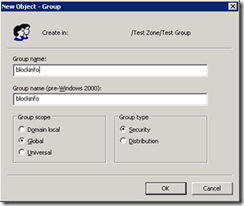
There are several tools/script available for extracting all user information from AD. Any domain users can access this information by default. For an example, using following attached .vbs script, we can dump entire AD users base to a excel file with following fields.
Category: Server and Virtualisation
Server Administration, Windows Server administration, Nginx, Apache, MySQL, PostgreSQL, MariaDB, MongoDB, VMware, vCenter, ESXi, Proxmox VE, Hyper-V, KVM, QEMU, libvirt, container, server monitoring, server security, SSH, remote access, FTP, SFTP, server performance, server hardening, iSCSI, NFS, SMB, CIFS, DNS server, DHCP server, web server, bare metal, rack server, IPMI, BIOS, RAID
WINDOWS 2008 R2 FAILOVER CLUSTER on VMWARE
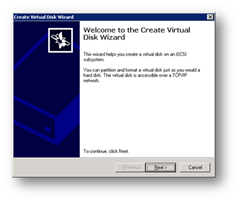
For windows 2003 cluster, check my old tutorial on following link. https://technochat.in/2008/11/configure-cluster-on-vmware-using-iscsi/ Windows 2008 R2 Cluster Requirements: 1. Two Systems with Same Hardware Configuration. 2. Two Network Card 3. Windows 2008 R2 Enterprise Edition on both systems with same patch level. 4. Active Directory 5. Shared Storage( SAN or iSCSI) 6. Both servers should be the member of same domain.
How to configure Home Folder with extra security
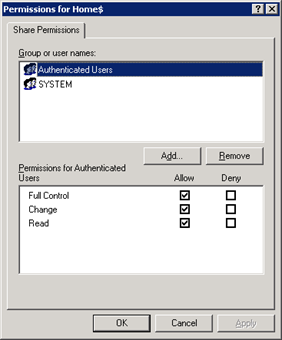
If you are having a domain controller, and decided to give a personal drive for all users, then home folder configuration is the best way to do it. But if you want to make it secure for every users, then you have to configure something extra with ntfs security and share security. Our current requirement as follows: Deploy home folder
Using JAF on Windows 7 – Tutorial
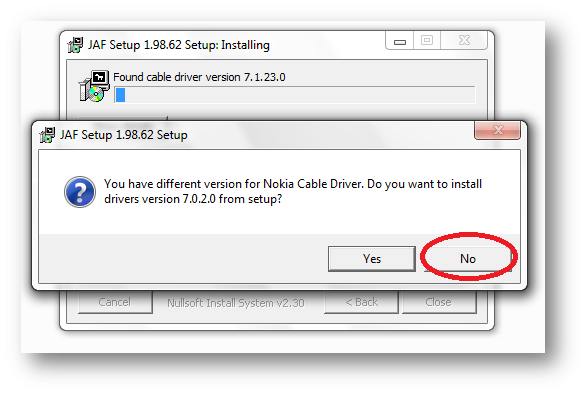
Following things you need… Nokia PC Suite 7.1. **Don’t use OVI Suite. http://nds1.nokia.com/files/support/global/phones/software/Nokia_PC_Suite_eng_web.exe JAF v1.98.6 PKEY Emulator v5 Following steps you have to follow… Install Nokia PC Suite 7.1 & Connect your Phone to finish installing all drivers and restart your system Install JAF v1.98.62 after restart (But don’t install Nokia Cable Driver comes with JAF Installer).
Sync TIME in Solaris 10 Server with Local Windows(Active Directory) NTP Server
There are certain steps to configure NTP on Solaris, and it’s really easy and simple. Just follow the following steps For Starting NTP on Solaris: Logon to the server using root. Now go to /etc/inet/ Rename ntp.client to ntp.conf Now edit ntp.conf and replace multicastclient 224.0.1.1 with server ip-of-your-winntp-server dos # ident “@(#)ntp.client 1.3 00/07/17 SMI” # # /etc/inet/ntp.client #
Install UnRAR on Solaris 10 (Sparc)
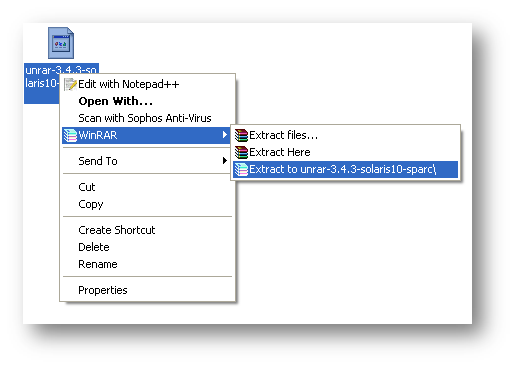
Download UnRAR from http://www.rarlab.com/rar_add.htm Extract .gz file on your system.