Target: Restrict creator / owner from altering any NTFS permission on newly created files & folders.
Scenarios: Regardless of NTFS permissions, the owner, which is by default the person who creates the folder/files, can always alter the permissions. This actually causing a lot’s of problem, with this special privilege users can also block inherited permission and alter current permission. This might cause additional pain for administrators.
Solution:
Initially to test this,
I have created one test folder \SHAREtestvolROOT without any inheritance and gave the Modify permission to XYZ group so that users can create folder. Additionally I gave Full access to Administrators group and READ, EXECUTE, LIST FOLDER permission to OWNER RIGHTS group on that folder with “Replace all Child object Permissions
” settings.
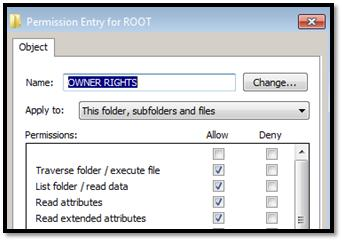
To evaluate the permission on \SHAREtestvolROOT, I asked users to create few folders, where they became owner by default.
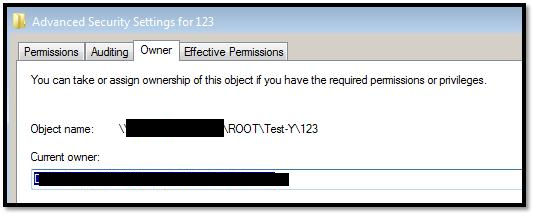
Then, I asked them to modify the permission on that folders, but they are getting access denied error, as we applied OWNER RIGHTS to prevent this.
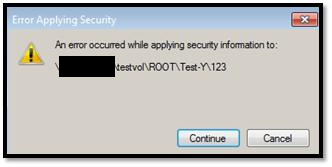
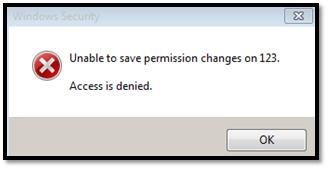
So, with the current security settings using OWNER RIGHTS, now:
- Owner can create files & folders.
- Owner can modify files & folders.
- Owner can delete files & folder.
- Owner cannot modify any type of permission.
- Owner cannot block permission inheritance.
Ref: Owner Rights – http://technet.microsoft.com/en-us/library/dd125370%28v=ws.10%29.aspx
 Licensed under CC BY-ND 4.0 International

Windows Users Beware: SnappyClient — The Compact Implant That Hijacks Crypto and Disables Defenses
A compact but capable Windows implant called SnappyClient has emerged as a…

Microsoft Plans to Disable Hands‑Free Automated Installation for Windows 11 and Server 2025 After Critical RCE Flaw
Microsoft has announced a hardening plan for Windows Deployment Services (WDS) after…
Hotpatch Alert: Microsoft Fixes Critical RRAS Remote-Execution Flaws in Windows 11
Microsoft issued an out-of-band hotpatch on March 13, 2026, to address a…
Windows 11 February Patch (KB5077181) Can Make Drive C Inaccessible on Some Samsung PCs
Microsoft has updated its Windows 11 documentation to describe a recently discovered…
Really helpful article, very few knows about this granular permission
Great !!!!!
Really useful command and tested in production environment …it worked .
Finally… Thank you dude, it was really helpful !nn1