
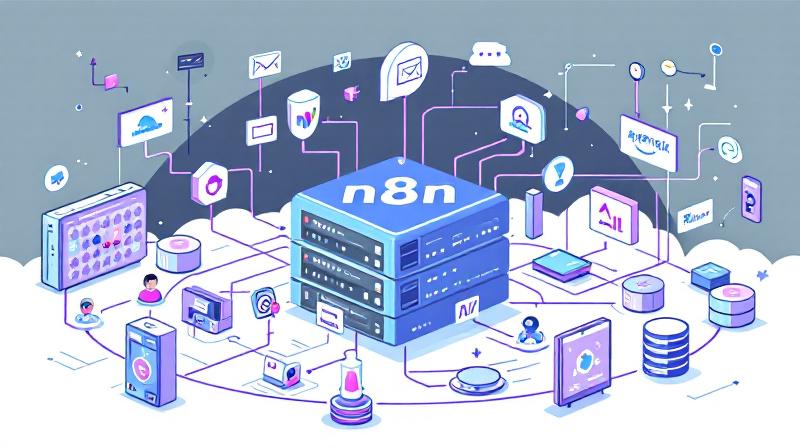
Harnessing the power of self-hosted automation tools is transforming the way individuals and businesses streamline tasks. n8n (pronounced “n-eight-n”) is an open-source workflow automation tool known for its flexibility and the control it offers over data privacy and integrations. When paired with the capabilities of Agentic AI, it opens the door to advanced, intelligent workflows—without ever relying on expensive, proprietary platforms.
Why Choose Self-Hosting For n8n?
Opting to self-host n8n, rather than using its cloud version, provides several benefits. The most compelling is cost control: rather than a monthly subscription fee dictated by cloud vendors, you select your own server resources, scaling up or down as needed, and pay only for what you use. Additionally, self-hosting keeps your automation workflows and sensitive data fully under your ownership—an important consideration for those dealing with proprietary or customer information.
Finding the Right VPS: Comparing Affordable Options
One of the first decisions in self-hosting n8n is choosing a reliable VPS (Virtual Private Server) provider. The market offers many options, but pricing, performance, and reputation differ across providers. Below is a comparison of popular providers as of mid-2024, suitable for lightweight to moderate n8n workloads:
| Provider        | Plan Example    | Monthly Price (USD) | RAM    | Storage    | Location Options         |
|-----------------|----------------|---------------------|--------|------------|--------------------------|
| Hetzner         | CX11           | $5.00               | 2 GB   | 20 GB SSD  | EU (Germany/Finland)     |
| DigitalOcean    | Basic Droplet  | $6.00               | 1 GB   | 25 GB SSD  | Global                   |
| Vultr           | Cloud Compute  | $5.00               | 1 GB   | 25 GB SSD  | Global                   |
| Linode          | Nanode 1GB     | $5.00               | 1 GB   | 25 GB SSD  | Global                   |
| OVHcloud | VPS Essential | $7.00 | 2 GB | 20 GB SSD | Europe, Canada, Asia |Tip: For n8n, even the most budget-friendly VPS is usually enough for personal or small business use. If workload grows, providers make it simple to scale up resources later.
Getting Started: A Simple n8n Installation Roadmap
Deploying n8n on a VPS is easier than many anticipate, thanks to Docker and community documentation. Here’s a streamlined step-by-step outline:
1. Order your VPS: Pick a provider, deploy a minimal Ubuntu (preferably 22.04 LTS) instance, set up SSH access, and update your system.
2. Install Docker:
   sudo apt update
   sudo apt install docker.io docker-compose -y
3. Configure n8n:
   - Create a directory for n8n and set up a docker-compose.yml file (modify variables for production use):
     version: "3"
     services:
       n8n:
         image: n8nio/n8n
         restart: always
         ports:
           - "5678:5678"
         environment:
           - N8N_BASIC_AUTH_USER=yourusername
           - N8N_BASIC_AUTH_PASSWORD=yourpassword
           - N8N_HOST=your.domain.com
4. Start n8n:
   docker-compose up -d
5. Secure and Update Your Instance:
   Add a firewall (e.g., ufw), enable HTTPS using a reverse proxy (Caddy/NGINX + Let's Encrypt), and follow security best practices.
6. Access the n8n Editor:
Visit http://your-server-ip:5678 in your browser, login, and you’re ready to build automations!A New Horizon with Agentic AI in n8n
Agentic AI refers to Artificial Intelligence workflows able to take autonomous, multi-step actions with a sense of goal-directed behavior. When you connect n8n with AI agents—using OpenAI, local LLMs, or agent frameworks—you unlock workflows that adapt, learn, and problem-solve on their own.
Example use case:
Imagine your customer support inbox. With n8n + AI agents, you can:
- Automatically classify tickets by urgency, topic, and sentiment, then assign them to the best support rep.
- Draft context-aware replies using an LLM for human review.
- Escalate complex queries only when required, while easy cases are handled end-to-end by the system.
Another example:
For sales teams, n8n with Agentic AI can monitor inbound leads, research them online, qualify prospects, schedule meetings, and follow up—all with minimal human involvement.
Practical Agentic AI + n8n Integration Tips
Install relevant n8n nodes: Many community AI nodes exist (for OpenAI, Hugging Face, local models).
Build modular workflows: Separate “agentic” decision steps from deterministic logic for clarity and easy troubleshooting.
Monitor and iterate carefully: While agentic workflows are powerful, always monitor outputs, especially in customer-facing roles, and keep a human in the loop during early deployments.
Key Guidance for n8n Beginners
Explore Templates: n8n offers a vast collection of ready-to-use workflow templates that can be adapted quickly.
Understand Triggers and Nodes: Every workflow starts with a trigger (like a webhook or schedule) and can chain as many nodes for logic and integrations as needed.
Utilize Documentation: n8n’s documentation and active forum are invaluable for troubleshooting and exploring creative ideas.
Backup Regularly: As with any self-hosted system, schedule regular backups of your database/workflow files.
Stay Secure: Enable authentication, use HTTPS from day one, and update regularly to keep your data safe.
 Licensed under CC BY-ND 4.0 International