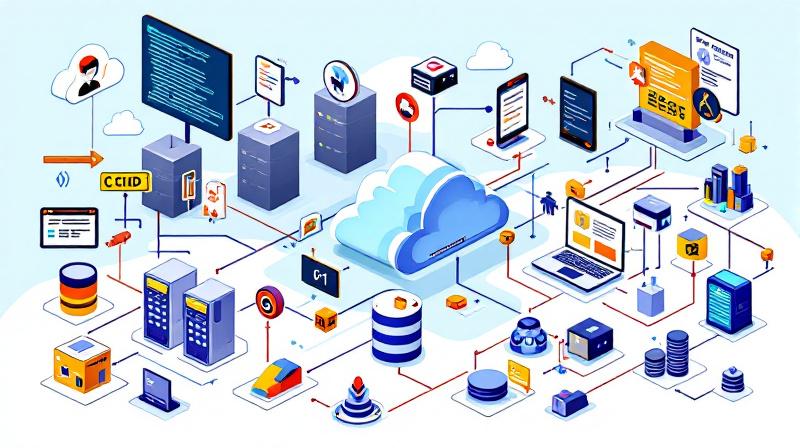
PowerShell’s evolution from a Windows-centric scripting language to a cross-platform automation powerhouse has firmly planted it in the heart of modern DevOps. Nowhere is this transformation more apparent than in the continuous integration and continuous deployment (CI/CD) pipelines that drive reliable software delivery. GitHub Actions, with its ease of workflow automation and native integration with the world’s largest code hosting platform, empowers DevOps teams to use PowerShell in ways that boost both productivity and consistency. This post examines PowerShell’s essential role in DevOps, with real examples of how it streamlines build, test, and deployment processes through GitHub Actions and CI/CD.
The Modern DevOps Imperative: Why PowerShell Still Matters
Many DevOps teams adopt a “use the right tool for the job” mindset, blending Bash, Python, and PowerShell in their daily routines. Despite increased competition, PowerShell remains uniquely valuable in DevOps for several reasons. Its object-oriented output, seamless integration with .NET, and easy access to system APIs make automating both infrastructure and application workflows straightforward—even across Linux, Mac, and Windows environments.
In practical terms, many legacy systems, Active Directory operations, and even Azure resources are best managed via PowerShell. By leveraging PowerShell scripts in GitHub Actions, DevOps teams overcome platform boundaries, codify complex operations in clear, maintainable scripts, and respond fluidly to change. This is especially crucial when rapid response is needed for break/fix work or last-minute deployment adjustments. The PowerShell community further accelerates adoption by regularly releasing open-source modules, reducing the barrier to getting started with common automation scenarios.
Integrating PowerShell with GitHub Actions: Practical Challenges & Success Stories
The journey to embedding PowerShell in GitHub Actions often begins with small, repetitive tasks spotted in manual workflows—think automating version bumps, deployment packaging, or generating compliance reports. Setting up a simple workflow that runs a PowerShell script in response to a GitHub event (like a push or a pull request) can save hours of manual effort each week.
However, practical integration is not without its snags. Cross-platform compatibility must be top of mind when writing scripts intended for both Windows and Linux runners. Handling secrets securely, using GitHub’s encrypted secrets interface, and ensuring dependencies are pulled at run-time are also key best practices. One DevOps team I worked with automated Docker image tagging and publishing with PowerShell, reducing errors through clear, parameter-driven scripts that mapped directly to business requirements. By versioning these scripts alongside their application code, they achieved not only greater reliability, but also clearer audit trails and faster onboarding for new developers.
End-to-End CI/CD Automation: PowerShell as a Orchestration Layer
Some organizations leverage PowerShell not just for individual workflow steps, but for orchestrating entire build and deployment pipelines. For example, assembling multi-tier cloud applications often requires provisioning infrastructure, applying configuration, and deploying code—all steps that can be chained through a series of GitHub Actions running PowerShell scripts.
The orchestration PowerShell provides excels in scenarios where declarative infrastructure-as-code tools like ARM or Bicep might fall short or need supplementing—for instance, making API calls to external services, handling complex branching logic, or integrating with legacy tools. By maintaining reusable script modules and leveraging PowerShell’s robust error handling, teams avoid brittle pipelines and streamline complex deployments, even when integrating with third-party platforms or hybrid cloud/on-premise environments.
Testing, Feedback, and Failure Handling
Automation is only as robust as its feedback and error handling. GitHub Actions enables teams to surface script output directly in the workflow logs, while structured output from PowerShell can be parsed and acted upon downstream. PowerShell’s Try/Catch/Finally blocks allow developers to send actionable alerts—such as notifying a Slack channel if a deployment partially fails, or rolling back infrastructure changes before any user impact.
Teams that have invested in comprehensive error reporting via PowerShell scripts and Actions have consistently reduced “silent failure” risks—the type of issues that, left undetected, can disrupt service or erode trust in automation. Combined with environment-specific testing, this level of observability means issues are identified and triaged before they hit production, cementing the business case for scripting expertise in the DevOps pipeline.
Future-Proofing DevOps Pipelines with PowerShell
As the ecosystem evolves, DevOps pipelines will continue to demand flexibility and maintainability. PowerShell, with its cross-platform reach, ongoing community support, and integration with tools like GitHub Actions, is set to remain indispensable. The most successful teams recognize that the script itself is only part of the value—the knowledge captured, audited, and shared through versioned workflows becomes institutional memory, accelerating future projects and reducing onboarding friction.
Investing time in modular script design, version control, and proactive monitoring pays dividends not just in present-day efficiency but in long-term resilience. PowerShell isn’t just a bridge between legacy and modern systems—it’s a bridge between DevOps culture and sustainable, reliable delivery.
 Licensed under CC BY-ND 4.0 International

The Credential-Free Watchdog: Mastering Event-Driven App Automation
We have all been there. You are an automation lover. You have…
Building an AI Coding Tool Stack for Modern Development
The past few years have quietly transformed how software is written. AI-assisted…
Ditching PsExec – Running Interactive SYSTEM Shells Natively in PowerShell
If you’ve spent any time in Windows System Administration over the last…

Price Elasticity: The One Data Point That Could Clarify AI’s Impact on Jobs
Silicon Valley’s conversations about AI often sound like inevitabilities: sweeping automation, mass…