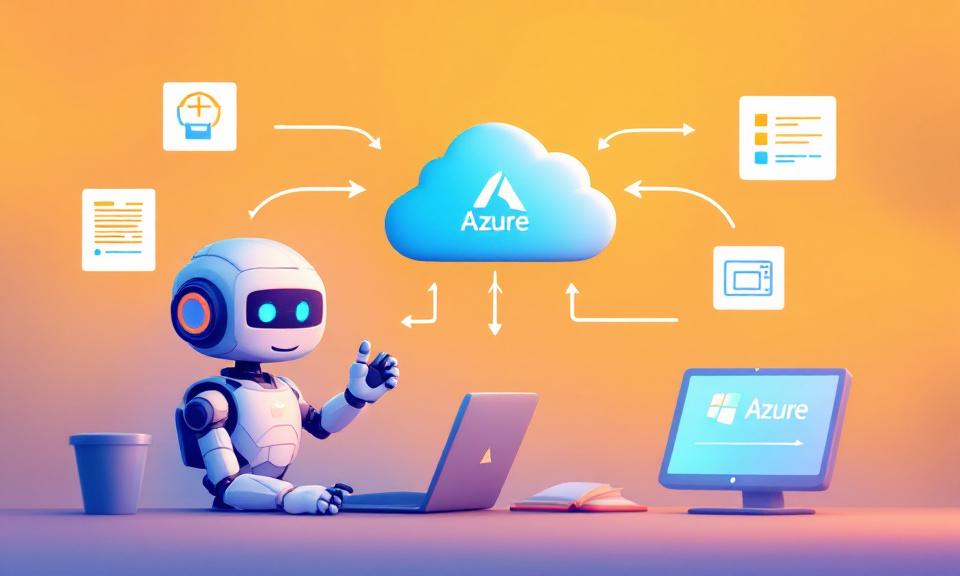
The Azure Skills Plugin brings curated Azure expertise and an execution layer together so coding agents can do more than offer generic guidance. Rather than just suggesting commands or linking to documentation, the plugin packages decision logic (skills) and structured tools (MCP servers) so agents can reason about workflows and, when appropriate, run actions against real Azure resources.
What the plugin is
The plugin is a single install that combines three complementary layers. First, a set of reusable Azure skills encodes workflows, decision trees, and guardrails—telling an agent not only which services exist but when and how to use them. Second, the Azure MCP (Model Context Protocol) Server exposes a large set of structured tools that agents can call to inspect, provision, and operate resources across Azure. Third, the Foundry MCP Server connects agents to Microsoft Foundry for model deployment and agent management when you are building AI-powered applications.
Core capabilities
Skills capture the practical knowledge an Azure expert would apply: analyzing a project, generating infrastructure artifacts, running preflight checks, and sequencing deployments. The plugin’s skills include routines that prepare a project for Azure, validate readiness, orchestrate deployments through azd, optimize costs, and troubleshoot using logs and KQL. The Azure MCP Server supplies roughly two hundred tools across forty-plus services—operations such as listing resources, checking prices, querying logs, running diagnostics, provisioning infrastructure, and invoking deployment workflows. The Foundry MCP Server adds the ability to manage models and agent workflows for scenarios that require model lifecycle operations.
How it changes agent behavior
Without the plugin, agents typically return tutorials, sample commands, or links. With the plugin, the same prompt can trigger a sequence of skills and concrete tool calls that produce artifacts (Dockerfile, infrastructure files, azure.yaml), run validation checks, and even execute deployment steps against a subscription. In short, the plugin helps shift agents from advisory mode to action mode, while keeping actions aligned with curated guardrails and least-privilege practices.
Portability and hosts
A key design goal is portability: the skills and MCP tooling are host-agnostic so they can be used across compatible agent hosts. Early targets include GitHub Copilot in VS Code, Copilot CLI, and Claude Code; the same packaged skills can be adopted by other hosts that support plugin and skills patterns. That portability lets developers use their preferred tools while getting consistent Azure knowledge and operations across environments.
Installation and quick run-through
Installation places the skills in your workspace (typically .github/plugins/azure-skills) and configures MCP servers via a .mcp.json file. You will commonly verify three things after install: that the skills are visible to your agent host, that the Azure MCP Server is configured and running, and that the Foundry MCP Server is configured and running.
A few practical prerequisites make the MCP servers and deployment workflows work:
- A compatible host (examples: GitHub Copilot in VS Code, Copilot CLI, Claude Code)
- Node.js 18+ on PATH (npx runs the MCP servers)
- An Azure account, plus Azure CLI (az) signed in and, if using deployments, Azure Developer CLI (azd) signed in
Try a quick smoke test: ask for structured guidance such as “What Azure services would I need to deploy this project?” to confirm the skills activate, and then run a tool-backed prompt like “List my Azure resource groups” to confirm the MCP server is returning real subscription data.
Who benefits
The plugin is aimed at developers and teams who want repeatable infrastructure-as-code workflows rather than ad-hoc chat answers; DevOps and cloud engineering teams seeking to encode best practices and guardrails; agent and AI builders who want integrated Azure + Foundry flows; and startups or product teams that prefer shipping models and features instead of building bespoke cloud orchestration tooling. The package is intended to make Azure workflows accessible even to people who are not deep Azure experts—expertise is captured in the skills.
Operational considerations
Because the plugin enables real operations against Azure, it emphasizes curated skills, trusted plugin sources, explicit tool approvals, and least-privilege access. Skills are plain text, version-controlled, and reviewable, which supports auditability and reduces the risks of blind trust in model outputs. The combination of guidance and an execution layer is designed to keep recommendations and actions aligned.
What’s included and what’s next
When you install the plugin you get the skills package (19+ skills covering compute, observability, AI, compliance, storage, migration, RBAC, messaging, and more), the Azure MCP Server (~200 tools across 40+ services), and Foundry MCP Server integration for model and agent scenarios. The initial post signals follow-up material: a detailed install guide, architecture notes on skills plus MCP, deeper walkthroughs of the prepare→validate→deploy workflow, and real-world examples demonstrating end-to-end deployments driven through an agent.
Conclusion
The Azure Skills Plugin is a practical step toward making coding agents reliably useful for real cloud work. By packaging curated, auditable skills with a robust tools layer and Foundry integration, it enables agents to provide structured guidance and, where appropriate, carry out Azure operations—bringing more repeatable, governed workflows into familiar developer hosts.
 Licensed under CC BY-ND 4.0 International