Microsoft’s April 2026 Patch Tuesday introduced a small-looking but important change to how Windows handles Remote Desktop (.rdp) files. What used to be a silent, one-click experience can now surface clear warnings about unknown connections and requested local resource access, closing an easy door attackers have been exploiting for phishing and session hijacking. For organizations and individual users alike, the update shifts the default toward safer, more explicit consent when opening RDP connection files.
Why this update matters
Threat actors increasingly weaponize .rdp files as “trusted” attachments: an email delivers a seemingly normal RDP file that, when opened, quietly requests access to local drives, clipboards, printers, smart cards, or even credential-related features. Well-documented campaigns — including activity attributed to the Midnight Blizzard group — used unsigned .rdp files in spear-phishing to redirect victims to attacker-controlled infrastructure. Because Windows previously opened these files without clear warnings, users could be tricked into granting access before realizing anything was wrong. The April 14, 2026 update responds to this abuse by making the risk visible and requiring explicit opt-in for any local resource redirections.
What’s changing in MSTSC
The update (listed in Microsoft’s April Patch Tuesday, KB5083769 for Windows 11 builds 26200.8246 and 26100.8246) adds two dialog experiences when an .rdp file is opened:
- A one-time educational dialog per account that explains what .rdp files are and why they can be dangerous; after the user acknowledges it, that dialog will not reappear for the same account unless Microsoft updates the dialog version.
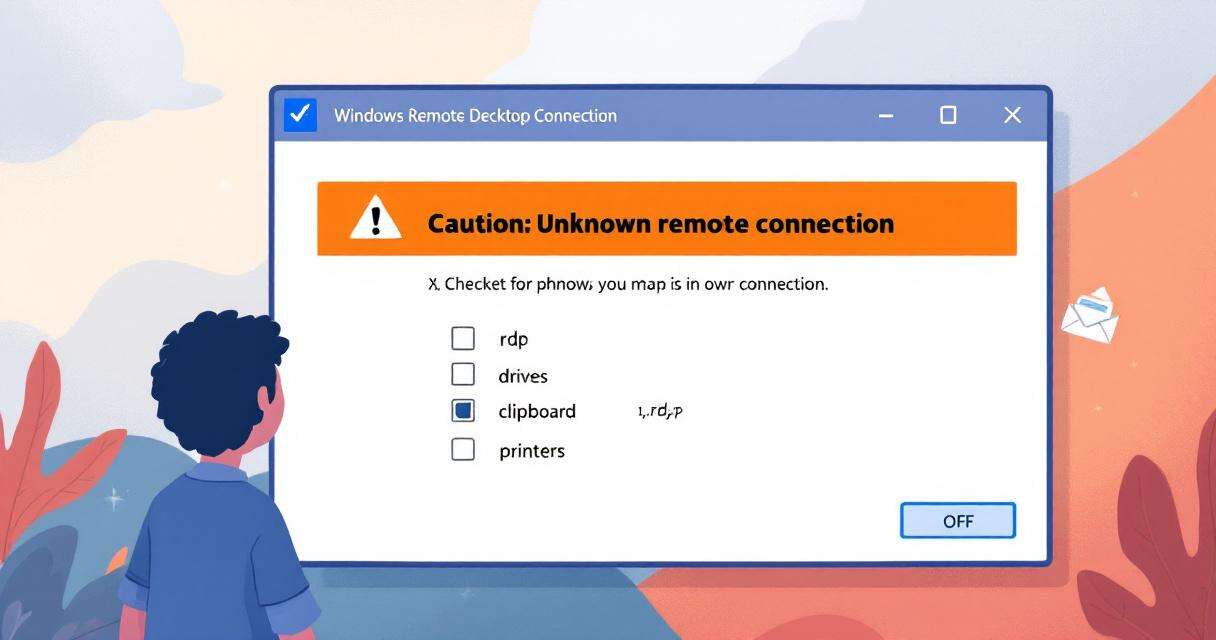
- A per-connection security dialog shown every time an .rdp file is opened. This dialog displays the remote computer’s address, whether the .rdp file is digitally signed by a verified publisher, and a detailed list of any local resource redirections the file requests. Importantly, every redirect option (drives, clipboard, printers, smart cards, WebAuthn credentials, etc.) is disabled by default and requires the user to actively enable each item.
How the dialog signals risk
When an .rdp file is unsigned or the publisher cannot be verified, the security dialog explicitly flags the connection with an orange “Caution: Unknown remote connection” banner and lists the publisher as “Unknown publisher.” This is designed to highlight precisely the high-risk scenario attackers exploit — unsigned or tampered RDP files distributed via email or other channels. The overall design principle is “secure by default”: unsafe resource sharing must now be an active choice by the user rather than an inherited setting from the file.
Real-world context and prior reporting
The UK’s National Cyber Security Centre (NCSC) raised concerns about RDP spoofing and reported the issue to Microsoft, prompting this remediation. The Midnight Blizzard example is representative of how state-sponsored or sophisticated criminal groups can mass-distribute weaponized RDP files as attachments in targeted campaigns. Because .rdp files can carry connection parameters and redirection flags, unsigned files create a perfect vector for “trusted attachment” abuse — one the new dialogs are specifically trying to block.
Administrator guidance
Organizations that rely on automated or preconfigured RDP deployments should review their policies in light of this change:
- Prefer signed .rdp files and implement policies to distribute only digitally signed connection files where feasible.
- Train helpdesk and support staff about the new dialogs so legitimate internal workflows aren’t interrupted and users understand when to allow redirections.
- Avoid reverting to legacy behavior unless absolutely necessary. Microsoft documents a registry value (RedirectionWarningDialogVersion under HKLMSoftwarePoliciesMicrosoftWindows NTTerminal ServicesClient) that can be set to 1 to restore older dialog behavior, but this reduces security and is not recommended long term.
- Audit existing RDP distribution processes to ensure they do not rely on users blindly accepting resource redirections.
Practical advice for users
- Treat .rdp files from email or unverified sources as high risk. Confirm the sender through an independent channel before opening.
- When the security dialog appears, read the listed redirections carefully and leave any unnecessary items disabled.
- Prefer using verified, signed connection files provided by your IT department or vendor.
- If you’re uncertain, escalate to your security or IT team instead of enabling redirections on the spot.
Conclusion
This April 2026 update doesn’t eliminate RDP-related threats, but it raises the bar by making risky connections visible and turning broad default access into an explicit user decision. Organizations should use the change as an opportunity to tighten RDP distribution practices, require signing where possible, and refresh user guidance so attacks that rely on silent redirections become far harder to execute.
 Licensed under CC BY-ND 4.0 International