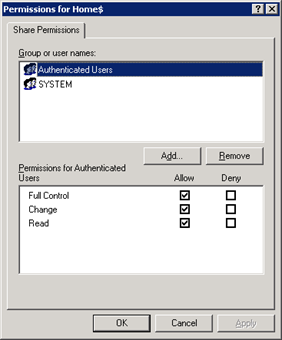
If you are having a domain controller, and decided to give a personal drive for all users, then home folder configuration is the best way to do it. But if you want to make it secure for every users, then you have to configure something extra with ntfs security and share security. Our current requirement as follows: Deploy home folder
Category: Group Policy
Group Policy, GPO
RealVNC MSI Deployment

For giving instant remote support to almost 1500+ desktop, we have to use some remote control tool, so we decided to install RealVNC server only to all the system. But manually it will take huge time to install RealVNC server to all the system. So, I started working on convert it into MSI package, which we can easily deploy via
Set File Association via Group Policy
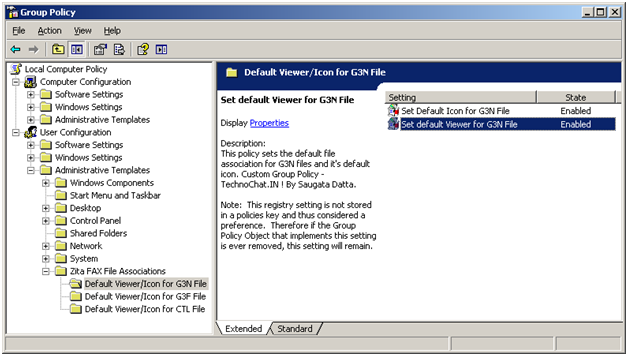
Recently after installing FAX Server on our site, we are having some problem with opening received FAX file from user desktop. FAX files are .G3N/.G3F/.CTL of which .G3N and .G3F file can be opened in Windows Image Viewer and .CTL file can be opened in Notepad. But the problem is, users have to make it their own, or we have
Remote Desktop Protocol 6.1 MSI Package for desktop deployment
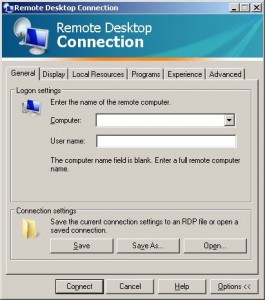
Recently we implement TS 2008 on our site, and our entire client PC having Windows XP Service Pack 2. To access TS Application, we need to have RDP 6.1 installed on every system, but there is not update available for the same on WSUS.
Disable UNC Path security warning from Group Policy
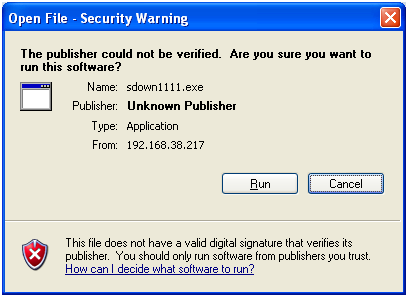
Whenever you try to run any script, batch file or an executable from UNC path, it’s opening a Security Warning. Actually this will prevent you from running any application from network path.
Disable Print Screen Function Via VBS Script (By using GPO Startup/Shutdown Script)
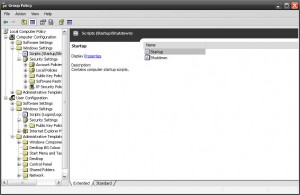
Another requirement, now customer need to disable default windows Print Screen function on all of their user desktop, So, we started our searching again, and easily we able to find out how to disable print screen on windows by importing following registry.
|
1 2 3 |
[HKEY_LOCAL_MACHINESYSTEMCurrentControlSetControlKeyboard Layout] "Scancode Map"=hex:00,00,00,00,00,00,00,00,03,00,00,00,00,00,37,e0,00,00,54,00, 00,00,00,00 |
So, again we start working to create a custom adm file. As because this is a HKLM