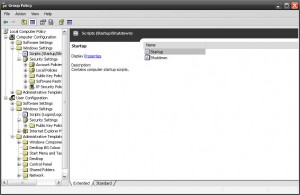
Another requirement, now customer need to disable default windows Print Screen function on all of their user desktop, So, we started our searching again, and easily we able to find out how to disable print screen on windows by importing following registry. reg [HKEY_LOCAL_MACHINESYSTEMCurrentControlSetControlKeyboard Layout] “Scancode Map”=hex:00,00,00,00,00,00,00,00,03,00,00,00,00,00,37,e0,00,00,54,00, 00,00,00,00 So, again we start working to create a custom adm file. As
Category: Microsoft
Windows, Windows Server, Microsoft 365, Word, Excel, PowerPoint, Outlook, OneNote, Teams, SharePoint, OneDrive, Edge, Bing, SQL Server, Visual Studio, Active Directory, Dynamics 365, Power BI, Power Apps, Xbox, Game Pass, Surface, Intune, Defender, Exchange, Hyper-V, .NET, Dataverse, Microsoft Copilot, Copilot Studio, Microsoft Fabric, Power Platform, Windows 11, Windows 10, WSL, Windows Subsystem for Linux
Custom Group Policy(GPO) for Changing Desktop Background Colour
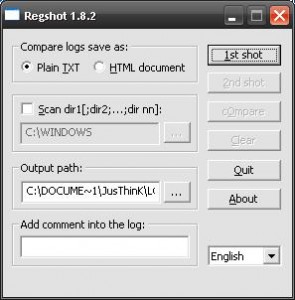
As per requirement, we need to change all client windows (XP, and 2003) desktop BG color, but it’s impossible to change BG colour manually over 1000 desktop. So, we have to do it with an automatic process. First we have to find out what happened on registry, while we changing Desktop BG color, and to do so, we need a
OS Dependent Logoff/Logon Script run via GPO
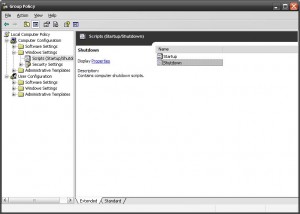
Use following VBS script Startup or Shutdown script. vb Option Explicit Dim objItem, colItems, objWMIService, strComputer, objShell strComputer = “.” Set objShell = CreateObject(“WScript.Shell”) Set objWMIService = GetObject(“winmgmts:\” & strComputer & “rootcimv2”) Set colItems = objWMIService.ExecQuery(“Select * from Win32_OperatingSystem”,,48) For Each objItem in colItems If InStr(objItem.Caption,”2000″) Then ‘Add your line here for 2000 objShell.Run “regedit”, 1, True End If If