
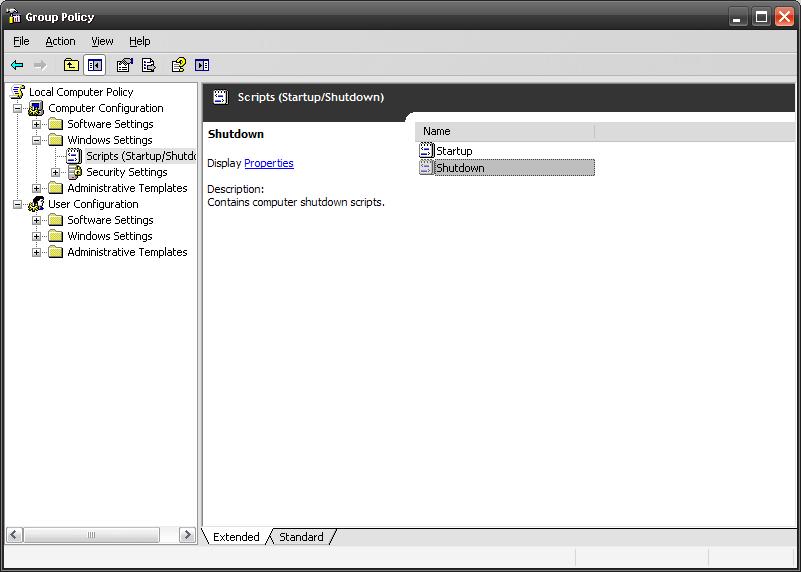
Use following VBS script Startup or Shutdown script.
Option Explicit
Dim objItem, colItems, objWMIService, strComputer, objShell
strComputer = "."
Set objShell = CreateObject("WScript.Shell")
Set objWMIService = GetObject("winmgmts:\" & strComputer & "rootcimv2")
Set colItems = objWMIService.ExecQuery("Select * from Win32_OperatingSystem",,48)
For Each objItem in colItems
                If InStr(objItem.Caption,"2000") Then
                                'Add your line here for 2000
                                objShell.Run "regedit", 1, True
                End If
    		If InStr(LCase(objItem.Caption),Lcase("XP")) Then
                                'Add your command line here for 2000
                                objShell.Run "calc", 1, True
                End If
		If InStr(LCase(objItem.Caption),Lcase("2003")) Then
                                'Add your command line here for 2000
                                objShell.Run "notepad", 1, True
                End If
Next
with above script, on Windows 2000 it will execute regedit.exe, on Windows XP it will execute calc.exe, and on Windows 2003 it will execute notepad.exe.
You can change the file as you wish..
 Licensed under CC BY-ND 4.0 International






Works for me…thanks… also,please provide with some more scripts 🙂
Great technology deals updated regularly