Category

Server and Virtualisation

Server Administration, Windows Server administration, Nginx, Apache, MySQL, PostgreSQL, MariaDB, MongoDB, VMware, vCenter, ESXi, Proxmox VE, Hyper-V, KVM, QEMU, libvirt, container, server monitoring, server security, SSH, remote access, FTP, SFTP, server performance, server hardening, iSCSI, NFS, SMB, CIFS, DNS server, DHCP server, web server, bare metal, rack server, IPMI, BIOS, RAID

Page 5
ClearView – Zero Configuration Web Server Monitoring Tool

ClearView – Zero Configuration Web Server Monitoring Tool

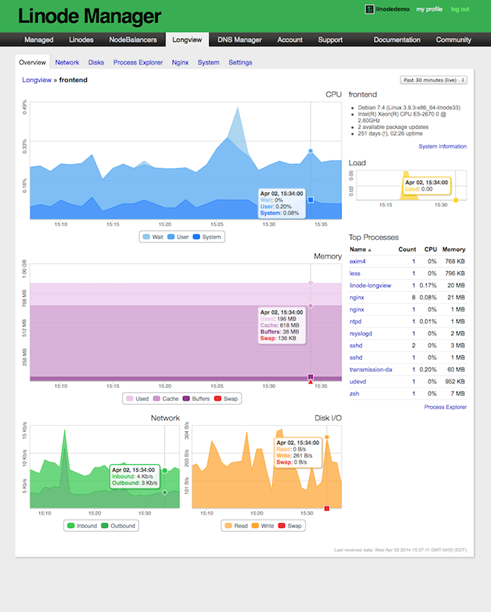
Have you recently moved away from Linode to any other VPS (Virtual Private Server) providers for hosting your web server? Are you still desperately looking for an alternative to Linode server monitoring tool LongView? Yes…. Ok, I am here to guide you in fixing the web server monitoring issues. I have hosted this blog in Linode for more than two years and their services impressed me a lot. The free…


Saugata Datta4 min read4.7K
Create Private PPTP VPN for personal use in Linode Cloud Hosting.

Create Private PPTP VPN for personal use in Linode Cloud Hosting.

Nowadays many things are getting blocked by the government, and sometimes without even a valid reason. When something like this happen to you, you probably looking for some way to bypass these restrictions, and most of the times we look for free or cheap VPNs. In today's world, nothing is actually free, there is always something we are giving in return to those so called free providers and most of…

Saugata Datta3 min read9.5K
Add new Admin Account to AWS Windows Instances to rescue the system

Add new Admin Account to AWS Windows Instances to rescue the system

As mentioned earlier, we could reset the local admin password of windows instances via registry, but unfortunately that will not going to help us if we forget the user id details or we renamed the user id. And the good news is, we still will be able to logon into the system by creating one new Admin Account using AWS User Data. This process is very simple as described bellow.…

Saugata Datta2 min read9.3K
Multi-Thread Super-Fast Software Inventory Scan using WSMan (PowerShell Remoting)

Multi-Thread Super-Fast Software Inventory Scan using WSMan (PowerShell Remoting)

Recently I was asked to pull the software inventory report from multiple severs hosted in Azure, but unfortunately pulling data from WMI not allowed, only PS Remoting was enabled, so I made some changes on my previous script and used Invoke-command to pull the date for all the servers. It was easy and the most effective way to extract that report and only took 5 minute to get the data. :)…

Saugata Datta2 min read9.1K
New Feature : EC2 Instance Console Screenshot for Boot Troubleshooting

New Feature : EC2 Instance Console Screenshot for Boot Troubleshooting

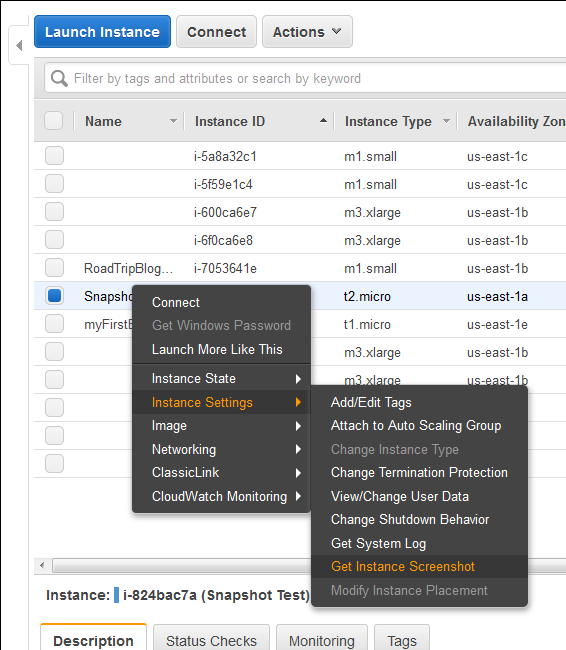
Finally a great feature add to AWS EC2 instances (HVM virtualization only), which was requested by almost everyone. Now we can take a console screenshot of any EC2 Instances. This is now available publicly. Earlier we had to log a case with AWS Support to get the AWS Console screenshot. This is a similar feature like Boot Diagnostics for Azure Virtual Machines v2. This new feature will be very much…

Saugata Datta1 min read7.9K
Multi-Threading Super-Fast Disk Utilization Report using Background Jobs in PowerShell

Multi-Threading Super-Fast Disk Utilization Report using Background Jobs in PowerShell

Automate task using script is always helpful, it reduced human error and efforts, but sometimes it still takes a lots of time to execute same command on multiple remote servers one by one. For example, my disk utilization script, it works perfectly fine, but taking lots of time to generate report for thousands of servers. To get the result faster I started looking for using Background Jobs, and the result…

Saugata Datta3 min read7.9K
Task Scheduler Error “A specified logon session does not exist” – Fix via Command Line and PowerShell for Scripting

Task Scheduler Error “A specified logon session does not exist” – Fix via Command Line and PowerShell for Scripting

This is very know issue, if you search internet, you will get multiple blog post with same solution for this issue, and if you follow the steps, it actually resolve this issue. In simple word, solution of this problem is Logon to the faulty system. Open SECPOL.MSC from Run Go to Security Settings | Local Policies | Security Options Open Network access: Do not allow storage of passwords and credentials…

Saugata Datta3 min read7.7K
Setup your own Monitoring – Disk Space Utilization Monitoring tool for free

Setup your own Monitoring – Disk Space Utilization Monitoring tool for free

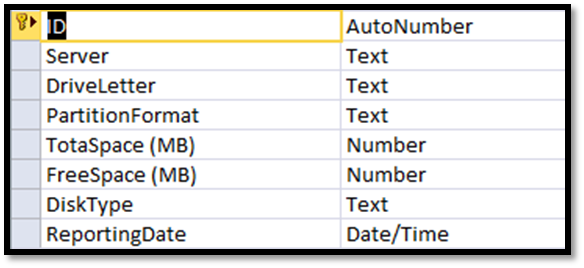
It is always recommended to keep tracking of the disk space utilization for you servers. This will help us to get the idea of our future requirement. There are multiple tools available for track this but you have to pay for most of them. Recently I also had similar kind of requirement and I was asked to provide the free solution for this. There are some free tools available but…

Saugata Datta3 min read8.5K
Migrating a VMWARE VM to AWS using AWS PowerShell

Migrating a VMWARE VM to AWS using AWS PowerShell

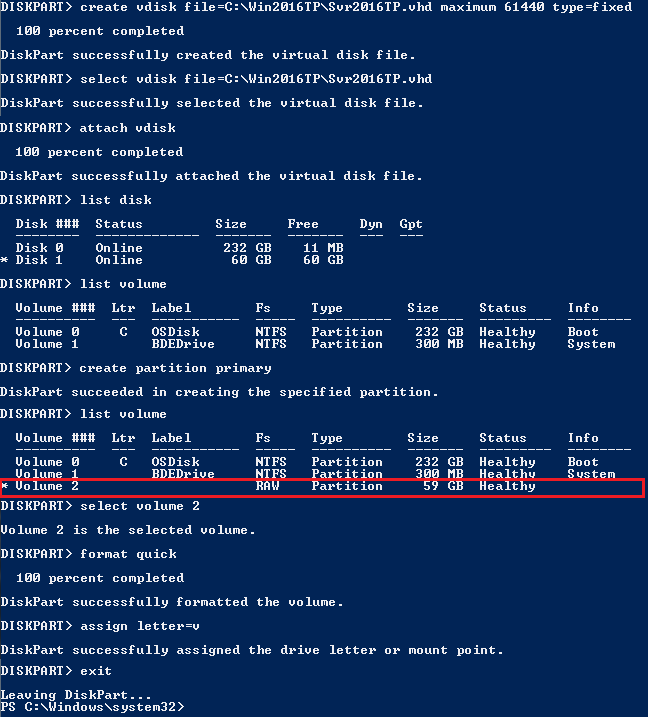
In this topic we will describes the necessary steps to migrate a VMWare VM to the Amazon Web Services (AWS) using PowerShell. You could also migrate VM using AWS command line tools, but I found using PowerShell is much easier than command line tools. Requirements: AWS Tools for Windows PowerShell http://aws.amazon.com/powershell/ IAM account to authenticate. Basic knowledge on PowerShell. Preparing VMware Guest: There are few things need to be fix…

Saugata Datta3 min read11.3K
How to reset windows password (offline) on AWS Windows Instance

How to reset windows password (offline) on AWS Windows Instance

In simple word changing/resetting windows password is a very simple task using any third party free or paid tools as long as you able to access server console. Even on virtual platform like Hyper-V VMWare you have access to server console, but when it comes to AWS, there is no way to access console of a virtual instances. So, those tools will not work, as those required user input /…

Saugata Datta3 min read10.1K
Port Scanner using PowerShell with Email Notification

Port Scanner using PowerShell with Email Notification

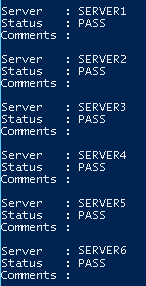
Few days back I was asked to create a script, which will check RDP port status of multiple servers and send the result as an email notification. I have searched for few, but unfortunately there was no ready script for that. I decided to build one using PowerShell, and came out with following script. Hope this script might help you as well. #Which port to scan $port = 3389 #Path…

Saugata Datta1 min read11.2K
🧰

Free Tools: IP, DNS, SSL

40+ free network and other tools in one place. No signup. Click explore or visit https://technochat.in/tools

Explore