Category

Server and Virtualisation

Server Administration, Windows Server administration, Nginx, Apache, MySQL, PostgreSQL, MariaDB, MongoDB, VMware, vCenter, ESXi, Proxmox VE, Hyper-V, KVM, QEMU, libvirt, container, server monitoring, server security, SSH, remote access, FTP, SFTP, server performance, server hardening, iSCSI, NFS, SMB, CIFS, DNS server, DHCP server, web server, bare metal, rack server, IPMI, BIOS, RAID

Page 6
Extract VM details from VCenter

Extract VM details from VCenter

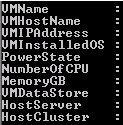
Sometimes it's a painful job to extract all the information from vCenter server. From GUI you could export information, but not all the information will be available. I was requested to extrach following information. VM Name Host Name VM IP Address Installed Guest OS Power State of VM Allotted number of CPU Allotted total memory Connected Data store Host Server Host Cluster There is no way we could extract all…

Saugata Datta2 min read15.5K
Set File System Auditing via PowerShell

Set File System Auditing via PowerShell

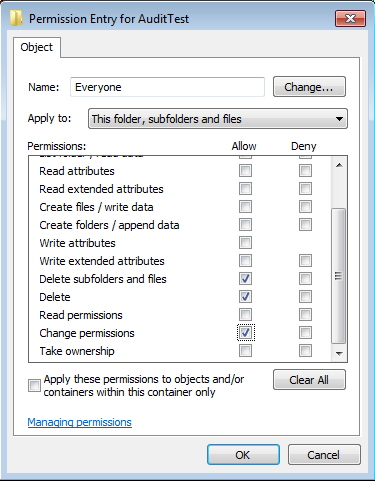
For last few days, I was trying to figure out how to set file system auditing via command line. I was looking for this as I had to apply some specific audit policy on multiple file servers. From GUI, we could do this, but it will take hours of manual activity. As requirement, I had to set Success Audit policy on Delete subfolders and files, delete and change permission. There…

Saugata Datta2 min read41.2K
AWS EBS Snapshots Automation (Disaster Recovery) from Windows PowerShell

AWS EBS Snapshots Automation (Disaster Recovery) from Windows PowerShell

It is always a good idea to reduce hardware dependencies by moving your data to the cloud. Cloud is much more flexible than traditional hardware infrastructure including VMWare. But you still have to consider the ability of recovering data as and when required. This always helps you to keep your business running with minimal interruption. In AWS, there are several possibilities for implementing an effective backup strategy. EBS snapshots are…

Saugata Datta3 min read22.8K
First official Windows 8.1 tablet in India lunched by Acer

First official Windows 8.1 tablet in India lunched by Acer

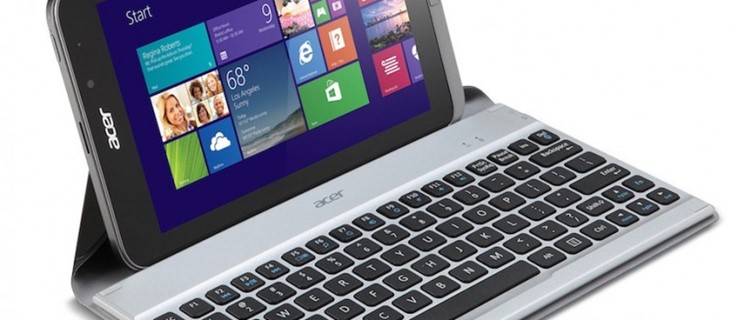
Acer announced the Iconia W4, successor of the Iconia W3 back in October. Today, the company launched the tablet in India. The Iconia W4 has a 8-inch (800 x 1280 pixels) multi-touch IPS display, powered by a 1.8 GHz quad-core Intel Atom Bay Trail T processor with integrated Intel HD Graphics and runs on the latest Windows 8.1. It comes pre-loaded with Microsoft Office Home and Student 2013 and packs…

Saugata Datta2 min read8.2K
Restrict Creator/Owner from altering NTFS permission

Restrict Creator/Owner from altering NTFS permission

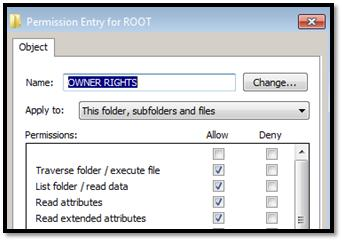
Target: Restrict creator / owner from altering any NTFS permission on newly created files & folders. Scenarios: Regardless of NTFS permissions, the owner, which is by default the person who creates the folder/files, can always alter the permissions. This actually causing a lot's of problem, with this special privilege users can also block inherited permission and alter current permission. This might cause additional pain for administrators. Solution: Initially to test…

Saugata Datta1 min read17.1K
NTFS Permission issue with TAKEOWN & ICACLS

NTFS Permission issue with TAKEOWN & ICACLS

Most of us using TAKEOWN or ICACLS for taking ownership from command prompt, and both of them are simple to use. We generally use TAKEOWN or ICACLS with following switches to taking the ownership. takeown /F "PATH" /R /D Y /A icacls "PATH" /T /setowner Administrators But unfortunately, TAKEOWN & ICACLS both might failed on certain scenario, as there are some undocumented limitation. We had incident where we tried to…

Saugata Datta2 min read49K
How to stop extracting/viewing users details from AD

How to stop extracting/viewing users details from AD

There are several tools/script available for extracting all user information from AD. Any domain users can access this information by default. For an example, using following attached .vbs script, we can dump entire AD users base to a excel file with following fields. SamAccountName CN FirstName LastName Initials Descrip Office Telephone Email WebPage Addr1 City State ZipCode Title Department Company Manager Profile LoginScript HomeDirectory HomeDrive Adspath LastLogin Primary SMTP I…

Saugata Datta1 min read7.2K
WINDOWS 2008 R2 FAILOVER CLUSTER on VMWARE

WINDOWS 2008 R2 FAILOVER CLUSTER on VMWARE

For windows 2003 cluster, check my old tutorial on following link. https://technochat.in/2008/11/configure-cluster-on-vmware-using-iscsi/ Windows 2008 R2 Cluster Requirements: 1. Two Systems with Same Hardware Configuration. 2. Two Network Card 3. Windows 2008 R2 Enterprise Edition on both systems with same patch level. 4. Active Directory 5. Shared Storage( SAN or iSCSI) 6. Both servers should be the member of same domain. 7. We need a normal domain user id which will…

Saugata Datta3 min read11.9K
How to configure Home Folder with extra security

How to configure Home Folder with extra security

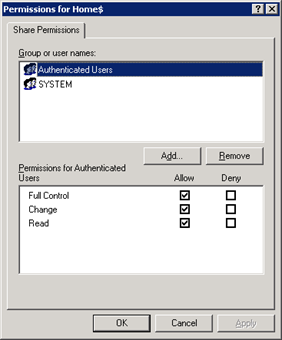
If you are having a domain controller, and decided to give a personal drive for all users, then home folder configuration is the best way to do it. But if you want to make it secure for every users, then you have to configure something extra with ntfs security and share security. Our current requirement as follows: Deploy home folder for 500+ users Make it secure, so that one user…

Saugata Datta3 min read16.5K
Using JAF on Windows 7 – Tutorial

Using JAF on Windows 7 – Tutorial

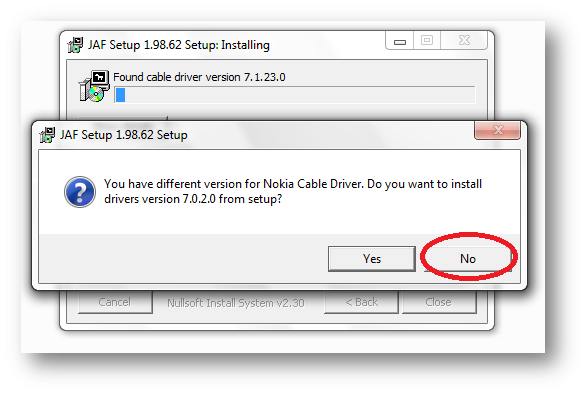
Following things you need... Nokia PC Suite 7.1. **Don't use OVI Suite. http://nds1.nokia.com/files/support/global/phones/software/Nokia_PC_Suite_eng_web.exe JAF v1.98.6 PKEY Emulator v5 Following steps you have to follow… Install Nokia PC Suite 7.1 & Connect your Phone to finish installing all drivers and restart your system Install JAF v1.98.62 after restart (But don't install Nokia Cable Driver comes with JAF Installer). Now close Nokia PC Suite from Task Manager before you connect your phone…

Saugata Datta1 min read73.3K
Sync TIME in Solaris 10 Server with Local Windows(Active Directory) NTP  Server

Sync TIME in Solaris 10 Server with Local Windows(Active Directory) NTP Server

There are certain steps to configure NTP on Solaris, and it's really easy and simple. Just follow the following steps For Starting NTP on Solaris: Logon to the server using root. Now go to /etc/inet/ Rename ntp.client to ntp.conf Now edit ntp.conf and replace multicastclient 224.0.1.1 with server ip-of-your-winntp-server # ident "@(#)ntp.client 1.3 00/07/17 SMI" # # /etc/inet/ntp.client # # An example file that could be copied over to /etc/inet/ntp.conf;…

Saugata Datta1 min read10.3K
Install UnRAR on Solaris 10 (Sparc)

Install UnRAR on Solaris 10 (Sparc)

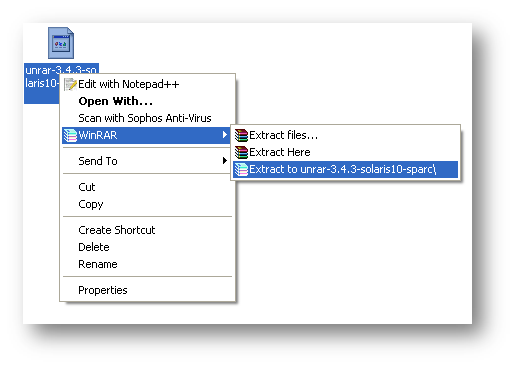
Download UnRAR from http://www.rarlab.com/rar_add.htm Extract .gz file on your system. Transfer unrar file to Solaris 10 server via FTP/SFTP, Destination path will be "/usr/bin" [ad#av_post] Change Permission of the unrar file to 555 Installation complete, now you can use UnRAR on Solaris. [ad#av_post]

Saugata Datta1 min read10.6K
🧰

Free Tools: IP, DNS, SSL

40+ free network and other tools in one place. No signup. Click explore or visit https://technochat.in/tools

Explore