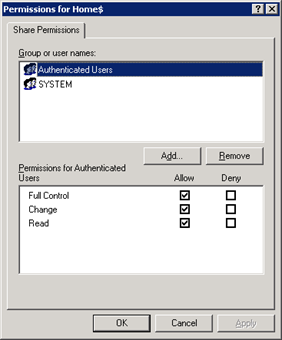
If you are having a domain controller, and decided to give a personal drive for all users, then home folder configuration is the best way to do it. But if you want to make it secure for every users, then you have to configure something extra with ntfs security and share security. Our current requirement as follows: Deploy home folder
Category: Tutorials
This is the place for all the in-house tutorials and developments.
HOW to HACK into Broadband ADSL Modem (Router) and get the BroadBand User ID and Password!!
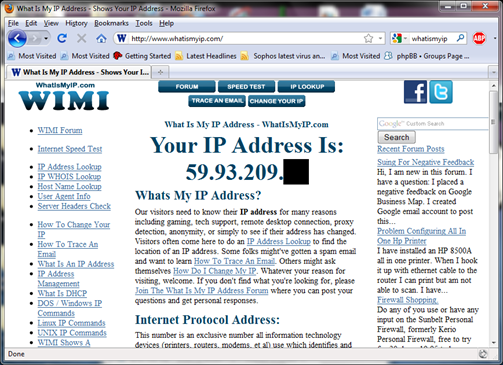
NOTE: Purpose of this article is to help people to protect their own ADSL Router, and how to made them more secure, to avoid such indecent in future. First connect to your broadband, and goto http://whatismyip.com to know your public IP Address.
Domain Tools v1.0 – For Delegating Users ID related Calls
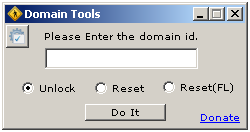
As being a Windows Administrator, I found that almost every day we spend ¼ of our working time for resetting password and unlocking user ids. I decided to delegate this job to someone else (Yes, I know that it can be done via OU Delegation, but in some complex environment, it’s not a good idea), hence I start coding a
Install UnRAR on Solaris 10 (Sparc)
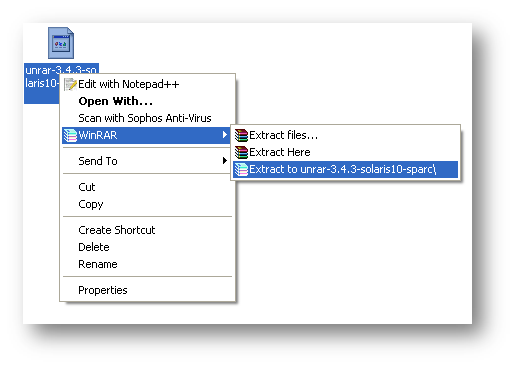
Download UnRAR from http://www.rarlab.com/rar_add.htm Extract .gz file on your system.
BAT/CMD Script Log Generator
BAT/CMD scripts are very much helpful to do a monotonous job automatically and sometimes the outputs of the batch script file are very much required. We can generate log file from batch file, but we can’t get the 100% log within batch file, so I was looking for a tool which generate log files from a batch script. After a
WinRAR v3.90 MSI Deployment

NOTE: We didn’t modify any internal files, just created an installation with demo version. We just changed few default registry settings as per our requirement. Again as per requirement, we have to deploy WinRAR on almost 1200+ system. So we decided to build a MSI for WinRAR deployment, will be painless and easy to deploy over all system with single