We have all been there. You are an automation lover. You have built a masterpiece — a Scheduled Task, perfectly configured, credentials entered, running like clockwork. You walk away like a hero. Then Monday morning hits. Your account is locked. Your coffee tastes like failure.
I once left a mapped network drive in an SOE test build and completely forgot about it. Windows did not forget. Every night it faithfully retried those stale credentials until my account locked out. Every morning I unlocked it, confused, until the pattern became undeniable. I eventually had to rename the account just to escape it. That is the credential trap — password expires, policy changes, account locks, and your beautifully crafted automation is sitting on the floor in pieces.
The clean answer has always been the SYSTEM account. No password. No expiry. No lockout. No Monday morning surprises. But SYSTEM comes with its own wall, and hitting that wall is exactly what led me here.
The Mouse That Started This
I use an HP 430 Multi-Device Wireless Mouse. One button switches the cursor between my laptop and desktop seamlessly — genuinely useful for someone working across two machines all day. When the companion app is running.
HP Accessory Center crashes. Silently. Frequently. No error, no warning — it just stops existing. You only find out when you reach for the switch button and nothing happens.
I got tired of restarting it manually, so I did what any self-respecting automation person does. I wrote a script.
The Obvious Approach
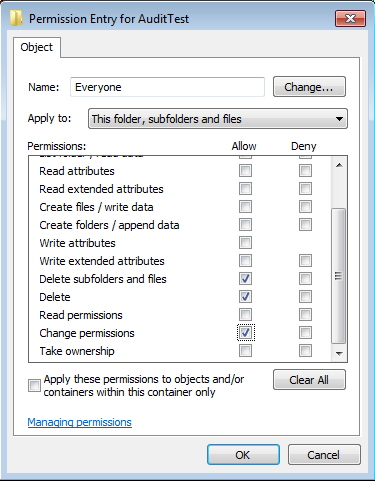
Windows logs Event ID 4689 every time a process exits. Enable process termination auditing, create a scheduled task triggered by that event filtered to the exact HPAC executable path, have the task relaunch the app. Clean, event-driven, automatic.
I set the task to run as SYSTEM — because I had learned my lesson about credentials. The task fired. HP Accessory Center never appeared.
Session 0 — The Invisible Wall
This is the part that trips people up.
SYSTEM runs in Session 0 — a completely isolated environment with no interactive desktop. It is where Windows services live. Any process launched from there is invisible to the user. It runs, it does things, but you will never see a window.
HP Accessory Center is a modern UWP app. It must run in your interactive session — your actual desktop. Launching it from Session 0 is like starting a projector in a sealed room. The light is on, but nobody can see it.
Switching to my user account fixed it immediately. But that brought back every credential problem I just described. Not a real solution.
Breaking Out of Session 0
The fix required going one level deeper — into the Windows API directly.
The technique: the task runs as SYSTEM, which means it can call WTSGetActiveConsoleSessionId to find the active interactive session, then WTSQueryUserToken to get the logged-on user’s token for that session. With that token in hand, CreateProcessAsUser launches the app directly into the user’s interactive session. SYSTEM handles the trigger and the API calls. The user’s session handles the display. The app appears on your desktop as if you had launched it yourself.
Script is in C:\MyScripts\HPAC_Watchdog.ps1
# ==============================================================================
# HP ACCESSORY CENTER (HPAC) - WATCHDOG
# Monitors for HPAC process termination via Event 4689 and restarts it
# automatically. Runs as SYSTEM — works for any user logged on to the machine.
#
# USAGE:
#   Run once as Administrator to deploy. Re-run after any Store update
#   that changes the HPAC install path.
#
# DEBUGGING:
#   Set $DebugMode = $true below to enable verbose API logging in the
#   -Revive block. Flip back to $false for normal silent operation.
#
# FILES (all in the same folder as this script):
#   HPAC_Watchdog.log    — runtime log, auto-rotates at 200 lines
#   HPAC_Watchdog.cache  — cached App ID written at deployment time
# ==============================================================================

param (
    # Used internally by Task Scheduler only. Do not pass manually.
    [switch]$Revive
)

# ── Set to $true to enable verbose step-by-step API logging in -Revive ────────
$DebugMode = $false

# ── Constants ─────────────────────────────────────────────────────────────────
$TaskName       = "HPAC_Audit_Watchdog"
$AppProcessName = "HPAccessoryCenter"
$MaxLogLines    = 200

# ── Resolve script directory ───────────────────────────────────────────────────
$ScriptDir = if ($PSCommandPath) {
    Split-Path $PSCommandPath -Parent
} elseif ($MyInvocation.MyCommand.Path) {
    Split-Path $MyInvocation.MyCommand.Path -Parent
} else {
    $env:TEMP
}

$LogFile   = Join-Path $ScriptDir "HPAC_Watchdog.log"
$CacheFile = Join-Path $ScriptDir "HPAC_Watchdog.cache"

# ── Write-Log ─────────────────────────────────────────────────────────────────
function Write-Log {
    param([string]$Message, [string]$Level = "INFO")
    $line = "{0}  [{1}]  {2}" -f (Get-Date -Format "yyyy-MM-dd HH:mm:ss"), $Level.PadRight(5), $Message
    Add-Content -Path $LogFile -Value $line -ErrorAction SilentlyContinue
    try {
        $lines = Get-Content $LogFile -ErrorAction Stop
        if ($lines.Count -gt $MaxLogLines) {
            $lines | Select-Object -Last $MaxLogLines | Set-Content $LogFile
        }
    } catch {}
}

# ── Get-HpacExePath ───────────────────────────────────────────────────────────
function Get-HpacExePath {
    $pkg = Get-AppxPackage -Name "*HPAccessoryCenter*" -ErrorAction SilentlyContinue |
           Sort-Object Version -Descending | Select-Object -First 1
    if (-not $pkg) { return $null }

    $c1 = Join-Path $pkg.InstallLocation "HPAccessoryCenter\HPAccessoryCenter.exe"
    $c2 = Join-Path $pkg.InstallLocation "HPAccessoryCenter.exe"
    if (Test-Path $c1) { return $c1 }
    if (Test-Path $c2) { return $c2 }

    $found = Get-ChildItem -Path $pkg.InstallLocation -Filter "HPAccessoryCenter.exe" `
                           -Recurse -ErrorAction SilentlyContinue | Select-Object -First 1
    return if ($found) { $found.FullName } else { $null }
}

# ── Get-HpacAppId ─────────────────────────────────────────────────────────────
function Get-HpacAppId {
    $appId = (Get-StartApps -ErrorAction SilentlyContinue |
              Where-Object { $_.Name -like "*HP Accessory Center*" } |
              Select-Object -First 1).AppID
    if (-not $appId) {
        $pkg = Get-AppxPackage -Name "*HPAccessoryCenter*" -ErrorAction SilentlyContinue |
               Select-Object -First 1
        if ($pkg) { $appId = "$($pkg.PackageFamilyName)!App" }
    }
    return $appId
}

# ==============================================================================
# REVIVE PAYLOAD — triggered by Task Scheduler on Event 4689
# ==============================================================================
if ($Revive) {

    Write-Log "Event 4689 received — HPAC process exit detected."

    # Wait for Explorer shell (startup/logon edge case — instant on running desktop)
    while (-not (Get-Process explorer -ErrorAction SilentlyContinue)) {
        Start-Sleep -Seconds 1
    }

    # Read App ID from cache
    $appId = $null
    if (Test-Path $CacheFile) {
        $appId = (Get-Content $CacheFile -Raw -ErrorAction SilentlyContinue).Trim()
    }
    if (-not $appId) {
        Write-Log "Cache missing — falling back to live App ID lookup." "WARN"
        for ($attempt = 1; $attempt -le 5 -and -not $appId; $attempt++) {
            $appId = Get-HpacAppId
            if (-not $appId) { Start-Sleep -Seconds 3 }
        }
    }
    if (-not $appId) {
        Write-Log "Could not resolve HPAC App ID. Re-run deployment script to rebuild cache." "ERROR"
        exit
    }

    # ── P/Invoke: WTSQueryUserToken + CreateProcessAsUser ─────────────────────
    # Launches HPAC in the active interactive user session from SYSTEM context.
    # $DebugMode = $true enables step-by-step API logging for diagnosis.
    Add-Type -TypeDefinition @'
using System;
using System.Runtime.InteropServices;

public class SessionLauncher {

    [DllImport("kernel32.dll")]
    public static extern uint WTSGetActiveConsoleSessionId();

    [DllImport("Wtsapi32.dll", SetLastError=true)]
    public static extern bool WTSQueryUserToken(uint sessionId, out IntPtr token);

    [DllImport("userenv.dll", SetLastError=true)]
    public static extern bool CreateEnvironmentBlock(out IntPtr env, IntPtr token, bool inherit);

    [DllImport("userenv.dll", SetLastError=true)]
    public static extern bool DestroyEnvironmentBlock(IntPtr env);

    [DllImport("advapi32.dll", SetLastError=true, CharSet=CharSet.Unicode)]
    public static extern bool CreateProcessAsUser(
        IntPtr token, string appName, string cmdLine,
        IntPtr procAttr, IntPtr threadAttr, bool inheritHandles,
        uint creationFlags, IntPtr env, string currentDir,
        ref STARTUPINFO si, out PROCESS_INFORMATION pi);

    [DllImport("kernel32.dll", SetLastError=true)]
    public static extern bool CloseHandle(IntPtr handle);

    [DllImport("advapi32.dll", SetLastError=true, CharSet=CharSet.Unicode)]
    public static extern bool GetTokenInformation(IntPtr tokenHandle,
        uint tokenInfoClass, IntPtr tokenInfo, uint tokenInfoLength,
        out uint returnLength);

    [StructLayout(LayoutKind.Sequential, CharSet=CharSet.Unicode)]
    public struct STARTUPINFO {
        public int    cb;
        public string lpReserved, lpDesktop, lpTitle;
        public uint   dwX, dwY, dwXSize, dwYSize;
        public uint   dwXCountChars, dwYCountChars;
        public uint   dwFillAttribute, dwFlags;
        public short  wShowWindow, cbReserved2;
        public IntPtr lpReserved2, hStdInput, hStdOutput, hStdError;
    }

    [StructLayout(LayoutKind.Sequential)]
    public struct PROCESS_INFORMATION {
        public IntPtr hProcess, hThread;
        public uint   dwProcessId, dwThreadId;
    }

    const uint CREATE_UNICODE_ENVIRONMENT = 0x00000400;
    const uint CREATE_NO_WINDOW           = 0x08000000;
    const uint TOKEN_SESSION_ID           = 12;

    public static string Launch(string cmdLine, bool debug) {
        IntPtr userToken = IntPtr.Zero;
        IntPtr envBlock  = IntPtr.Zero;
        var    sb        = new System.Text.StringBuilder();

        try {
            // Step 1: active console session ID
            uint sessionId = WTSGetActiveConsoleSessionId();
            if (debug) {
                sb.AppendLine("Step 1 | WTSGetActiveConsoleSessionId");
                sb.AppendLine("        SessionId = " + sessionId +
                    (sessionId == 0xFFFFFFFF ? " (INVALID — no active session)" : " (OK)"));
            }
            if (sessionId == 0xFFFFFFFF)
                return "FAIL|NoSession|debug=" + sb.ToString();

            // Step 2: user token for that session
            bool tokenOk  = WTSQueryUserToken(sessionId, out userToken);
            int  tokenErr = Marshal.GetLastWin32Error();
            if (debug) {
                sb.AppendLine("Step 2 | WTSQueryUserToken(session=" + sessionId + ")");
                sb.AppendLine("        Result   = " + tokenOk);
                sb.AppendLine("        Token    = 0x" + userToken.ToString("X"));
                if (!tokenOk) sb.AppendLine("        Win32Err = " + tokenErr +
                    " (5=AccessDenied  1314=MissingPrivilege  SeTcbPrivilege required)");
            }
            if (!tokenOk)
                return "FAIL|WTSQueryUserToken|err=" + tokenErr + "|debug=" + sb.ToString();

            // Step 3: verify token session ID (debug only)
            if (debug) {
                IntPtr buf = Marshal.AllocHGlobal(4);
                try {
                    uint retLen = 0;
                    bool infoOk = GetTokenInformation(userToken, TOKEN_SESSION_ID, buf, 4, out retLen);
                    uint tokenSid = infoOk ? (uint)Marshal.ReadInt32(buf) : 0;
                    sb.AppendLine("Step 3 | TokenSessionId = " + tokenSid +
                        (infoOk ? " (OK)" : " FAILED err=" + Marshal.GetLastWin32Error()));
                } finally { Marshal.FreeHGlobal(buf); }
            }

            // Step 4: environment block
            bool envOk  = CreateEnvironmentBlock(out envBlock, userToken, false);
            int  envErr = Marshal.GetLastWin32Error();
            if (debug) {
                sb.AppendLine("Step 4 | CreateEnvironmentBlock");
                sb.AppendLine("        Result   = " + envOk +
                    (!envOk ? "  Win32Err=" + envErr + " (non-fatal — continuing)" : ""));
            }
            if (!envOk) envBlock = IntPtr.Zero;

            // Step 5: CreateProcessAsUser
            var si = new STARTUPINFO();
            si.cb        = Marshal.SizeOf(si);
            si.lpDesktop = "winsta0\\default";
            var  pi    = new PROCESS_INFORMATION();
            uint flags = CREATE_UNICODE_ENVIRONMENT | CREATE_NO_WINDOW;

            if (debug) {
                sb.AppendLine("Step 5 | CreateProcessAsUser");
                sb.AppendLine("        Desktop  = " + si.lpDesktop);
                sb.AppendLine("        Flags    = 0x" + flags.ToString("X"));
                sb.AppendLine("        CmdLine  = " + cmdLine);
            }

            bool ok     = CreateProcessAsUser(userToken, null, cmdLine,
                IntPtr.Zero, IntPtr.Zero, false,
                flags, envOk ? envBlock : IntPtr.Zero,
                null, ref si, out pi);
            int procErr = Marshal.GetLastWin32Error();

            if (debug) {
                sb.AppendLine("        Result   = " + ok);
                if (ok)  sb.AppendLine("        PID      = " + pi.dwProcessId);
                else     sb.AppendLine("        Win32Err = " + procErr +
                    " (2=FileNotFound  5=AccessDenied  1314=MissingPriv)");
            }

            if (!ok)
                return "FAIL|CreateProcessAsUser|err=" + procErr + "|debug=" + sb.ToString();

            CloseHandle(pi.hProcess);
            CloseHandle(pi.hThread);
            return "OK|PID=" + pi.dwProcessId + "|debug=" + sb.ToString();

        } finally {
            if (envBlock  != IntPtr.Zero) DestroyEnvironmentBlock(envBlock);
            if (userToken != IntPtr.Zero) CloseHandle(userToken);
        }
    }
}
'@ -Language CSharp -ErrorAction Stop

    # ── Debug: log process identity ────────────────────────────────────────────
    if ($DebugMode) {
        $id = [System.Security.Principal.WindowsIdentity]::GetCurrent()
        Write-Log "=== DEBUG MODE ==="
        Write-Log "Identity  : $($id.Name)"
        Write-Log "IsSystem  : $($id.IsSystem)"
        Write-Log "App ID    : $appId"
    }

    # ── Try three command variants ─────────────────────────────────────────────
    $commands = [ordered]@{
        "cmd /c start"    = "cmd.exe /c start shell:AppsFolder\$appId"
        "cmd /c start /b" = "cmd.exe /c start /b shell:AppsFolder\$appId"
        "powershell"      = "powershell.exe -WindowStyle Hidden -NonInteractive -Command `"Start-Process 'shell:AppsFolder\$appId'`""
    }

    $launched = $false
    foreach ($label in $commands.Keys) {
        $result = [SessionLauncher]::Launch($commands[$label], $DebugMode)

        if ($DebugMode) {
            Write-Log "--- Attempt: [$label] ---"
            if ($result -match '\|debug=(.+)$') {
                foreach ($line in ($Matches[1] -split "`n")) {
                    $t = $line.TrimEnd(); if ($t) { Write-Log $t }
                }
            }
            Write-Log "Result: $($result -replace '\|debug=.*$', '')"
        }

        if ($result.StartsWith("OK|")) {
            $launchPid = if ($result -match 'PID=(\d+)') { $Matches[1] } else { "?" }
            Write-Log "HPAC launched successfully  (PID: $launchPid  via: $label)"
            $launched = $true
            break
        }
    }

    if (-not $launched) {
        Write-Log "All launch attempts failed." "ERROR"
        if (-not $DebugMode) {
            Write-Log "Tip: set `$DebugMode = `$true in the script and re-deploy to diagnose." "ERROR"
        }
    }

    exit
}

# ==============================================================================
# DEPLOYMENT LOGIC — run manually as Administrator
# ==============================================================================
Write-Host ""
Write-Host "  HP Accessory Center Watchdog — Deployment" -ForegroundColor Cyan
Write-Host "  $("─" * 50)" -ForegroundColor DarkGray
Write-Host ""

# ── Require Administrator ──────────────────────────────────────────────────────
if (-not ([Security.Principal.WindowsPrincipal][Security.Principal.WindowsIdentity]::GetCurrent()
          ).IsInRole([Security.Principal.WindowsBuiltInRole]::Administrator)) {
    Write-Host "  [ERROR] Please run this script as Administrator." -ForegroundColor Red
    exit 1
}

# ── Require saved file ────────────────────────────────────────────────────────
$ScriptPath = $PSCommandPath
if (-not $ScriptPath) {
    Write-Host "  [ERROR] Save this script to a .ps1 file before running it." -ForegroundColor Red
    Write-Host "          Task Scheduler needs the file path to call it back." -ForegroundColor DarkGray
    exit 1
}
Write-Host ("  [+] Script path  : {0}" -f $ScriptPath) -ForegroundColor White
Write-Host ("  [+] Log file     : {0}" -f $LogFile) -ForegroundColor White

# ── Locate HPAC ───────────────────────────────────────────────────────────────
Write-Host "  [+] Locating HPAC install..." -ForegroundColor White
$ExactPath = Get-HpacExePath
if (-not $ExactPath) {
    Write-Host "  [ERROR] HP Accessory Center not found. Install from Microsoft Store." -ForegroundColor Red
    exit 1
}
Write-Host ("  [+] Executable   : {0}" -f $ExactPath) -ForegroundColor White

# ── Resolve and cache App ID ──────────────────────────────────────────────────
$AppID = Get-HpacAppId
if (-not $AppID) {
    Write-Host "  [ERROR] Could not resolve HPAC App ID." -ForegroundColor Red
    exit 1
}
Write-Host ("  [+] App ID       : {0}" -f $AppID) -ForegroundColor White
$AppID | Set-Content $CacheFile -Encoding UTF8 -Force
Write-Host ("  [+] Cache file   : {0}" -f $CacheFile) -ForegroundColor White

# ── Enable Process Termination auditing ───────────────────────────────────────
Write-Host "  [+] Enabling Process Termination audit policy..." -ForegroundColor White
$auditResult = auditpol /set /subcategory:"Process Termination" /success:enable /failure:disable 2>&1
if ($LASTEXITCODE -eq 0) {
    Write-Host "      Done." -ForegroundColor DarkGray
} else {
    Write-Host ("      Warning: {0}" -f $auditResult) -ForegroundColor Yellow
}

# ── Remove all existing HPAC watchdog tasks ───────────────────────────────────
Write-Host "  [+] Removing any existing watchdog tasks..." -ForegroundColor White
$existingTasks = @(Get-ScheduledTask -ErrorAction SilentlyContinue | Where-Object {
    $_.TaskName -like "*HPAC*" -or $_.TaskName -like "*Watchdog*"
})
if ($existingTasks.Count -gt 0) {
    foreach ($t in $existingTasks) {
        Unregister-ScheduledTask -TaskName $t.TaskName -TaskPath $t.TaskPath `
            -Confirm:$false -ErrorAction SilentlyContinue
        Write-Host ("      Removed : {0}" -f $t.TaskName) -ForegroundColor Yellow
    }
} else {
    Write-Host "      None found." -ForegroundColor DarkGray
}

# ── Register Scheduled Task ───────────────────────────────────────────────────
Write-Host "  [+] Registering Scheduled Task '$TaskName'..." -ForegroundColor White

$XmlFilter = "<QueryList><Query Id='0' Path='Security'>" +
             "<Select Path='Security'>" +
             "*[System[EventID=4689] and EventData[Data[@Name='ProcessName']='$ExactPath']]" +
             "</Select></Query></QueryList>"

$XMLContent = @"
<?xml version="1.0" encoding="UTF-16"?>
<Task version="1.4" xmlns="http://schemas.microsoft.com/windows/2004/02/mit/task">
  <RegistrationInfo>
    <Description>Restarts HP Accessory Center when it exits (Event 4689). Managed by $ScriptPath</Description>
  </RegistrationInfo>
  <Triggers>
    <EventTrigger>
      <Enabled>true</Enabled>
      <Subscription>$([System.Security.SecurityElement]::Escape($XmlFilter))</Subscription>
    </EventTrigger>
  </Triggers>
  <Principals>
    <Principal id="Author">
      <UserId>S-1-5-18</UserId>
      <RunLevel>HighestAvailable</RunLevel>
    </Principal>
  </Principals>
  <Settings>
    <MultipleInstancesPolicy>IgnoreNew</MultipleInstancesPolicy>
    <DisallowStartIfOnBatteries>false</DisallowStartIfOnBatteries>
    <StopIfGoingOnBatteries>false</StopIfGoingOnBatteries>
    <AllowHardTerminate>true</AllowHardTerminate>
    <StartWhenAvailable>true</StartWhenAvailable>
    <RunOnlyIfNetworkAvailable>false</RunOnlyIfNetworkAvailable>
    <IdleSettings>
      <StopOnIdleEnd>true</StopOnIdleEnd>
      <RestartOnIdle>false</RestartOnIdle>
    </IdleSettings>
    <AllowStartOnDemand>true</AllowStartOnDemand>
    <Enabled>true</Enabled>
    <Hidden>false</Hidden>
    <RunOnlyIfIdle>false</RunOnlyIfIdle>
    <WakeToRun>false</WakeToRun>
    <ExecutionTimeLimit>PT0S</ExecutionTimeLimit>
    <Priority>7</Priority>
  </Settings>
  <Actions Context="Author">
    <Exec>
      <Command>PowerShell.exe</Command>
      <Arguments>-WindowStyle Hidden -NonInteractive -NoProfile -File "$ScriptPath" -Revive</Arguments>
    </Exec>
  </Actions>
</Task>
"@

try {
    Register-ScheduledTask -Xml $XMLContent -TaskName $TaskName -Force -ErrorAction Stop | Out-Null
    Write-Host "  [+] Task registered successfully." -ForegroundColor Green
} catch {
    Write-Host ("  [ERROR] Task registration failed: {0}" -f $_.Exception.Message) -ForegroundColor Red
    exit 1
}

# ── Launch HPAC if not running ────────────────────────────────────────────────
if (-not (Get-Process -Name $AppProcessName -ErrorAction SilentlyContinue)) {
    Write-Host "  [+] HPAC not running — launching now..." -ForegroundColor White
    Start-Process "shell:AppsFolder\$AppID" -ErrorAction SilentlyContinue
} else {
    Write-Host "  [+] HPAC is already running." -ForegroundColor White
}

# ── Final log entry ───────────────────────────────────────────────────────────
Write-Log "Watchdog deployed. Monitoring: $ExactPath"
Write-Log "App ID cached: $AppID"
Write-Log "Task principal: SYSTEM  |  DebugMode: $DebugMode"

Write-Host ""
Write-Host "  $("─" * 50)" -ForegroundColor DarkGray
Write-Host "  Deployment complete." -ForegroundColor Green
Write-Host ("  Log    : {0}" -f $LogFile) -ForegroundColor DarkGray
Write-Host "  Debug  : Set `$DebugMode = `$true in script and re-deploy to diagnose." -ForegroundColor DarkGray
Write-Host "  Update : Re-run after any Microsoft Store update to HPAC." -ForegroundColor DarkGray
Write-Host ""
Deploying It
Run HPAC_Watchdog.ps1 once as Administrator. It enables the audit policy, removes any old watchdog tasks, registers the task under SYSTEM, and caches the App ID. From that point — any time HPAC exits, the event fires, the task triggers, and the app is back on your desktop within seconds.
No credentials. No maintenance. No more dead mouse buttons.
This is not just for HPAC. Any app that needs to stay running and requires an interactive session works the same way. The pattern is reusable.
My mouse works now. That is all I ever wanted.
 Licensed under CC BY-ND 4.0 International