
It is always a good idea to reduce hardware dependencies by moving your data to the cloud. Cloud is much more flexible than traditional hardware infrastructure including VMWare. But you still have to consider the ability of recovering data as and when required. This always helps you to keep your business running with minimal interruption. In AWS, there are several
Category: Automation
n8n, n8n Workflows, n8n Nodes, n8n Templates, n8n Self-Hosting, n8n Integrations, n8n Expressions, n8n Webhooks, n8n Triggers, n8n AI, n8n Custom Nodes, n8n Desktop, n8n API, Zapier, Make, Power Automate, UiPath, Automation Anywhere, Blue Prism, Workato, Tray.io, Boomi, MuleSoft, Celigo, Pabbly Connect, Integrately, Kissflow, ServiceNow, Puppet, Ansible, Selenium, Cypress, Playwright, Appium, Postman, JMeter, Katalon, Tricentis, IBM RPA, Pega, Kofax, Appian, ActiveBatch, IFTTT, Apple Shortcuts, HubSpot Workflows, Jira Automation, workflow automation, RPA, robotic process automation, automated installation, automated code review
How to configure Home Folder with extra security
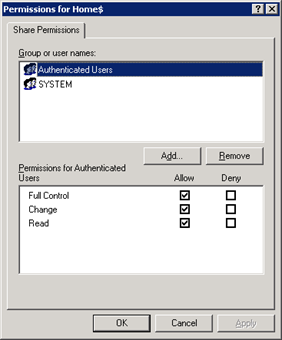
If you are having a domain controller, and decided to give a personal drive for all users, then home folder configuration is the best way to do it. But if you want to make it secure for every users, then you have to configure something extra with ntfs security and share security. Our current requirement as follows: Deploy home folder
Install UnRAR on Solaris 10 (Sparc)
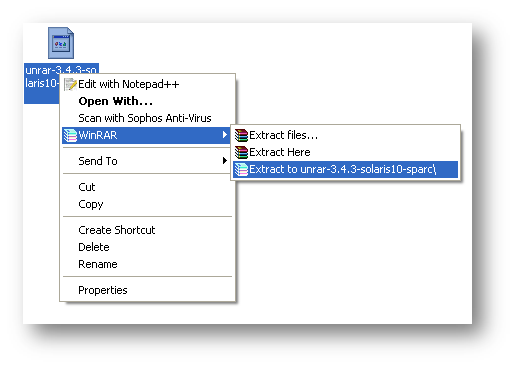
Download UnRAR from http://www.rarlab.com/rar_add.htm Extract .gz file on your system.
WinRAR v3.90 MSI Deployment

NOTE: We didn’t modify any internal files, just created an installation with demo version. We just changed few default registry settings as per our requirement. Again as per requirement, we have to deploy WinRAR on almost 1200+ system. So we decided to build a MSI for WinRAR deployment, will be painless and easy to deploy over all system with single
Shared TempDrive Cleanup Script – Automated

Sometimes it’s not possible to remember a specific weekly job to perform. So if we can make it as scheduled job to do the same, it will be better. There will be not such risk. Just take my example, I have to clean our office common shared temporary folder on every Sunday, but I am not in office on Sunday.
Automatic NT-Backup (System State Backup) with retention period and e-mail notification after complete.
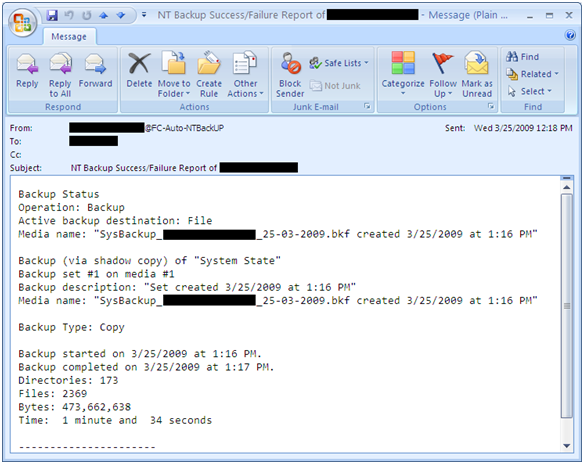
A simple script for automatic System State backup where you can easily set backup retention period and it also send you an e-mail notification after completion. With this script you can also archive backup log and if you wish u can also set backup log retention period. It can also set backup files with date stamp. For e.g., SysBackup_ComputerName_24-03-2009.bkf You