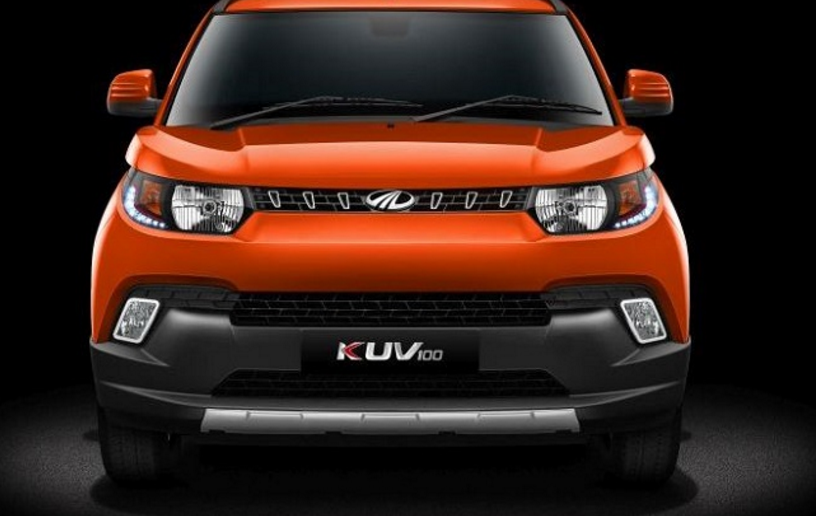
Mahindra KUV100 just launched in India today at a starting price of 4.42 lakh (ex-showroom) which goes all the way up to 6.76 lakh (ex-showroom). One of the most highly-anticipated cars in India, the latest Mahindra sub-compact SUV is the home-grown automaker’s third sub-4 metre vehicle here.
Category: Cloudflare
Cloudflare, Cloudflare Workers, Cloudflare Pages, Cloudflare Tunnel, Cloudflare WAF, Cloudflare CDN, Cloudflare DNS, Cloudflare Zero Trust, Cloudflare Access, Cloudflare Gateway, Cloudflare R2, Cloudflare KV, Cloudflare D1, Cloudflare Stream, Cloudflare Images, Cloudflare Cache, Cloudflare Rules, Cloudflare Firewall Rules, Cloudflare Transform Rules, Cloudflare Rate Limiting, Cloudflare DDoS, Cloudflare SSL, Cloudflare WARP, Cloudflare Analytics, Cloudflare AI Gateway, Workers AI, Wrangler, Cloudflare Dashboard
Set File System Auditing via PowerShell
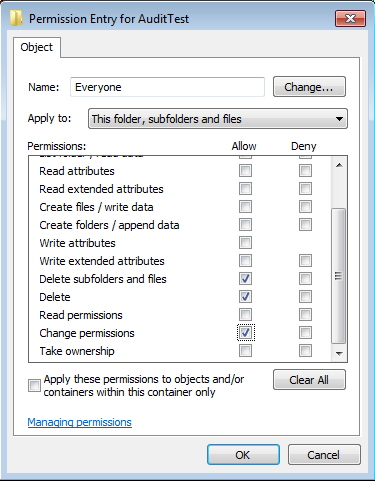
For last few days, I was trying to figure out how to set file system auditing via command line. I was looking for this as I had to apply some specific audit policy on multiple file servers. From GUI, we could do this, but it will take hours of manual activity. As requirement, I had to set Success Audit policy
NTFS Permission issue with TAKEOWN & ICACLS

Most of us using TAKEOWN or ICACLS for taking ownership from command prompt, and both of them are simple to use. We generally use TAKEOWN or ICACLS with following switches to taking the ownership. takeown /F “PATH” /R /D Y /A icacls “PATH” /T /setowner Administrators But unfortunately, TAKEOWN & ICACLS both might failed on certain scenario, as there are