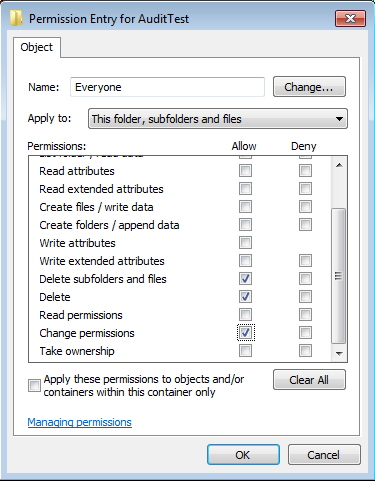
For last few days, I was trying to figure out how to set file system auditing via command line. I was looking for this as I had to apply some specific audit policy on multiple file servers. From GUI, we could do this, but it will take hours of manual activity. As requirement, I had to set Success Audit policy
Category: Cybersecurity
Zero-Day, APT, Exfiltration, Lateral-Movement, Privilege-Escalation, Botnet, Rootkit, Backdoor, Keylogger, Smishing, Vishing, Spear-Phishing, Social-Engineering, MITM, SQL-Injection, XSS, CSRF, Path-Traversal, Buffer-Overflow, Honeypot, CVE, CVSS, Red-Team, Blue-Team, Threat-Hunting, Malware-Analysis, MITRE-ATT&CK, Insider-Threat, Jailbreak, Shellcode, Exploit-Kit, LFI, RFI, Obfuscation, Payload, security advisory, vulnerability disclosure, CWE, OWASP, cybersecurity news, threat intelligence, SOC, SIEM, cryptotheft, evasion, CVE Security
How to stop extracting/viewing users details from AD
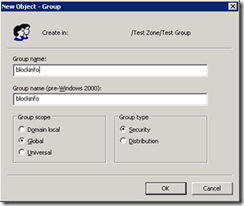
There are several tools/script available for extracting all user information from AD. Any domain users can access this information by default. For an example, using following attached .vbs script, we can dump entire AD users base to a excel file with following fields.
How to configure Home Folder with extra security
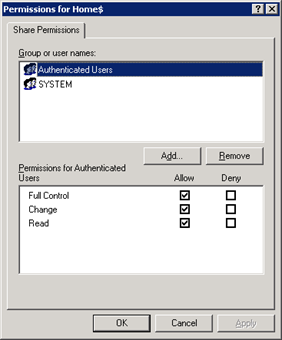
If you are having a domain controller, and decided to give a personal drive for all users, then home folder configuration is the best way to do it. But if you want to make it secure for every users, then you have to configure something extra with ntfs security and share security. Our current requirement as follows: Deploy home folder
Logon as root/admin on Windows 7, Vista, XP, Gentoo, Debian, Ubuntu and Fedora without any Password
Now any user can logon to windows or linux system with Administrator or Root privilege, no matter what kind of permission he/she have by simply using a bootable floppy or bootable CD. And it is possible by using Kon-Boot. Kon-Boot is a prototype piece of software which allows to change contents of a linux kernel (and now Windows kernel also!!!)
Disable UNC Path security warning from Group Policy
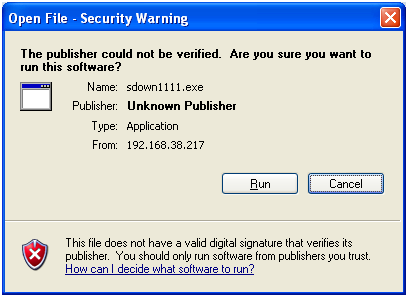
Whenever you try to run any script, batch file or an executable from UNC path, it’s opening a Security Warning. Actually this will prevent you from running any application from network path.