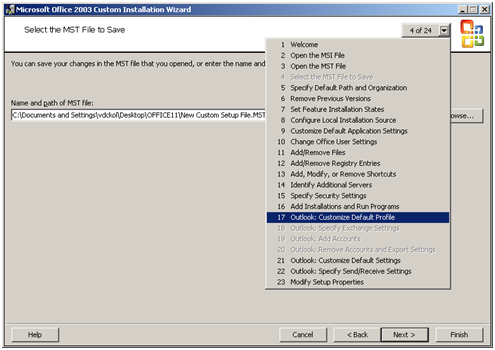
Few simple steps to configure Outlook (2000/2003/2007) with MS Exchange on first logon: It’s really not so difficult to configure outlook on first logon, you just need a PRF(Microsoft Outlook profile file) file. To create PRF file you need to download Office 2003 Editions Resource Kit Tools from following location. Download And you need Office Source Setup files. After install
Category: Microsoft
Windows, Windows Server, Microsoft 365, Word, Excel, PowerPoint, Outlook, OneNote, Teams, SharePoint, OneDrive, Edge, Bing, SQL Server, Visual Studio, Active Directory, Dynamics 365, Power BI, Power Apps, Xbox, Game Pass, Surface, Intune, Defender, Exchange, Hyper-V, .NET, Dataverse,
Remote Desktop Protocol 6.1 MSI Package for desktop deployment
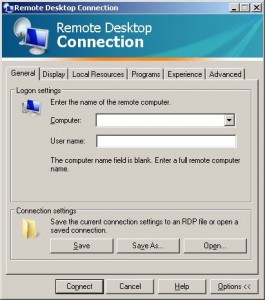
Recently we implement TS 2008 on our site, and our entire client PC having Windows XP Service Pack 2. To access TS Application, we need to have RDP 6.1 installed on every system, but there is not update available for the same on WSUS.
Disable UNC Path security warning from Group Policy
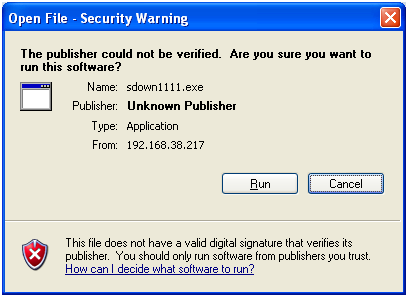
Whenever you try to run any script, batch file or an executable from UNC path, it’s opening a Security Warning. Actually this will prevent you from running any application from network path.
USB/CDRom/Floppy/ZIP Drive Blocker (MBlock v1.0)
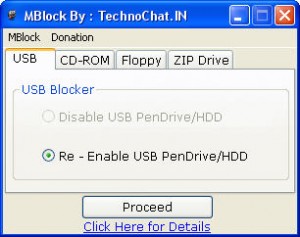
A tiny tools for block USB Pendrive, CDRom, Floppy Drive or ZIP Drive access to your computer. It helps you to protect your computer from virus. Recommended for cybercafe owners, home use, office use. MBlock v1.0 – USB Pendrive Block Option
Configure Cluster on VMWare Workstation / Virtual PC using iSCSI
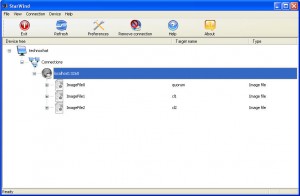
Requirments : iSCSI Target iSCSI Initiator VMWare Workstation / Virtual PC iSCSI Target : For iSCSI Target I used StarWind and install it on my Host PC. There are another tools available for the same, you may use that also, ie iSCSI Cake. iSCSI Initiator : There are two fine iSCSI Initiator available, I used both of them to connect
Help user to know their IP Address – VIA Web Hosting (Plain and Simple).
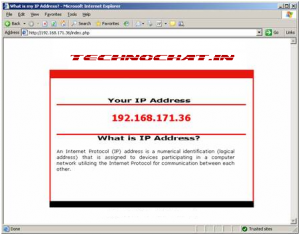
How it looks like? Requirement: Web Server : IIS 6 / Apache. Other : PHP 5 Installed on Web server.