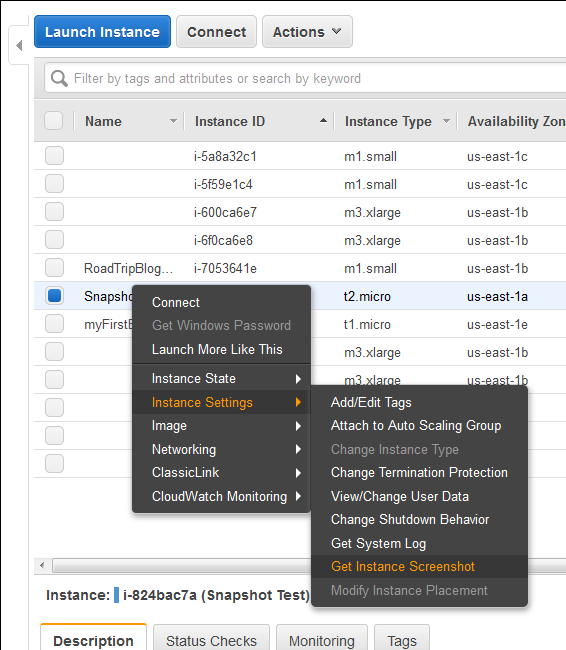
Finally a great feature add to AWS EC2 instances (HVM virtualization only), which was requested by almost everyone. Now we can take a console screenshot of any EC2 Instances. This is now available publicly. Earlier we had to log a case with AWS Support to get the AWS Console screenshot. This is a similar feature like Boot Diagnostics for Azure
Category: AWS
AWS, Amazon Web Services, EC2, S3, Lambda, RDS, DynamoDB, VPC, CloudFront, Route 53, IAM, CloudWatch, CloudFormation, SQS, SNS, ECS, EKS, AWS Fargate, AWS Glue, AWS Step Functions, Elastic Beanstalk, AWS WAF, AWS Shield, AWS Cost Explorer, S3 Glacier, Amazon Aurora, AWS Config, AWS Organizations
Setup your own Monitoring – Disk Space Utilization Monitoring tool for free
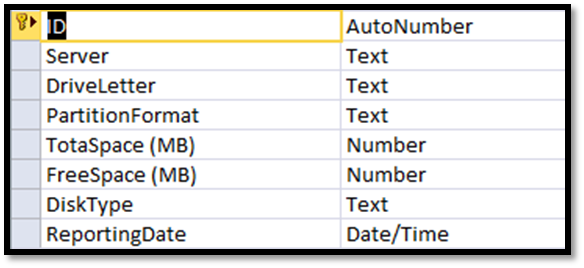
It is always recommended to keep tracking of the disk space utilization for you servers. This will help us to get the idea of our future requirement. There are multiple tools available for track this but you have to pay for most of them. Recently I also had similar kind of requirement and I was asked to provide the free
Migrating a VMWARE VM to AWS using AWS PowerShell
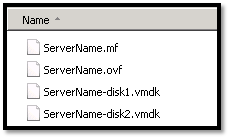
In this topic we will describes the necessary steps to migrate a VMWare VM to the Amazon Web Services (AWS) using PowerShell. You could also migrate VM using AWS command line tools, but I found using PowerShell is much easier than command line tools. Requirements: AWS Tools for Windows PowerShell http://aws.amazon.com/powershell/ IAM account to authenticate. Basic knowledge on PowerShell. Preparing
How to reset windows password (offline) on AWS Windows Instance

In simple word changing/resetting windows password is a very simple task using any third party free or paid tools as long as you able to access server console. Even on virtual platform like Hyper-V VMWare you have access to server console, but when it comes to AWS, there is no way to access console of a virtual instances. So, those
AWS EBS Snapshots Automation (Disaster Recovery) from Windows PowerShell

It is always a good idea to reduce hardware dependencies by moving your data to the cloud. Cloud is much more flexible than traditional hardware infrastructure including VMWare. But you still have to consider the ability of recovering data as and when required. This always helps you to keep your business running with minimal interruption. In AWS, there are several