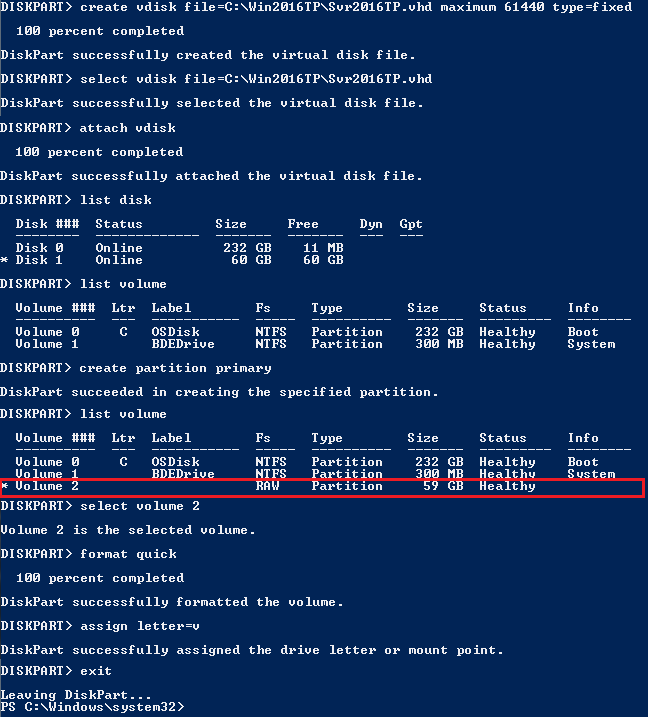
The reason behind writing this article is to use my Laptop (having Intel i3 4th Gen and 8 GB of RAM) as my LAB for testing new Windows Server 2016 TP4 and to do that I have to use boot from VHD option. There are multiple ways to boot your system from VHD but I don’t find a simple and
Category: Cloud Computing
GCP, Google Cloud, Compute Engine, Cloud Storage, Cloud Functions, Cloud SQL, BigQuery, GKE, Pub/Sub, Cloud Run, App Engine, Cloud CDN, Cloud Armor, FinOps, cloud cost optimisation, multi-cloud, hybrid cloud, cloud migration, cloud architecture, cloud security, cloud networking, IaaS, PaaS, SaaS, serverless, cloud-native, Kubernetes, Helm, Istio, service mesh, container orchestration, OpenShift, DigitalOcean, Linode, Hetzner, Vultr
Migrating a VMWARE VM to AWS using AWS PowerShell
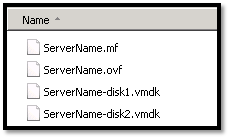
In this topic we will describes the necessary steps to migrate a VMWare VM to the Amazon Web Services (AWS) using PowerShell. You could also migrate VM using AWS command line tools, but I found using PowerShell is much easier than command line tools. Requirements: AWS Tools for Windows PowerShell http://aws.amazon.com/powershell/ IAM account to authenticate. Basic knowledge on PowerShell. Preparing
AWS EBS Snapshots Automation (Disaster Recovery) from Windows PowerShell

It is always a good idea to reduce hardware dependencies by moving your data to the cloud. Cloud is much more flexible than traditional hardware infrastructure including VMWare. But you still have to consider the ability of recovering data as and when required. This always helps you to keep your business running with minimal interruption. In AWS, there are several
Free Mail Service for your own Domain from Microsoft
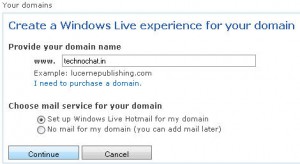
Microsoft now offering mail service for any of your domain for free using Windows Live Admin Center Details: You can use Windows Live Admin Center to create personalized e-mail addresses for your domain name for free, so you don’t have to pay anything for this. Really cool service from Microsoft. With Windows Live Admin Center, you can: Use your own custom domain