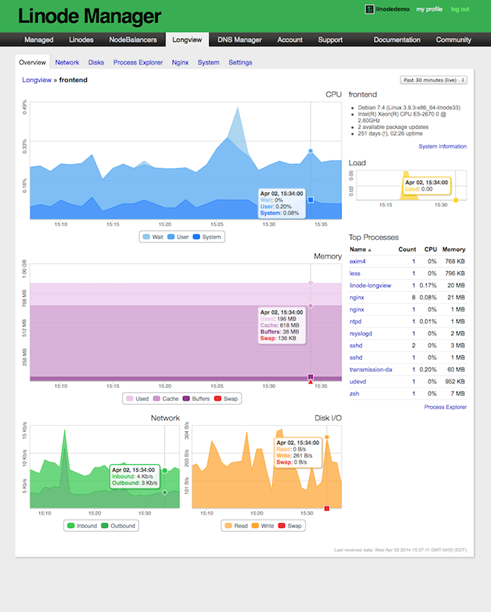
Have you recently moved away from Linode to any other VPS (Virtual Private Server) providers for hosting your web server? Are you still desperately looking for an alternative to Linode server monitoring tool LongView? Yes…. Ok, I am here to guide you in fixing the web server monitoring issues. I have hosted this blog in Linode for more than two
Category: Cloud Computing
GCP, Google Cloud, Compute Engine, Cloud Storage, Cloud Functions, Cloud SQL, BigQuery, GKE, Pub/Sub, Cloud Run, App Engine, Cloud CDN, Cloud Armor, FinOps, cloud cost optimisation, multi-cloud, hybrid cloud, cloud migration, cloud architecture, cloud security, cloud networking, IaaS, PaaS, SaaS, serverless, cloud-native, Kubernetes, Helm, Istio, service mesh, container orchestration, OpenShift, DigitalOcean, Linode, Hetzner, Vultr
Create Private PPTP VPN for personal use in Linode Cloud Hosting.

Nowadays many things are getting blocked by the government, and sometimes without even a valid reason. When something like this happen to you, you probably looking for some way to bypass these restrictions, and most of the times we look for free or cheap VPNs. In today’s world, nothing is actually free, there is always something we are giving in
Re-enabling Network Adapter in Azure VM (Resource Manager)
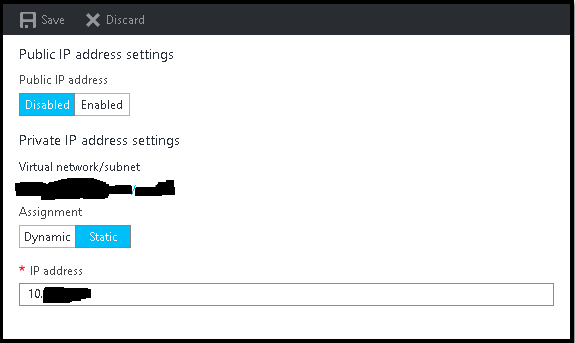
It is very common that sometimes we disabled the network adapter from VM to trouble shoot some network related issue, and after doing so we suddenly realize that we made a big mistake, especially if we do it on Azure VMs. Suddenly we lost all the communication to the VM, no RDP, no PowerShell, and VM got completely isolated from
New Feature : EC2 Instance Console Screenshot for Boot Troubleshooting
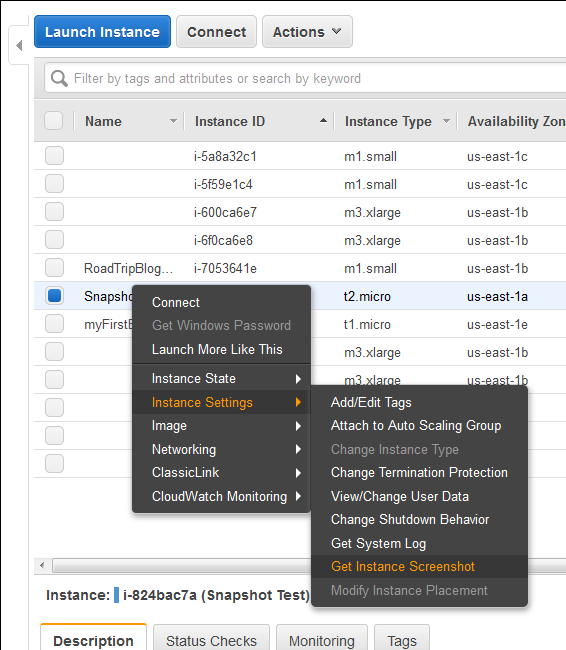
Finally a great feature add to AWS EC2 instances (HVM virtualization only), which was requested by almost everyone. Now we can take a console screenshot of any EC2 Instances. This is now available publicly. Earlier we had to log a case with AWS Support to get the AWS Console screenshot. This is a similar feature like Boot Diagnostics for Azure
Multi-Threading Super-Fast Disk Utilization Report using Background Jobs in PowerShell

Automate task using script is always helpful, it reduced human error and efforts, but sometimes it still takes a lots of time to execute same command on multiple remote servers one by one. For example, my disk utilization script, it works perfectly fine, but taking lots of time to generate report for thousands of servers. To get the result faster
Task Scheduler Error “A specified logon session does not exist” – Fix via Command Line and PowerShell for Scripting

This is very know issue, if you search internet, you will get multiple blog post with same solution for this issue, and if you follow the steps, it actually resolve this issue. In simple word, solution of this problem is Logon to the faulty system. Open SECPOL.MSC from Run Go to Security Settings | Local Policies | Security Options Open