Category

Microsoft

Windows, Windows Server, Microsoft 365, Word, Excel, PowerPoint, Outlook, OneNote, Teams, SharePoint, OneDrive, Edge, Bing, SQL Server, Visual Studio, Active Directory, Dynamics 365, Power BI, Power Apps, Xbox, Game Pass, Surface, Intune, Defender, Exchange, Hyper-V, .NET, Dataverse, Microsoft Copilot, Copilot Studio, Microsoft Fabric, Power Platform, Windows 11, Windows 10, WSL, Windows Subsystem for Linux

Page 12
Add new Admin Account to AWS Windows Instances to rescue the system

Add new Admin Account to AWS Windows Instances to rescue the system

As mentioned earlier, we could reset the local admin password of windows instances via registry, but unfortunately that will not going to help us if we forget the user id details or we renamed the user id. And the good news is, we still will be able to logon into the system by creating one new Admin Account using AWS User Data. This process is very simple as described bellow.…


Saugata Datta2 min read9.5K
Migrated this blog to Amazon LightSail from GoDaddy

Migrated this blog to Amazon LightSail from GoDaddy

Finally, I managed to migrate my blog from GoDaddy to Amazon Lightsail, and everything looks good so far. Thanks to Amazon Lightsail for providing a static public IP (34.198.110.82). It's really simple to migrate your blogs from any other hosting Amazon Lightsail, details information can be found here. They have very attractive pricing, which is one of the reason I moved from GoDaddy to Amazon (recently GoDaddy started charging additional…

Saugata Datta1 min read7.9K
Cleanup disabled users from AD Group/s

Cleanup disabled users from AD Group/s

Cleanup disabled accounts from groups is one of the most boring job, and also take lots of time. Manually it's almost impossible to maintain. Recently I had a request to perform such task for many groups, so, I wrote a script to do it automatically on behalf of me. I am now sharing this script, hoping this might help you as well. This script will do following task automatically. Get…

Saugata Datta2 min read6.9K
Re-enabling Network Adapter in Azure VM (Resource Manager)

Re-enabling Network Adapter in Azure VM (Resource Manager)

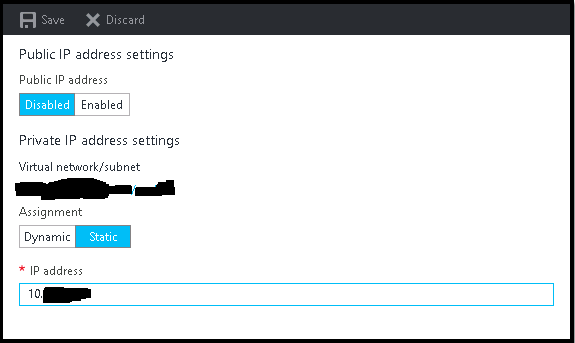
It is very common that sometimes we disabled the network adapter from VM to trouble shoot some network related issue, and after doing so we suddenly realize that we made a big mistake, especially if we do it on Azure VMs. Suddenly we lost all the communication to the VM, no RDP, no PowerShell, and VM got completely isolated from the network. If AWS, we could fix this very easily…

Saugata Datta2 min read15K
Multi-Thread Super-Fast Software Inventory Scan using WSMan (PowerShell Remoting)

Multi-Thread Super-Fast Software Inventory Scan using WSMan (PowerShell Remoting)

Recently I was asked to pull the software inventory report from multiple severs hosted in Azure, but unfortunately pulling data from WMI not allowed, only PS Remoting was enabled, so I made some changes on my previous script and used Invoke-command to pull the date for all the servers. It was easy and the most effective way to extract that report and only took 5 minute to get the data. :)…

Saugata Datta2 min read9.3K
Setup your own Monitoring – Disk Space Utilization Monitoring tool for free

Setup your own Monitoring – Disk Space Utilization Monitoring tool for free

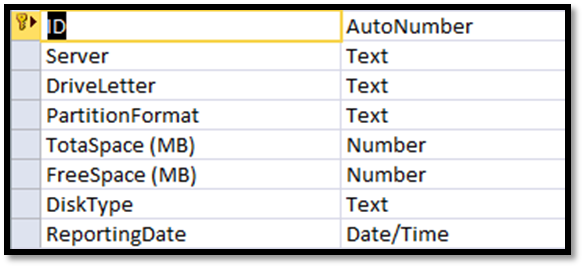
It is always recommended to keep tracking of the disk space utilization for you servers. This will help us to get the idea of our future requirement. There are multiple tools available for track this but you have to pay for most of them. Recently I also had similar kind of requirement and I was asked to provide the free solution for this. There are some free tools available but…

Saugata Datta3 min read8.7K
How to reset windows password (offline) on AWS Windows Instance

How to reset windows password (offline) on AWS Windows Instance

In simple word changing/resetting windows password is a very simple task using any third party free or paid tools as long as you able to access server console. Even on virtual platform like Hyper-V VMWare you have access to server console, but when it comes to AWS, there is no way to access console of a virtual instances. So, those tools will not work, as those required user input /…

Saugata Datta3 min read10.3K
Port Scanner using PowerShell with Email Notification

Port Scanner using PowerShell with Email Notification

Few days back I was asked to create a script, which will check RDP port status of multiple servers and send the result as an email notification. I have searched for few, but unfortunately there was no ready script for that. I decided to build one using PowerShell, and came out with following script. Hope this script might help you as well. #Which port to scan $port = 3389 #Path…

Saugata Datta1 min read11.5K
Set File System Auditing via PowerShell

Set File System Auditing via PowerShell

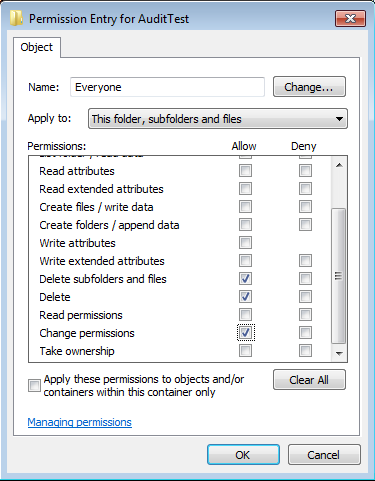
For last few days, I was trying to figure out how to set file system auditing via command line. I was looking for this as I had to apply some specific audit policy on multiple file servers. From GUI, we could do this, but it will take hours of manual activity. As requirement, I had to set Success Audit policy on Delete subfolders and files, delete and change permission. There…

Saugata Datta2 min read41.6K
AWS EBS Snapshots Automation (Disaster Recovery) from Windows PowerShell

AWS EBS Snapshots Automation (Disaster Recovery) from Windows PowerShell

It is always a good idea to reduce hardware dependencies by moving your data to the cloud. Cloud is much more flexible than traditional hardware infrastructure including VMWare. But you still have to consider the ability of recovering data as and when required. This always helps you to keep your business running with minimal interruption. In AWS, there are several possibilities for implementing an effective backup strategy. EBS snapshots are…

Saugata Datta3 min read23.1K
First official Windows 8.1 tablet in India lunched by Acer

First official Windows 8.1 tablet in India lunched by Acer

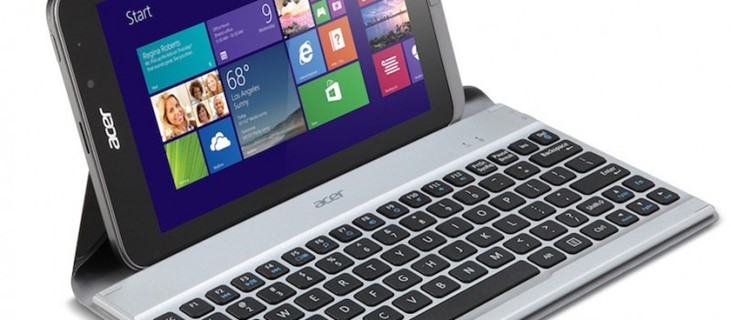
Acer announced the Iconia W4, successor of the Iconia W3 back in October. Today, the company launched the tablet in India. The Iconia W4 has a 8-inch (800 x 1280 pixels) multi-touch IPS display, powered by a 1.8 GHz quad-core Intel Atom Bay Trail T processor with integrated Intel HD Graphics and runs on the latest Windows 8.1. It comes pre-loaded with Microsoft Office Home and Student 2013 and packs…

Saugata Datta2 min read8.4K
🧰

Free Tools: IP, DNS, SSL

40+ free network and other tools in one place. No signup. Click explore or visit https://technochat.in/tools

Explore