BAT/CMD scripts are very much helpful to do a monotonous job automatically and sometimes the outputs of the batch script file are very much required. We can generate log file from batch file, but we can’t get the 100% log within batch file, so I was looking for a tool which generate log files from a batch script. After a
Category: Scripts and Coding
VBScript, Python, Shell Scripting, Bash, Bash script, shell script, API Scripting, YAML, JSON, XML, Regex, cron, scripting basics, script templates, script security, REST API, webhook, coding tutorial, Go, Golang, Rust, Ruby, Perl, batch script, batch file, .sh, automation script
AJAX Web Chat Server with Active Directory Authentication

Again, as per business requirement, we are looking for some free internal (LAN) chat solution. There are some free LAN chat tools available but most of them are failed to detect multiple VLAN, only working fine in single VLAN. But we need something which can be implemented on more than 50 branches across India. So we are looking for a
Shared TempDrive Cleanup Script – Automated
Sometimes it’s not possible to remember a specific weekly job to perform. So if we can make it as scheduled job to do the same, it will be better. There will be not such risk. Just take my example, I have to clean our office common shared temporary folder on every Sunday, but I am not in office on Sunday.
Automatic NT-Backup (System State Backup) with retention period and e-mail notification after complete.
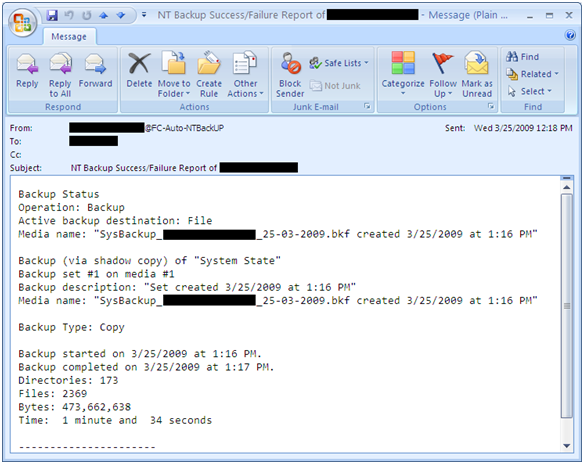
A simple script for automatic System State backup where you can easily set backup retention period and it also send you an e-mail notification after completion. With this script you can also archive backup log and if you wish u can also set backup log retention period. It can also set backup files with date stamp. For e.g., SysBackup_ComputerName_24-03-2009.bkf You
Simple script for Windows Profile Backup and Restore
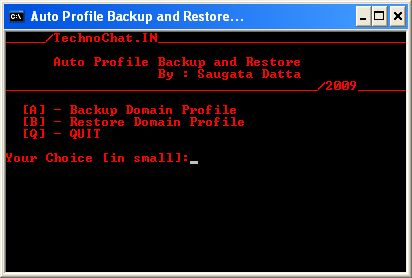
Windows Profile Backup and Restore for Win 2000/XP
Set File Association via Group Policy
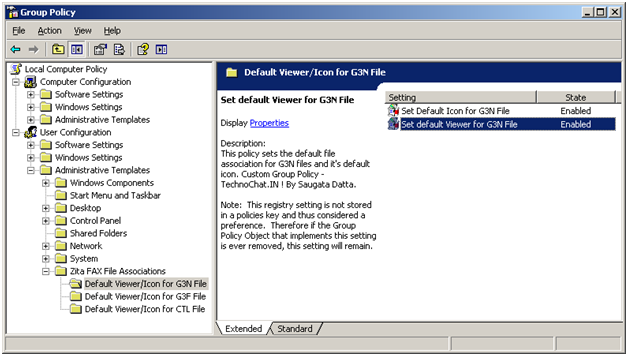
Recently after installing FAX Server on our site, we are having some problem with opening received FAX file from user desktop. FAX files are .G3N/.G3F/.CTL of which .G3N and .G3F file can be opened in Windows Image Viewer and .CTL file can be opened in Notepad. But the problem is, users have to make it their own, or we have