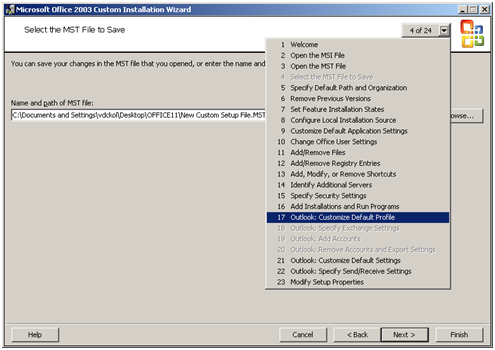
Few simple steps to configure Outlook (2000/2003/2007) with MS Exchange on first logon: It’s really not so difficult to configure outlook on first logon, you just need a PRF(Microsoft Outlook profile file) file. To create PRF file you need to download Office 2003 Editions Resource Kit Tools from following location. Download And you need Office Source Setup files. After install
Category: Scripts and Coding
VBScript, Python, Shell Scripting, Bash, Bash script, shell script, API Scripting, YAML, JSON, XML, Regex, cron, scripting basics, script templates, script security, REST API, webhook, coding tutorial, Go, Golang, Rust, Ruby, Perl, batch script, batch file, .sh, automation script
Disable UNC Path security warning from Group Policy
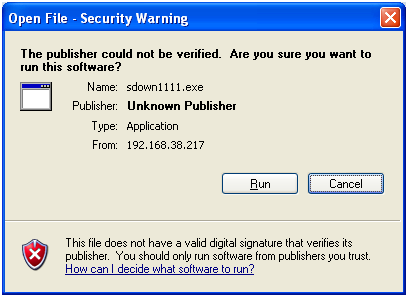
Whenever you try to run any script, batch file or an executable from UNC path, it’s opening a Security Warning. Actually this will prevent you from running any application from network path.
Disable Print Screen Function Via VBS Script (By using GPO Startup/Shutdown Script)
Another requirement, now customer need to disable default windows Print Screen function on all of their user desktop, So, we started our searching again, and easily we able to find out how to disable print screen on windows by importing following registry. reg [HKEY_LOCAL_MACHINESYSTEMCurrentControlSetControlKeyboard Layout] “Scancode Map”=hex:00,00,00,00,00,00,00,00,03,00,00,00,00,00,37,e0,00,00,54,00, 00,00,00,00 So, again we start working to create a custom adm file. As
Custom Group Policy(GPO) for Changing Desktop Background Colour
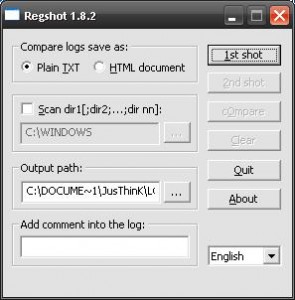
As per requirement, we need to change all client windows (XP, and 2003) desktop BG color, but it’s impossible to change BG colour manually over 1000 desktop. So, we have to do it with an automatic process. First we have to find out what happened on registry, while we changing Desktop BG color, and to do so, we need a
OS Dependent Logoff/Logon Script run via GPO
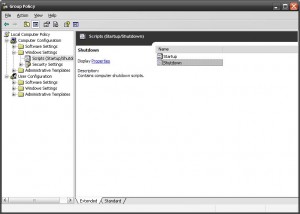
Use following VBS script Startup or Shutdown script. vb Option Explicit Dim objItem, colItems, objWMIService, strComputer, objShell strComputer = “.” Set objShell = CreateObject(“WScript.Shell”) Set objWMIService = GetObject(“winmgmts:\” & strComputer & “rootcimv2”) Set colItems = objWMIService.ExecQuery(“Select * from Win32_OperatingSystem”,,48) For Each objItem in colItems If InStr(objItem.Caption,”2000″) Then ‘Add your line here for 2000 objShell.Run “regedit”, 1, True End If If