Few days back I was asked to create a script, which will check RDP port status of multiple servers and send the result as an email notification. I have searched for few, but unfortunately there was no ready script for that. I decided to build one using PowerShell, and came out with following script. Hope this script might help you
Category: Tutorials
This is the place for all the in-house tutorials and developments.
Extract VM details from VCenter
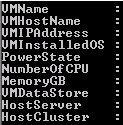
Sometimes it’s a painful job to extract all the information from vCenter server. From GUI you could export information, but not all the information will be available. I was requested to extrach following information. VM Name Host Name VM IP Address Installed Guest OS Power State of VM Allotted number of CPU Allotted total memory Connected Data store Host Server
Set File System Auditing via PowerShell
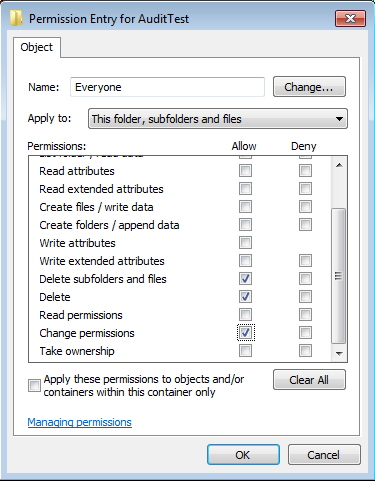
For last few days, I was trying to figure out how to set file system auditing via command line. I was looking for this as I had to apply some specific audit policy on multiple file servers. From GUI, we could do this, but it will take hours of manual activity. As requirement, I had to set Success Audit policy
AWS EBS Snapshots Automation (Disaster Recovery) from Windows PowerShell

It is always a good idea to reduce hardware dependencies by moving your data to the cloud. Cloud is much more flexible than traditional hardware infrastructure including VMWare. But you still have to consider the ability of recovering data as and when required. This always helps you to keep your business running with minimal interruption. In AWS, there are several
Restrict Creator/Owner from altering NTFS permission
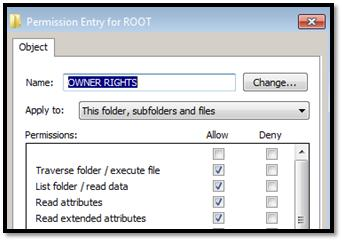
Target: Restrict creator / owner from altering any NTFS permission on newly created files & folders. Scenarios: Regardless of NTFS permissions, the owner, which is by default the person who creates the folder/files, can always alter the permissions. This actually causing a lot’s of problem, with this special privilege users can also block inherited permission and alter current permission. This
NTFS Permission issue with TAKEOWN & ICACLS

Most of us using TAKEOWN or ICACLS for taking ownership from command prompt, and both of them are simple to use. We generally use TAKEOWN or ICACLS with following switches to taking the ownership. takeown /F “PATH” /R /D Y /A icacls “PATH” /T /setowner Administrators But unfortunately, TAKEOWN & ICACLS both might failed on certain scenario, as there are