
Mahindra KUV100 just launched in India today at a starting price of 4.42 lakh (ex-showroom) which goes all the way up to 6.76 lakh (ex-showroom). One of the most highly-anticipated cars in India, the latest Mahindra sub-compact SUV is the home-grown automaker’s third sub-4 metre vehicle here.
Author: Saugata Datta
I’m an IT/DevOps professional with many years of hands-on experience across Windows, Linux, Automation, Backup and Cloud. I love building real-world automations to make infrastructure reliable, secure, and self-healing. Through this blog, I share practical learnings from enterprise projects and my home-lab experiments on Cloudflare, Self-Hosting and everything in between. Always tinkering, always improving.
Setup your own Monitoring – Disk Space Utilization Monitoring tool for free
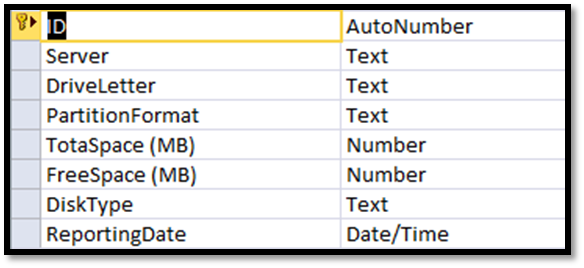
It is always recommended to keep tracking of the disk space utilization for you servers. This will help us to get the idea of our future requirement. There are multiple tools available for track this but you have to pay for most of them. Recently I also had similar kind of requirement and I was asked to provide the free
Migrating a VMWARE VM to AWS using AWS PowerShell
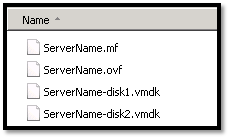
In this topic we will describes the necessary steps to migrate a VMWare VM to the Amazon Web Services (AWS) using PowerShell. You could also migrate VM using AWS command line tools, but I found using PowerShell is much easier than command line tools. Requirements: AWS Tools for Windows PowerShell http://aws.amazon.com/powershell/ IAM account to authenticate. Basic knowledge on PowerShell. Preparing
How to reset windows password (offline) on AWS Windows Instance

In simple word changing/resetting windows password is a very simple task using any third party free or paid tools as long as you able to access server console. Even on virtual platform like Hyper-V VMWare you have access to server console, but when it comes to AWS, there is no way to access console of a virtual instances. So, those
Port Scanner using PowerShell with Email Notification

Few days back I was asked to create a script, which will check RDP port status of multiple servers and send the result as an email notification. I have searched for few, but unfortunately there was no ready script for that. I decided to build one using PowerShell, and came out with following script. Hope this script might help you
Extract VM details from VCenter
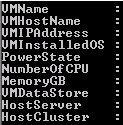
Sometimes it’s a painful job to extract all the information from vCenter server. From GUI you could export information, but not all the information will be available. I was requested to extrach following information. VM Name Host Name VM IP Address Installed Guest OS Power State of VM Allotted number of CPU Allotted total memory Connected Data store Host Server