
Anthropic’s Claude Cowork has arrived on Windows, closing a major platform gap and bringing its AI-powered desktop agent to a much larger share of enterprise users. The Windows release delivers local file access, multi-step automation, plugin integrations, and Model Context Protocol connectors, matching the macOS version and positioning Cowork as a mainstream productivity agent for knowledge work. What Cowork brings
Category: AI Agents and Frameworks
AutoGPT, BabyAGI, CrewAI, AutoGen, LangChain, LangGraph, LlamaIndex, Semantic Kernel, Devin, OpenDevin, Open Interpreter, AgentGPT, DSPy, Haystack, AI agent, agentic workflow, multi-agent, RAG, retrieval augmented generation, vector database, embeddings, fine-tuning, prompt engineering, LLM, large language model, Agentic
Claude Opus 4.6: Anthropic’s powerful model for coding, agents, and enterprise workflows is now available in Microsoft Foundry

Claude Opus 4.6 represents a clear evolution in applying frontier language models to mission-critical enterprise workloads. By combining Anthropic’s latest reasoning and long-context capabilities with Microsoft Foundry’s governance, identity, and operational controls, organizations can transition from isolated experiments to production-grade, agent-driven systems. This release is significant because it is not merely about raw model performance; it is about enabling sustained,
Do not trust any public VPN service, Create your own Secure SOCKS5 Proxy for just $5 – Be Free :)

If someone ask me to recommend one good proxy service, I would recommend none. Why should I trust any of them, as they can do what ever they want with my internet traffic, we don’t have any control over them, nor we should trust their privacy policy. So, what will be the solution? Very simple, create your own in pubic
Multi-Threading Super-Fast Disk Utilization Report using Background Jobs in PowerShell

Automate task using script is always helpful, it reduced human error and efforts, but sometimes it still takes a lots of time to execute same command on multiple remote servers one by one. For example, my disk utilization script, it works perfectly fine, but taking lots of time to generate report for thousands of servers. To get the result faster
Automatic NT-Backup (System State Backup) with retention period and e-mail notification after complete.
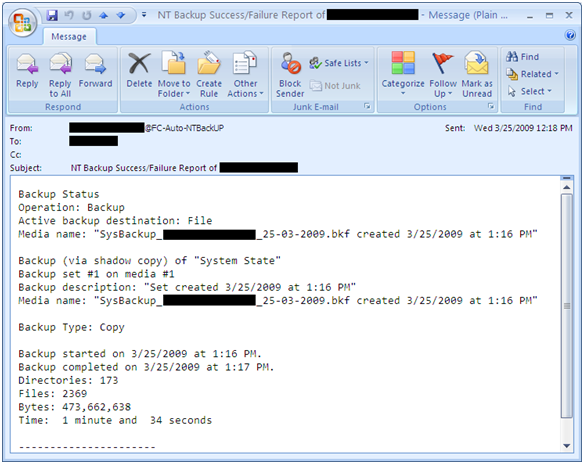
A simple script for automatic System State backup where you can easily set backup retention period and it also send you an e-mail notification after completion. With this script you can also archive backup log and if you wish u can also set backup log retention period. It can also set backup files with date stamp. For e.g., SysBackup_ComputerName_24-03-2009.bkf You
Automatically configure Outlook with Exchange on First Logon
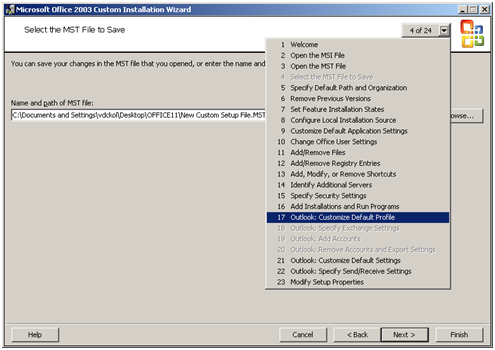
Few simple steps to configure Outlook (2000/2003/2007) with MS Exchange on first logon: It’s really not so difficult to configure outlook on first logon, you just need a PRF(Microsoft Outlook profile file) file. To create PRF file you need to download Office 2003 Editions Resource Kit Tools from following location. Download And you need Office Source Setup files. After install