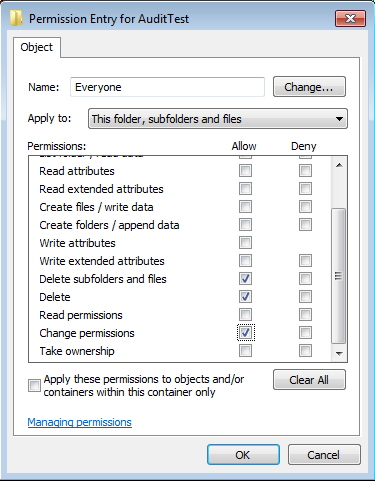
For last few days, I was trying to figure out how to set file system auditing via command line. I was looking for this as I had to apply some specific audit policy on multiple file servers. From GUI, we could do this, but it will take hours of manual activity. As requirement, I had to set Success Audit policy
Category: PowerShell
PowerShell Basics, PowerShell Scripts, PowerShell Modules, PowerShell Remoting, PowerShell Functions, PowerShell Active Directory, PowerShell Security, PowerShell Error Handling, PowerShell Variables, PowerShell Objects, PowerShell Package Management, PowerShell, PSCustomObject, cmdlet, PowerShell pipeline, PowerShell ISE, PowerShell 7, pwsh, Get-Command, Get-Help, Invoke-RestMethod, Import-Module
AWS EBS Snapshots Automation (Disaster Recovery) from Windows PowerShell

It is always a good idea to reduce hardware dependencies by moving your data to the cloud. Cloud is much more flexible than traditional hardware infrastructure including VMWare. But you still have to consider the ability of recovering data as and when required. This always helps you to keep your business running with minimal interruption. In AWS, there are several
NTFS Permission issue with TAKEOWN & ICACLS

Most of us using TAKEOWN or ICACLS for taking ownership from command prompt, and both of them are simple to use. We generally use TAKEOWN or ICACLS with following switches to taking the ownership. takeown /F “PATH” /R /D Y /A icacls “PATH” /T /setowner Administrators But unfortunately, TAKEOWN & ICACLS both might failed on certain scenario, as there are
Automatic NT-Backup (System State Backup) with retention period and e-mail notification after complete.
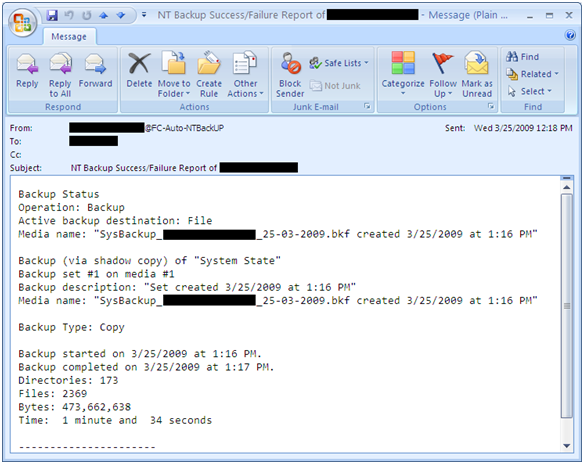
A simple script for automatic System State backup where you can easily set backup retention period and it also send you an e-mail notification after completion. With this script you can also archive backup log and if you wish u can also set backup log retention period. It can also set backup files with date stamp. For e.g., SysBackup_ComputerName_24-03-2009.bkf You
Set File Association via Group Policy
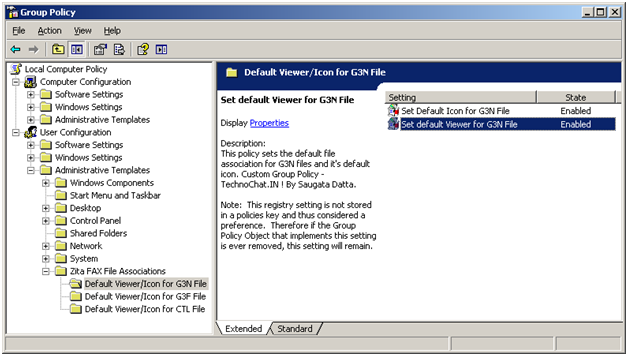
Recently after installing FAX Server on our site, we are having some problem with opening received FAX file from user desktop. FAX files are .G3N/.G3F/.CTL of which .G3N and .G3F file can be opened in Windows Image Viewer and .CTL file can be opened in Notepad. But the problem is, users have to make it their own, or we have
Disable UNC Path security warning from Group Policy
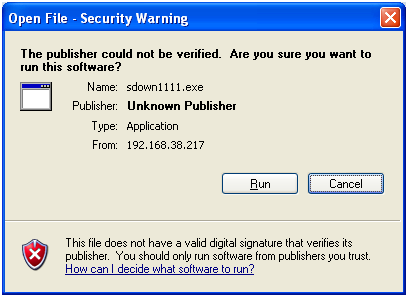
Whenever you try to run any script, batch file or an executable from UNC path, it’s opening a Security Warning. Actually this will prevent you from running any application from network path.