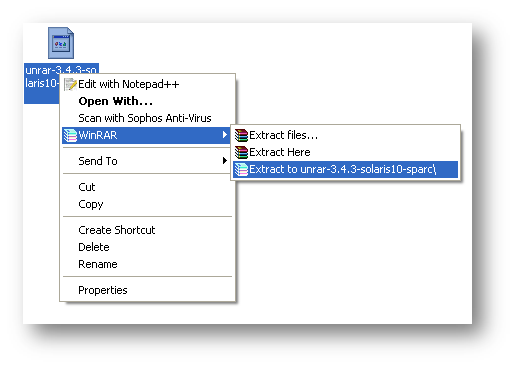
Download UnRAR from http://www.rarlab.com/rar_add.htm Extract .gz file on your system.
Category: Server and Virtualisation
Server Administration, Windows Server administration, Nginx, Apache, MySQL, PostgreSQL, MariaDB, MongoDB, VMware, vCenter, ESXi, Proxmox VE, Hyper-V, KVM, QEMU, libvirt, container, server monitoring, server security, SSH, remote access, FTP, SFTP, server performance, server hardening, iSCSI, NFS, SMB, CIFS, DNS server, DHCP server, web server, bare metal, rack server, IPMI, BIOS, RAID
BAT/CMD Script Log Generator

BAT/CMD scripts are very much helpful to do a monotonous job automatically and sometimes the outputs of the batch script file are very much required. We can generate log file from batch file, but we can’t get the 100% log within batch file, so I was looking for a tool which generate log files from a batch script. After a
AJAX Web Chat Server with Active Directory Authentication

Again, as per business requirement, we are looking for some free internal (LAN) chat solution. There are some free LAN chat tools available but most of them are failed to detect multiple VLAN, only working fine in single VLAN. But we need something which can be implemented on more than 50 branches across India. So we are looking for a
RealVNC MSI Deployment

For giving instant remote support to almost 1500+ desktop, we have to use some remote control tool, so we decided to install RealVNC server only to all the system. But manually it will take huge time to install RealVNC server to all the system. So, I started working on convert it into MSI package, which we can easily deploy via
Reset Password of a Remote RealVNC Server (Admin Tool)
In my office, our helpdesk engineers provide support to almost 1500 desktop, and all are in different locations, so we use free RealVNC server for remote support. Sometimes, our engineer’s faces lots to issue regarding VNC server password, sometimes user might change the VNC password, or sometimes we change the password for some security reason. And to resolve this issue
Shared TempDrive Cleanup Script – Automated
Sometimes it’s not possible to remember a specific weekly job to perform. So if we can make it as scheduled job to do the same, it will be better. There will be not such risk. Just take my example, I have to clean our office common shared temporary folder on every Sunday, but I am not in office on Sunday.