
PowerShell’s evolution from a Windows-centric scripting language to a cross-platform automation powerhouse has firmly planted it in the heart of modern DevOps. Nowhere is this transformation more apparent than in the continuous integration and continuous deployment (CI/CD) pipelines that drive reliable software delivery. GitHub Actions, with its ease of workflow automation and native integration with the world’s largest code hosting
Category: Automation
n8n, n8n Workflows, n8n Nodes, n8n Templates, n8n Self-Hosting, n8n Integrations, n8n Expressions, n8n Webhooks, n8n Triggers, n8n AI, n8n Custom Nodes, n8n Desktop, n8n API, Zapier, Make, Power Automate, UiPath, Automation Anywhere, Blue Prism, Workato, Tray.io, Boomi, MuleSoft, Celigo, Pabbly Connect, Integrately, Kissflow, ServiceNow, Puppet, Ansible, Selenium, Cypress, Playwright, Appium, Postman, JMeter, Katalon, Tricentis, IBM RPA, Pega, Kofax, Appian, ActiveBatch, IFTTT, Apple Shortcuts, HubSpot Workflows, Jira Automation, workflow automation, RPA, robotic process automation, automated installation, automated code review
Do not trust any public VPN service, Create your own Secure SOCKS5 Proxy for just $5 – Be Free :)

If someone ask me to recommend one good proxy service, I would recommend none. Why should I trust any of them, as they can do what ever they want with my internet traffic, we don’t have any control over them, nor we should trust their privacy policy. So, what will be the solution? Very simple, create your own in pubic
Powerful AWS Bot for automation using Telegram Bot API written in PowerShell
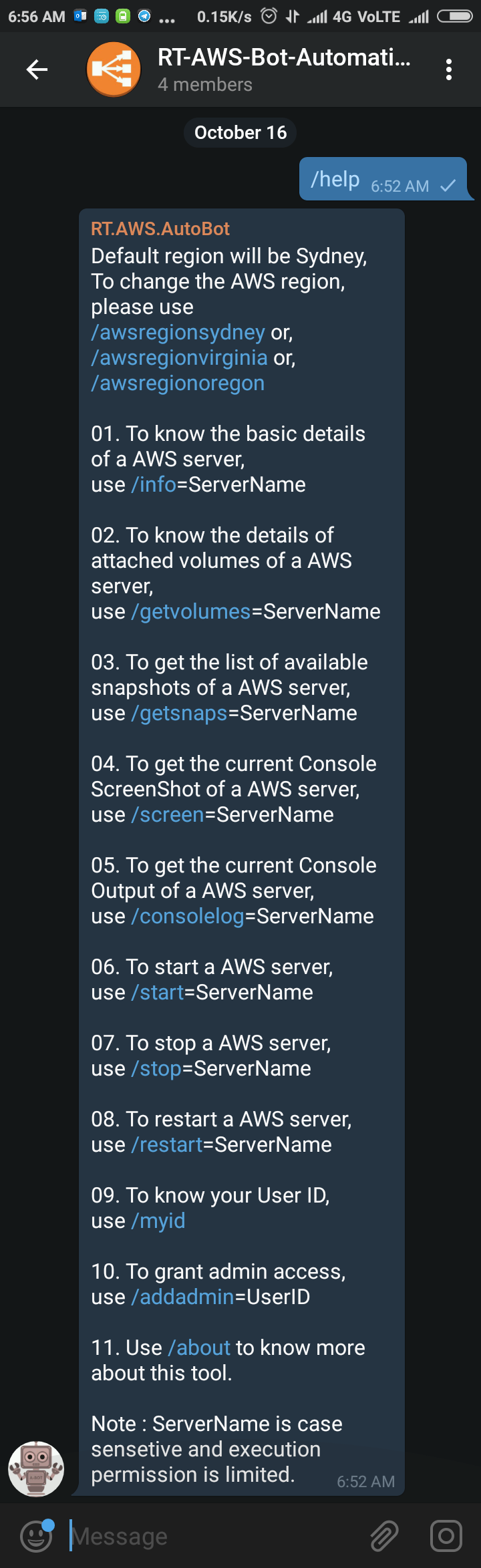
Sometimes back I was working on a free notification system using Telegram Bot (https://telegram.org/blog/bot-revolution), and I wrote a simple function in PowerShell, which could be use in various ways for sending instant notification to any smartphone for free (http://bit.ly/2ys1gF5). I thought what else we could do with it, and I have got an idea to use it as AWS Automation
Multi-Threading Super-Fast Disk Utilization Report using Background Jobs in PowerShell

Automate task using script is always helpful, it reduced human error and efforts, but sometimes it still takes a lots of time to execute same command on multiple remote servers one by one. For example, my disk utilization script, it works perfectly fine, but taking lots of time to generate report for thousands of servers. To get the result faster
How to boot Windows Server 2016 Technical Preview with GUI (Server with Desktop Experience) from VHD
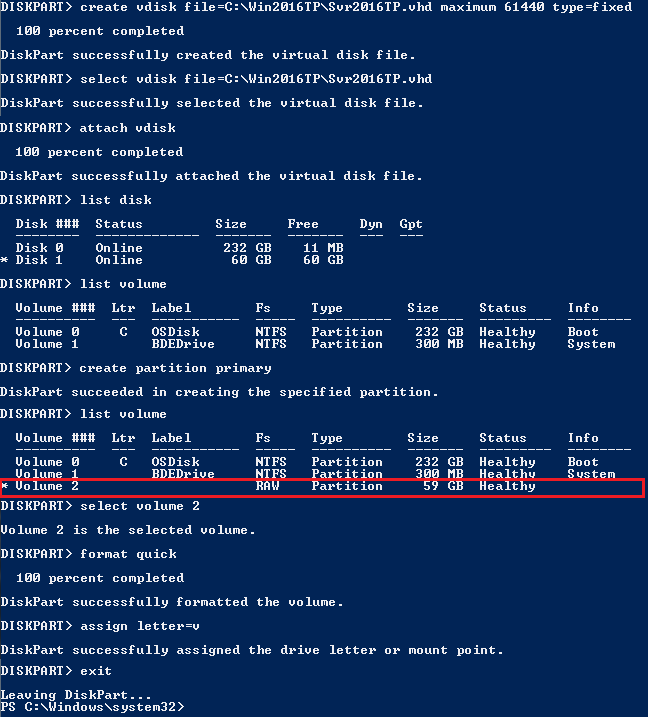
The reason behind writing this article is to use my Laptop (having Intel i3 4th Gen and 8 GB of RAM) as my LAB for testing new Windows Server 2016 TP4 and to do that I have to use boot from VHD option. There are multiple ways to boot your system from VHD but I don’t find a simple and
New Mahindra KUV100 – Most Affordable SUV for Young Indians

Mahindra KUV100 just launched in India today at a starting price of 4.42 lakh (ex-showroom) which goes all the way up to 6.76 lakh (ex-showroom). One of the most highly-anticipated cars in India, the latest Mahindra sub-compact SUV is the home-grown automaker’s third sub-4 metre vehicle here.