
Sometimes it’s not possible to remember a specific weekly job to perform. So if we can make it as scheduled job to do the same, it will be better. There will be not such risk. Just take my example, I have to clean our office common shared temporary folder on every Sunday, but I am not in office on Sunday.
Category: Microsoft
Windows, Windows Server, Microsoft 365, Word, Excel, PowerPoint, Outlook, OneNote, Teams, SharePoint, OneDrive, Edge, Bing, SQL Server, Visual Studio, Active Directory, Dynamics 365, Power BI, Power Apps, Xbox, Game Pass, Surface, Intune, Defender, Exchange, Hyper-V, .NET, Dataverse, Microsoft Copilot, Copilot Studio, Microsoft Fabric, Power Platform, Windows 11, Windows 10, WSL, Windows Subsystem for Linux
Logon as root/admin on Windows 7, Vista, XP, Gentoo, Debian, Ubuntu and Fedora without any Password

Now any user can logon to windows or linux system with Administrator or Root privilege, no matter what kind of permission he/she have by simply using a bootable floppy or bootable CD. And it is possible by using Kon-Boot. Kon-Boot is a prototype piece of software which allows to change contents of a linux kernel (and now Windows kernel also!!!)
Automatic NT-Backup (System State Backup) with retention period and e-mail notification after complete.
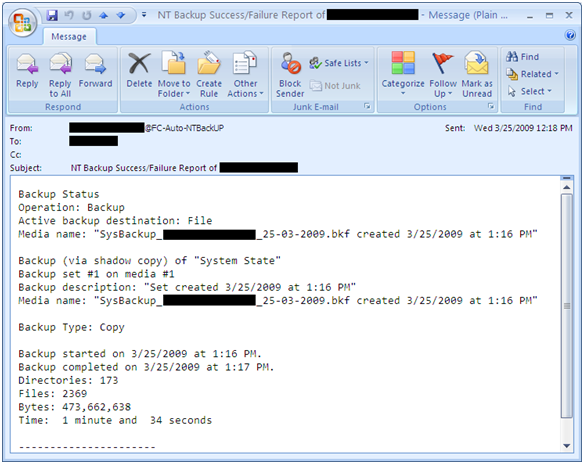
A simple script for automatic System State backup where you can easily set backup retention period and it also send you an e-mail notification after completion. With this script you can also archive backup log and if you wish u can also set backup log retention period. It can also set backup files with date stamp. For e.g., SysBackup_ComputerName_24-03-2009.bkf You
Simple script for Windows Profile Backup and Restore
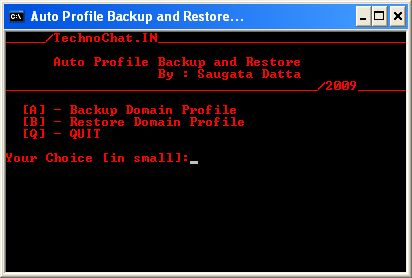
Windows Profile Backup and Restore for Win 2000/XP
Set File Association via Group Policy
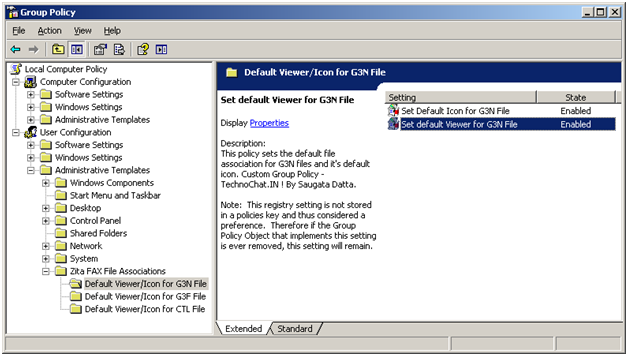
Recently after installing FAX Server on our site, we are having some problem with opening received FAX file from user desktop. FAX files are .G3N/.G3F/.CTL of which .G3N and .G3F file can be opened in Windows Image Viewer and .CTL file can be opened in Notepad. But the problem is, users have to make it their own, or we have
Automatically configure Outlook with Exchange on First Logon
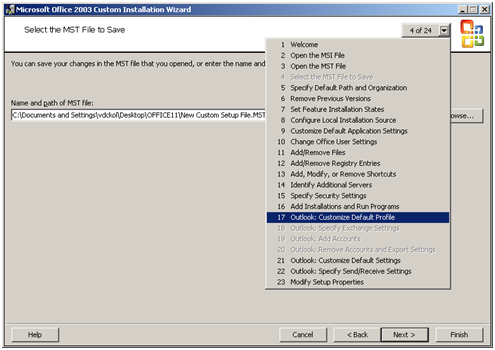
Few simple steps to configure Outlook (2000/2003/2007) with MS Exchange on first logon: It’s really not so difficult to configure outlook on first logon, you just need a PRF(Microsoft Outlook profile file) file. To create PRF file you need to download Office 2003 Editions Resource Kit Tools from following location. Download And you need Office Source Setup files. After install