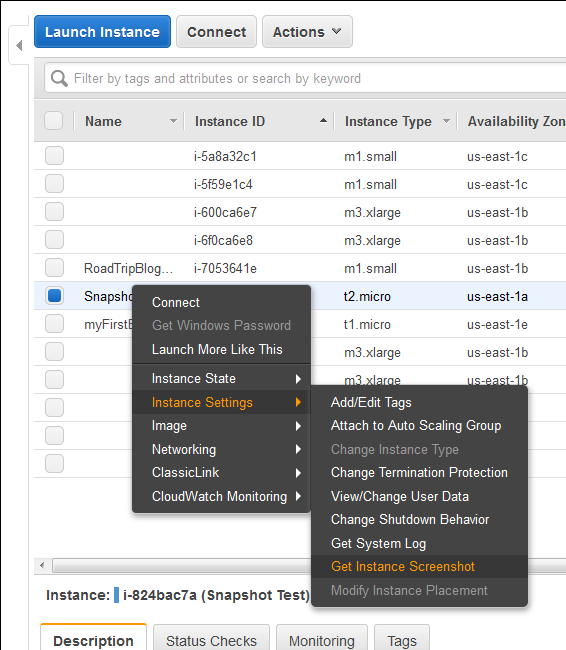
Finally a great feature add to AWS EC2 instances (HVM virtualization only), which was requested by almost everyone. Now we can take a console screenshot of any EC2 Instances. This is now available publicly. Earlier we had to log a case with AWS Support to get the AWS Console screenshot. This is a similar feature like Boot Diagnostics for Azure
Category: Server and Virtualisation
Server Administration, Windows Server administration, Nginx, Apache, MySQL, PostgreSQL, MariaDB, MongoDB, VMware, vCenter, ESXi, Proxmox VE, Hyper-V, KVM, QEMU, libvirt, container, server monitoring, server security, SSH, remote access, FTP, SFTP, server performance, server hardening, iSCSI, NFS, SMB, CIFS, DNS server, DHCP server, web server, bare metal, rack server, IPMI, BIOS, RAID
Multi-Threading Super-Fast Disk Utilization Report using Background Jobs in PowerShell

Automate task using script is always helpful, it reduced human error and efforts, but sometimes it still takes a lots of time to execute same command on multiple remote servers one by one. For example, my disk utilization script, it works perfectly fine, but taking lots of time to generate report for thousands of servers. To get the result faster
Task Scheduler Error “A specified logon session does not exist” – Fix via Command Line and PowerShell for Scripting

This is very know issue, if you search internet, you will get multiple blog post with same solution for this issue, and if you follow the steps, it actually resolve this issue. In simple word, solution of this problem is Logon to the faulty system. Open SECPOL.MSC from Run Go to Security Settings | Local Policies | Security Options Open
How to boot Windows Server 2016 Technical Preview with GUI (Server with Desktop Experience) from VHD
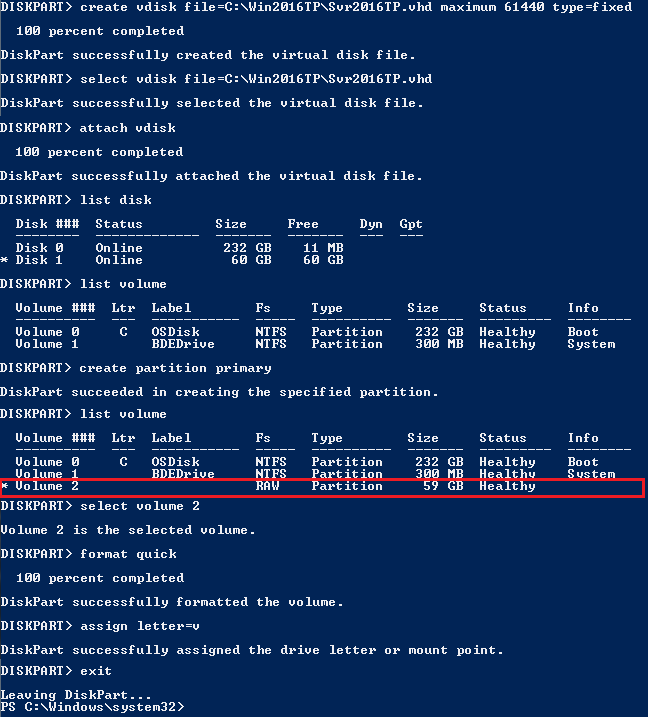
The reason behind writing this article is to use my Laptop (having Intel i3 4th Gen and 8 GB of RAM) as my LAB for testing new Windows Server 2016 TP4 and to do that I have to use boot from VHD option. There are multiple ways to boot your system from VHD but I don’t find a simple and
Setup your own Monitoring – Disk Space Utilization Monitoring tool for free
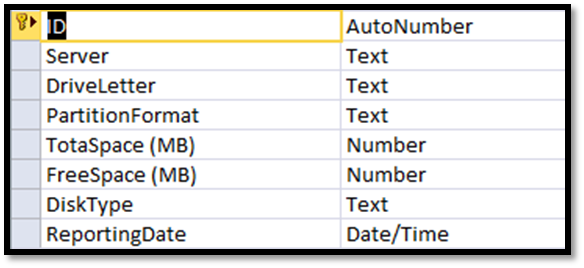
It is always recommended to keep tracking of the disk space utilization for you servers. This will help us to get the idea of our future requirement. There are multiple tools available for track this but you have to pay for most of them. Recently I also had similar kind of requirement and I was asked to provide the free
Migrating a VMWARE VM to AWS using AWS PowerShell
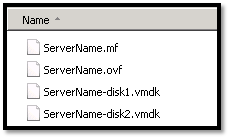
In this topic we will describes the necessary steps to migrate a VMWare VM to the Amazon Web Services (AWS) using PowerShell. You could also migrate VM using AWS command line tools, but I found using PowerShell is much easier than command line tools. Requirements: AWS Tools for Windows PowerShell http://aws.amazon.com/powershell/ IAM account to authenticate. Basic knowledge on PowerShell. Preparing