
This is very know issue, if you search internet, you will get multiple blog post with same solution for this issue, and if you follow the steps, it actually resolve this issue. In simple word, solution of this problem is Logon to the faulty system. Open SECPOL.MSC from Run Go to Security Settings | Local Policies | Security Options Open
Category: Server and Virtualisation
Server Administration, Windows Server administration, Nginx, Apache, MySQL, PostgreSQL, MariaDB, MongoDB, VMware, vCenter, ESXi, Proxmox VE, Hyper-V, KVM, QEMU, libvirt, container, server monitoring, server security, SSH, remote access, FTP, SFTP, server performance, server hardening, iSCSI, NFS, SMB, CIFS, DNS server, DHCP server, web server, bare metal, rack server, IPMI, BIOS, RAID
How to boot Windows Server 2016 Technical Preview with GUI (Server with Desktop Experience) from VHD
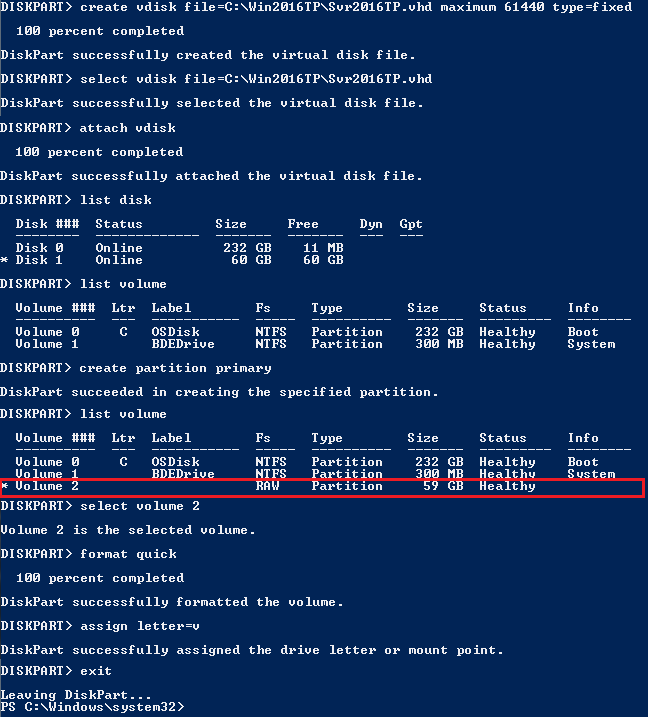
The reason behind writing this article is to use my Laptop (having Intel i3 4th Gen and 8 GB of RAM) as my LAB for testing new Windows Server 2016 TP4 and to do that I have to use boot from VHD option. There are multiple ways to boot your system from VHD but I don’t find a simple and
Setup your own Monitoring – Disk Space Utilization Monitoring tool for free
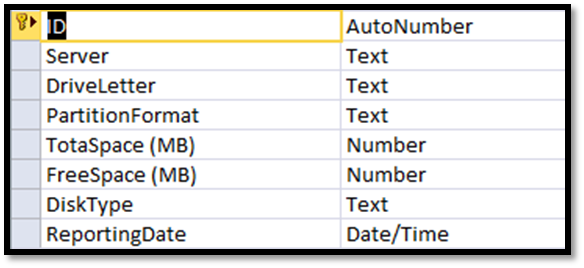
It is always recommended to keep tracking of the disk space utilization for you servers. This will help us to get the idea of our future requirement. There are multiple tools available for track this but you have to pay for most of them. Recently I also had similar kind of requirement and I was asked to provide the free
Migrating a VMWARE VM to AWS using AWS PowerShell
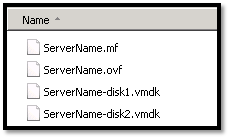
In this topic we will describes the necessary steps to migrate a VMWare VM to the Amazon Web Services (AWS) using PowerShell. You could also migrate VM using AWS command line tools, but I found using PowerShell is much easier than command line tools. Requirements: AWS Tools for Windows PowerShell http://aws.amazon.com/powershell/ IAM account to authenticate. Basic knowledge on PowerShell. Preparing
How to reset windows password (offline) on AWS Windows Instance

In simple word changing/resetting windows password is a very simple task using any third party free or paid tools as long as you able to access server console. Even on virtual platform like Hyper-V VMWare you have access to server console, but when it comes to AWS, there is no way to access console of a virtual instances. So, those
Port Scanner using PowerShell with Email Notification
Few days back I was asked to create a script, which will check RDP port status of multiple servers and send the result as an email notification. I have searched for few, but unfortunately there was no ready script for that. I decided to build one using PowerShell, and came out with following script. Hope this script might help you