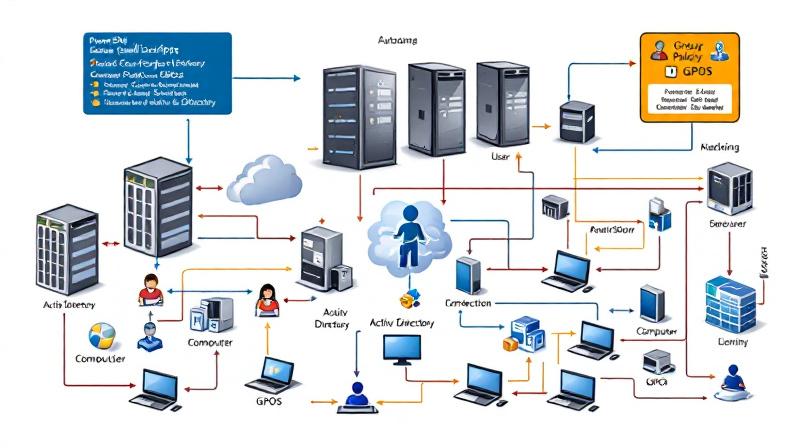
Automating Group Policy Object (GPO) tasks in Active Directory is critical for large organizations and IT administrators managing a high volume of policies. PowerShell provides enterprise-grade automation capabilities to create, modify, and deploy GPOs efficiently, reducing manual effort and minimizing errors. This guide dives deep into automating GPO management with PowerShell, showing step-by-step scripting techniques for both user and computer
Category: Scripts and Coding
VBScript, Python, Shell Scripting, Bash, Bash script, shell script, API Scripting, YAML, JSON, XML, Regex, cron, scripting basics, script templates, script security, REST API, webhook, coding tutorial, Go, Golang, Rust, Ruby, Perl, batch script, batch file, .sh, automation script
Self-Hosted N8N on Affordable VPS: Practical Guide, Cost Comparisons, and Agentic AI Use Cases
Harnessing the power of self-hosted automation tools is transforming the way individuals and businesses streamline tasks. n8n (pronounced “n-eight-n”) is an open-source workflow automation tool known for its flexibility and the control it offers over data privacy and integrations. When paired with the capabilities of Agentic AI, it opens the door to advanced, intelligent workflows—without ever relying on expensive, proprietary
Face-Off: Windows PowerShell vs PowerShell Core — The Real-World Transition

PowerShell has come a long way since its inception, becoming an essential tool not only for Windows administrators but also for IT professionals working across platforms. The transition from the original Windows PowerShell to PowerShell Core represents more than just a version change—it’s a fundamental evolution in how command-line automation and configuration management are approached in the modern IT landscape.
PowerShell in DevOps Workflows — GitHub Actions & CI/CD
PowerShell’s evolution from a Windows-centric scripting language to a cross-platform automation powerhouse has firmly planted it in the heart of modern DevOps. Nowhere is this transformation more apparent than in the continuous integration and continuous deployment (CI/CD) pipelines that drive reliable software delivery. GitHub Actions, with its ease of workflow automation and native integration with the world’s largest code hosting
S3 Bucket Audit Report using AWS PowerShell Script – Secure your S3 Buckets

If you are working on AWS environment and if you follow the news related to AWS, you will probably know there are many major data breach happened because of the human negligence, where vast amount of data kept without any protection like encryption, public access blocking. It is all because of human error. We create S3 bucket, and start
Powerful AWS Bot for automation using Telegram Bot API written in PowerShell
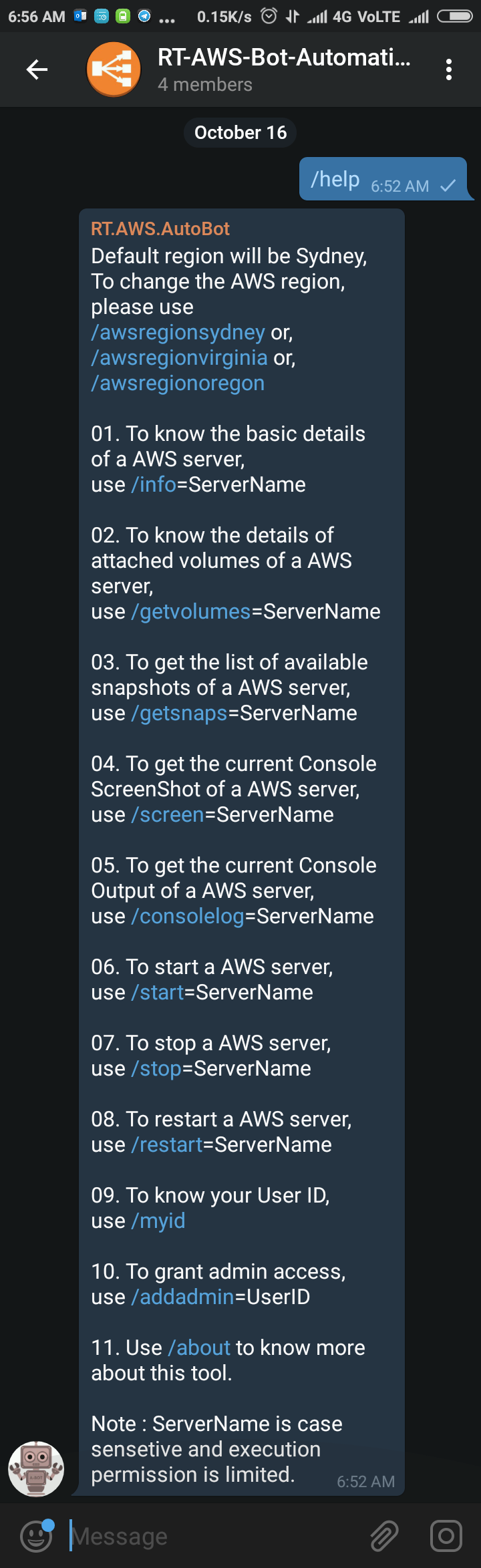
Sometimes back I was working on a free notification system using Telegram Bot (https://telegram.org/blog/bot-revolution), and I wrote a simple function in PowerShell, which could be use in various ways for sending instant notification to any smartphone for free (http://bit.ly/2ys1gF5). I thought what else we could do with it, and I have got an idea to use it as AWS Automation